The system UUID is a 128-bit identifier that a PC's manufacturer writes into the System Information table of the SMBIOS firmware data, and Windows reads it from there. DMTF, the standards body behind SMBIOS, gives it one job in version 3.9.0 of the specification, dated July 7, 2025: to be unique across both time and space without any central registry. Microsoft's guidance for PC makers says the value should belong to one specific machine.
That machine-level identity is why the system UUID shows up in software licensing, device management tools and, less happily for some gamers, in the hardware fingerprints that anti-cheat systems build. Reading it in Windows 11 takes one PowerShell line now that WMIC is gone. The rest comes down to SMBIOS itself, the way its 16 bytes are stored, and what can change them.
What Is the System UUID?
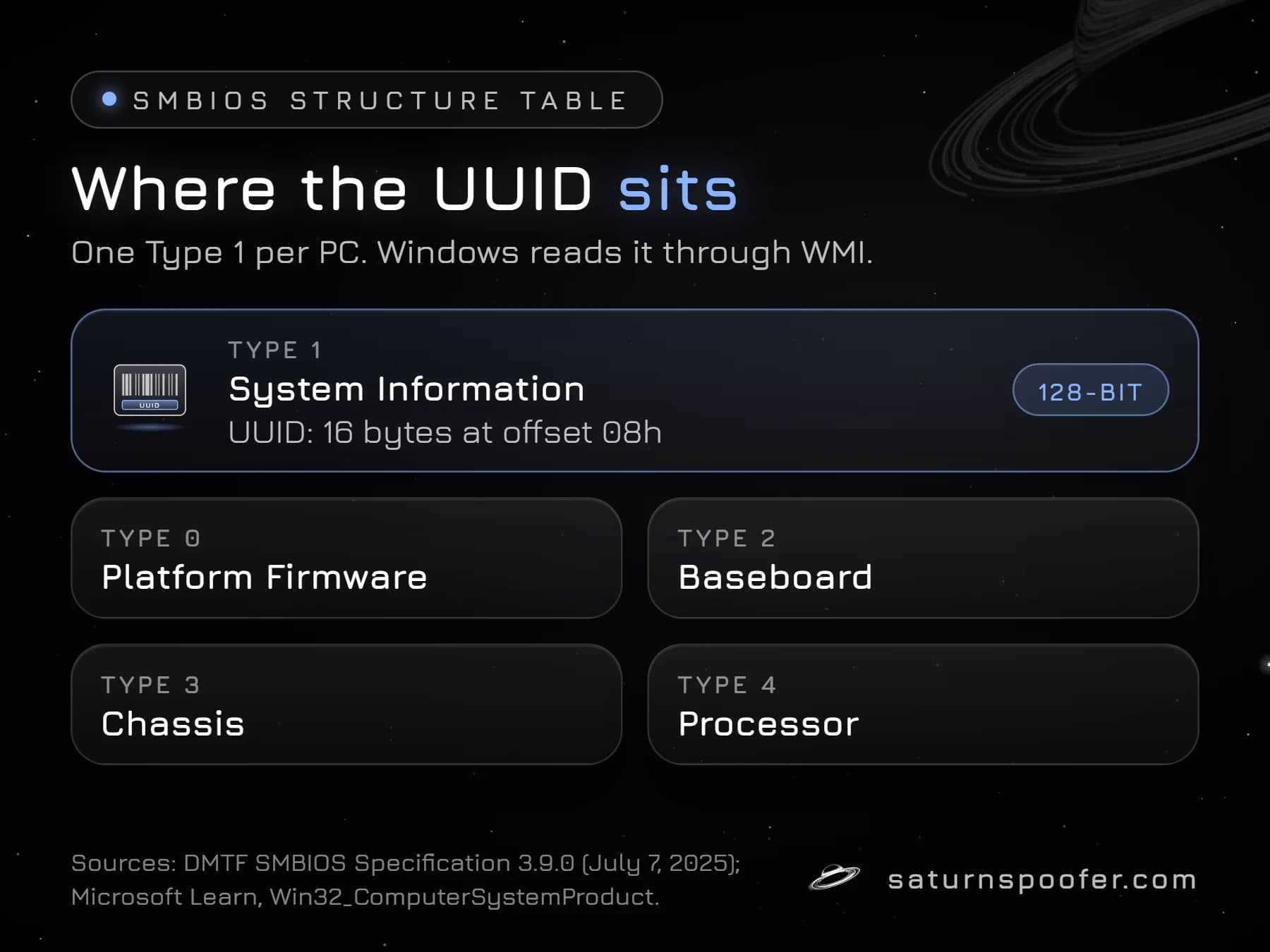
The system UUID is the Universally Unique Identifier stored in SMBIOS structure Type 1, the System Information record that describes the computer as a whole. The SMBIOS specification allows one and only one Type 1 structure per system, so every PC exposes exactly one system UUID, sometimes called the SMBIOS UUID, BIOS UUID or product UUID depending on the tool.
The field is 16 bytes long and sits at offset 08h of that structure. DMTF points to RFC 4122 for the format, the same standard that defines the familiar text form of 32 hexadecimal digits split into five groups of 8, 4, 4, 4 and 12. Written out with the digits masked, a system UUID looks like XXXXXXXX-XXXX-XXXX-..., and the full value runs to 36 characters.
Microsoft treats it as a deep identifier. Its SMBIOS guidance for PC makers lists the UUID as the seventh level of device identity, below the manufacturer, family, product name, baseboard, SKU and serial number, and notes that it isn't marketed to end users. It is one of several values that together make up what an HWID is on Windows, next to drive serials, MAC addresses and the TPM.
How to Find the System UUID in Windows
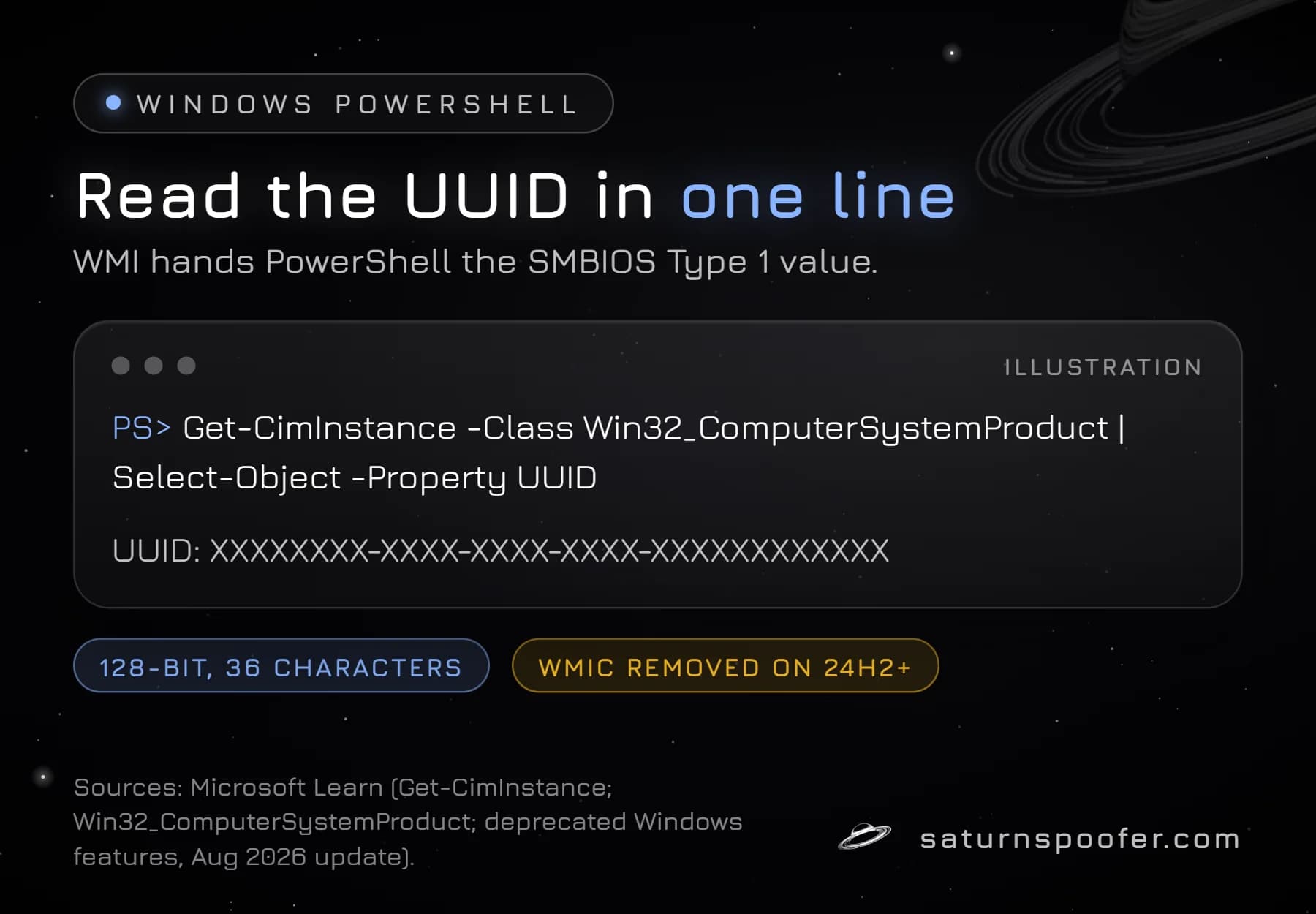
You find the system UUID in Windows with one PowerShell command that asks WMI for the Win32_ComputerSystemProduct class:
Get-CimInstance -Class Win32_ComputerSystemProduct | Select-Object -Property UUID
The WMI reference for Win32_ComputerSystemProduct says its UUID property "comes from the UUID member of the System Information structure in the SMBIOS information," and that a UUID of all zeros is used when none is available. The same class also returns the vendor and product name, so adding Vendor, Name after Select-Object shows the maker and model next to it. Get-CimInstance works in Windows PowerShell 5.1, the version built into Windows 11, and in PowerShell 7.
Why Older Guides Say WMIC
Many answers online still give wmic csproduct get uuid, and on a current PC that command no longer exists. Microsoft's list of deprecated Windows features says that, as of an August 2026 update, WMIC is removed and no longer offered as a Feature on Demand on Windows 11 version 24H2 and later. WMI itself is unaffected, which is why the PowerShell route still works. The full story of WMIC and its command variants sits with the BIOS serial commands.
Finding the SMBIOS UUID on an HP PC
On HP business PCs the UUID appears in Computer Setup, the F10 firmware menu. HP's Computer Setup (F10) guide for business PCs, first published in 2008, lists it under System IDs, says the UUID "can only be updated if the current chassis serial number is invalid," and notes that both numbers are normally set in the factory. In Windows, HP's Client Management Script Library offers Get-HPBIOSUUID, which reads the value from the BIOS and, per HP, should normally match Get-HPDeviceUUID, which reads it through Windows.
What Is SMBIOS?
SMBIOS is the DMTF standard that defines how a motherboard or system maker describes its hardware to the operating system through platform firmware, as a table of typed structures. Software reads those structures instead of probing the hardware, which DMTF calls error prone. The name started as the Desktop Management BIOS Specification, later became the System Management BIOS Reference Specification, and since version 3.8.0 is called the SMBIOS Specification; DMTF now states that "SMBIOS" no longer stands for anything.
Each structure begins with a four-byte header holding its type number, its length and a handle. Types 0 through 127 are defined by DMTF, and 128 and above are left for system makers and OEMs. The structures that matter most for hardware IDs:
| Type | Structure | Holds, among others |
|---|---|---|
| 0 | Platform Firmware | Firmware vendor, version, date |
| 1 | System Information | Maker, model, serial, UUID |
| 2 | Baseboard | Board maker, product, serial |
| 3 | Chassis | Enclosure type, serial |
| 4 | Processor | CPU family, speed, ID |
| 17 | Memory Device | Module size, speed, serial |
Type 2 is where the baseboard serial number lives, the value most tools call the motherboard serial, and Type 1 carries the system serial next to the UUID. Firmware exposes the whole table through a 32-bit or a 64-bit entry point, and Windows exposes the fields through WMI classes such as Win32_ComputerSystemProduct, which is how PowerShell ends up reading them.
How the SMBIOS UUID Is Stored
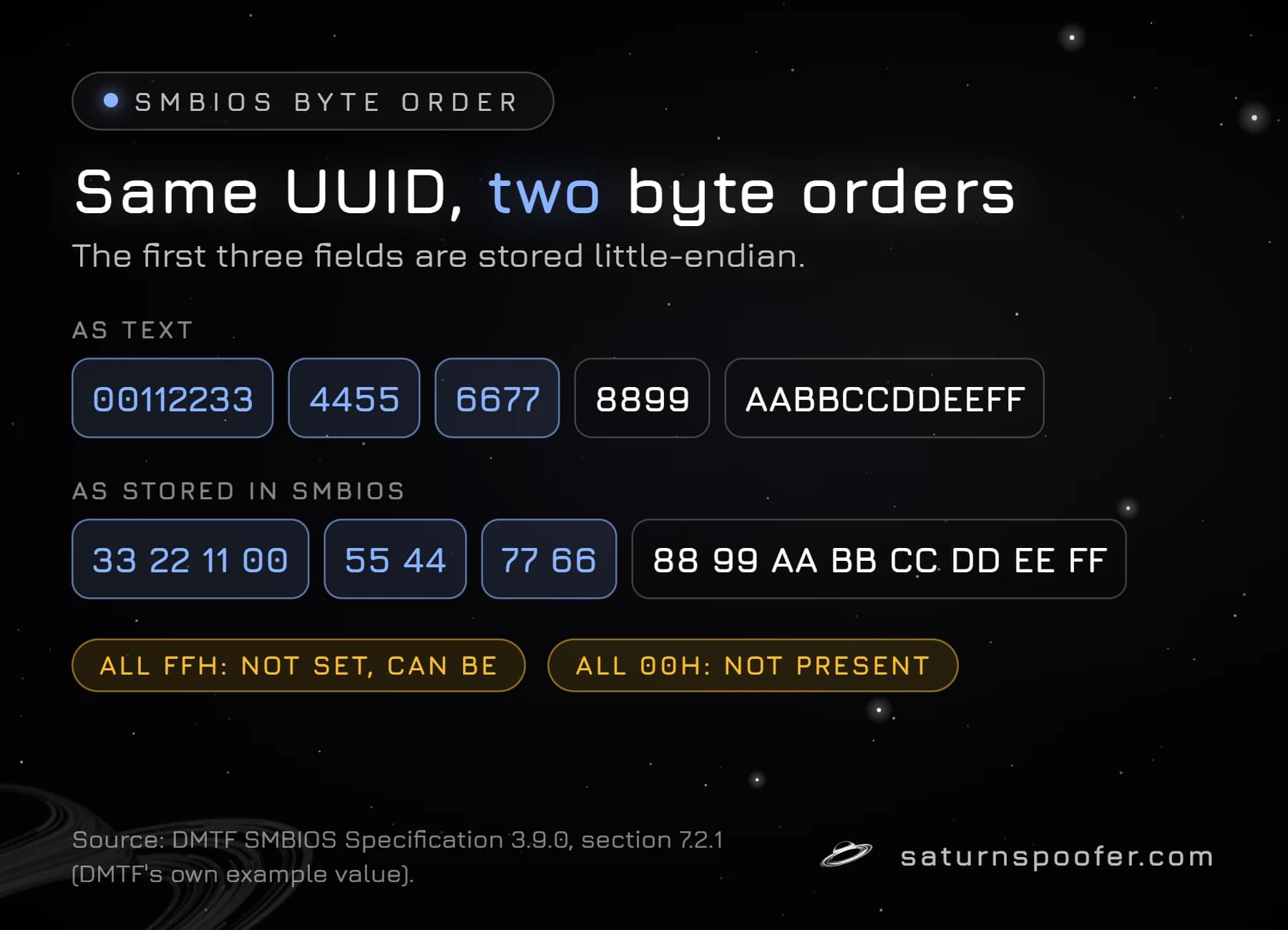
The SMBIOS UUID is stored with its first three fields in little-endian byte order, a convention DMTF says the PC industry, including the ACPI, UEFI and Microsoft specifications, has used consistently. RFC 4122 recommends network byte order for every field, so the two rules disagree on the first eight bytes.
DMTF's own example makes the difference visible. The UUID that begins 00112233-4455-6677 sits in firmware as 33 22 11 00 55 44 77 66, while its last eight bytes, 88 99 AA BB CC DD EE FF, keep their order. A tool that reads the raw bytes without applying that rule prints a different string for the same machine, which is one likely reason a Linux utility and Windows can disagree about one PC's UUID.
Two values carry special meaning in the specification:
- All FFh: the ID is not present in the system but can be set.
- All 00h: the ID is not present. Windows also reports all zeros when no UUID is available.
DMTF's conformance guidelines require a Type 1 UUID that is neither all zeros nor all FFh, so a board that reports either one falls short of those guidelines.
Can You Change the System UUID?
You cannot change the system UUID from Windows settings, because Windows only reads it from firmware and a reinstall leaves the firmware tables alone. Where the value can change depends on the machine.
Physical PCs
On a physical PC the UUID is set at the factory and edited, if at all, with the maker's own firmware tools. HP's rule that the UUID can be updated only when the chassis serial is invalid shows how tightly HP guards it. Windows keeps separate software-side identifiers, such as the Windows MachineGuid in the registry, that are not part of SMBIOS at all, so resetting them leaves the system UUID untouched.
Virtual Machines
Virtual machines get a system UUID from the hypervisor. VMware's documentation for Workstation Pro 17 says the UUID is generated when a virtual machine is first powered on, is stored in the SMBIOS system information descriptor, and changes if you tell VMware that you copied the machine rather than moved it.
On a gaming PC, the realistic option for values like the UUID is an HWID changer, software that changes what the system reports to programs and leaves the firmware alone, since few owners have the maker's service tools. Publishers look for exactly that kind of software, as Epic's warning below shows.
Why Games Care About the System UUID
Games and anti-cheat systems commonly read firmware identifiers like the system UUID, since neither a fresh Windows install nor a new account changes them. No publisher has put out the list of IDs its checks use, so any claim that a named anti-cheat reads the UUID stays unconfirmed until the publisher says it.
HWID bans work by tying a penalty to that kind of machine fingerprint rather than to one login. The Saturn HWID Spoofer names the motherboard's board and SMBIOS identifiers on its public list of spoofed IDs, and the system UUID is one of those SMBIOS values. On the banned PC itself, the spoofer clears the HWID ban. In temporary mode the new IDs last only while Saturn is running, and the banned ones return when it closes; permanent mode rewrites them so the PC stays cleared. A banned game account is a separate matter, and no spoofer unbans it.
Publishers watch for this. Epic Games, for one, says it can detect programs that hide or rewrite hardware IDs, and that accounts caught with them may be banned permanently. A Saturn trial runs 24 hours at no charge and without a payment card; you only give an email address.
System UUID FAQ
Is the system UUID the same as the serial number?
No. The serial number is a text string that Microsoft's guidance says should match the label on the outside of the device, while the system UUID is a 16-byte value that isn't marketed to end users. Both sit in the same SMBIOS Type 1 structure.
Why is my system UUID all zeros or all Fs?
A system UUID of all zeros means the firmware provides no UUID, and Windows also reports zeros when none is available. All Fs means the value was never set but can be. Either value means no proper UUID was written, which DMTF's conformance guidelines do not allow.
Does reinstalling Windows change the system UUID?
No. The system UUID lives in the motherboard's firmware tables, and a Windows reinstall only replaces what is on the drive, so the same value comes back.
Does replacing the motherboard change the system UUID?
Expect it to, because the UUID lives in the board's firmware and a new board arrives with its own. HP's F10 menu, for one, accepts a UUID only while the chassis serial is invalid, so moving an old value onto a new board is a job for the maker's service tools.
Is the system UUID a secret?
The system UUID is not a password, but it identifies one machine, so there is no reason to post it in a forum or a screenshot. Mask it the way the examples above do.