The machine GUID is a 128-bit identifier that Windows generates during setup and saves as the MachineGuid value in the Cryptography key of the registry. It names one Windows installation, not a piece of hardware, a detail some guides get wrong. As of September 2026, Microsoft publishes no reference page for MachineGuid, so every claim here is marked as either documented by Microsoft or reported by administrators.
The split matters here. The most repeated claims about the MachineGuid, such as what resets it and what does not, come from sysadmin threads rather than from Microsoft, and they are useful as long as you read them that way.
What Is the Machine GUID?
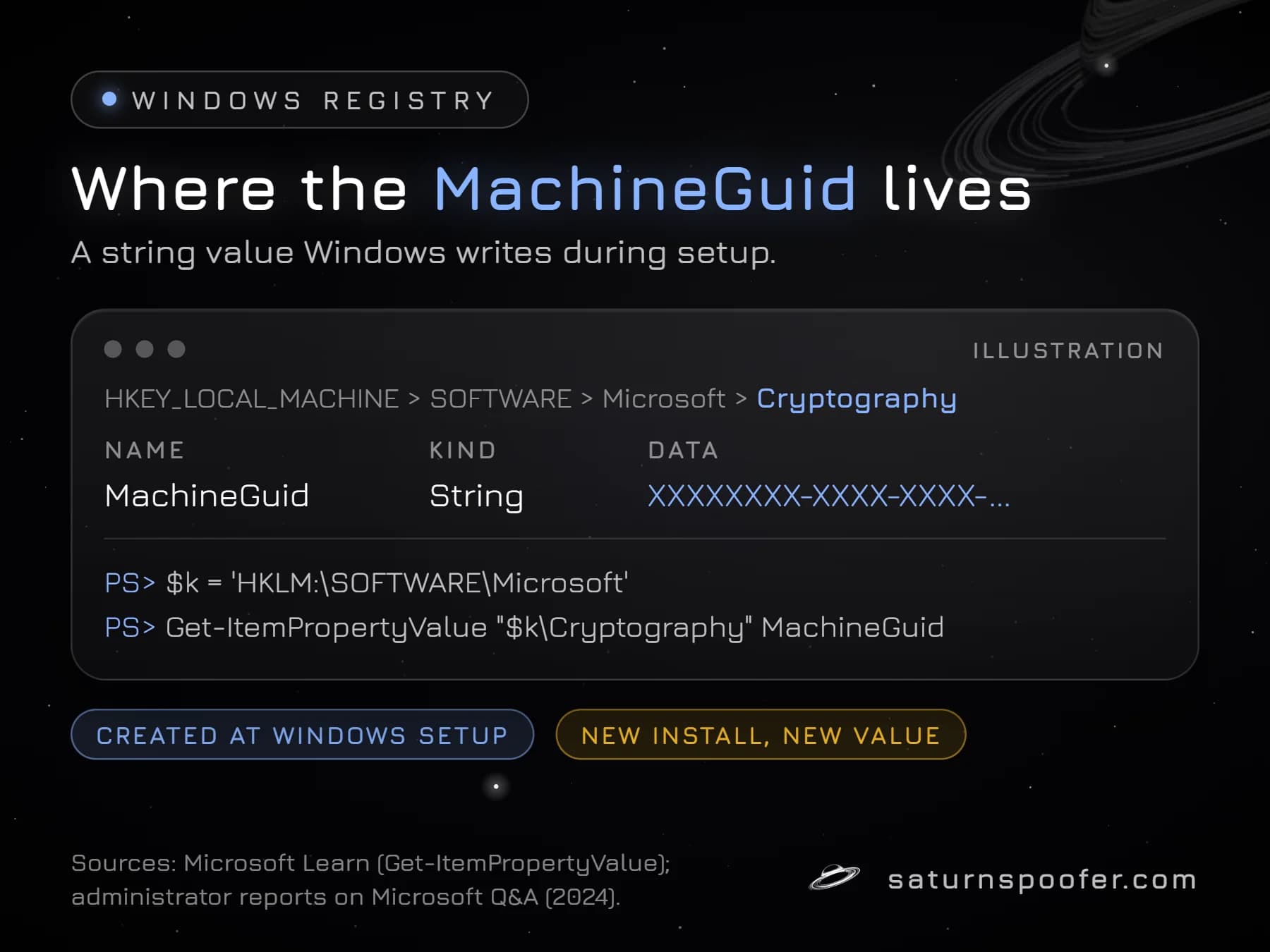
The machine GUID is a globally unique identifier that Windows writes into its own registry, under HKLM\SOFTWARE\Microsoft in a key named Cryptography, when the operating system is installed. It is usually shown as 32 hexadecimal digits in the 8-4-4-4-12 pattern without braces, so a masked example reads XXXXXXXX-XXXX-XXXX-....
Because Windows creates the value itself, the MachineGuid belongs to the installation. Administrators answering on Microsoft Q&A say that installing the same image on the same hardware produces a different value each time, which a firmware ID would never do. Software that builds a device fingerprint often reads it next to firmware values, which is how it ends up counted as one of the IDs that make up an HWID in Windows.
Licensing tools, device management software and telemetry commonly use the MachineGuid to tell one Windows install from another, since it survives reboots and updates. Microsoft does not say what, if anything, in Windows depends on it.
How to Find Your Machine GUID
You can read the machine GUID in PowerShell with Get-ItemPropertyValue, a cmdlet that returns the value of one property at a path, and Microsoft's reference for the cmdlet opens with an example that reads a value from the registry. To keep the lines short, store the parent key in a variable first:
$k = 'HKLM:\SOFTWARE\Microsoft'
Get-ItemPropertyValue "$k\Cryptography" MachineGuid
The command prints the GUID as a single string. In Registry Editor, the same value sits under HKEY_LOCAL_MACHINE, then SOFTWARE, then Microsoft, then Cryptography, as the string named MachineGuid.
What Changes the MachineGuid
The MachineGuid changes when Windows gets a new identity and stays put when only the hardware changes. None of the following is documented by Microsoft for MachineGuid specifically; the list reflects Microsoft's Sysprep documentation where it applies and what administrators consistently report:
- A fresh install of Windows writes a new value, including a reinstall on the same PC.
- Sysprep with the generalize option is the step Microsoft uses to strip computer-specific data such as the security identifier (SID) from an image before deployment. Administrators report that images prepared this way get a new MachineGuid on each deployed PC.
- Cloning or restoring an image that was not generalized copies the old value, so the clones share one MachineGuid, which is how two PCs end up reporting the same one.
- Converting a PC into a virtual machine can change it. VMware engineer William Lam notes that vCenter Converter can change the MachineGuid when its option to reconfigure the destination machine stays selected, which it is by default.
- Direct edits. The value is writable, so an installer, an administrator or a tool can overwrite it.
Administrators also report that swapping a graphics card, adding memory or even moving to a new motherboard leaves the MachineGuid alone, as long as the same Windows installation keeps booting.
Machine GUID vs System UUID and Other IDs
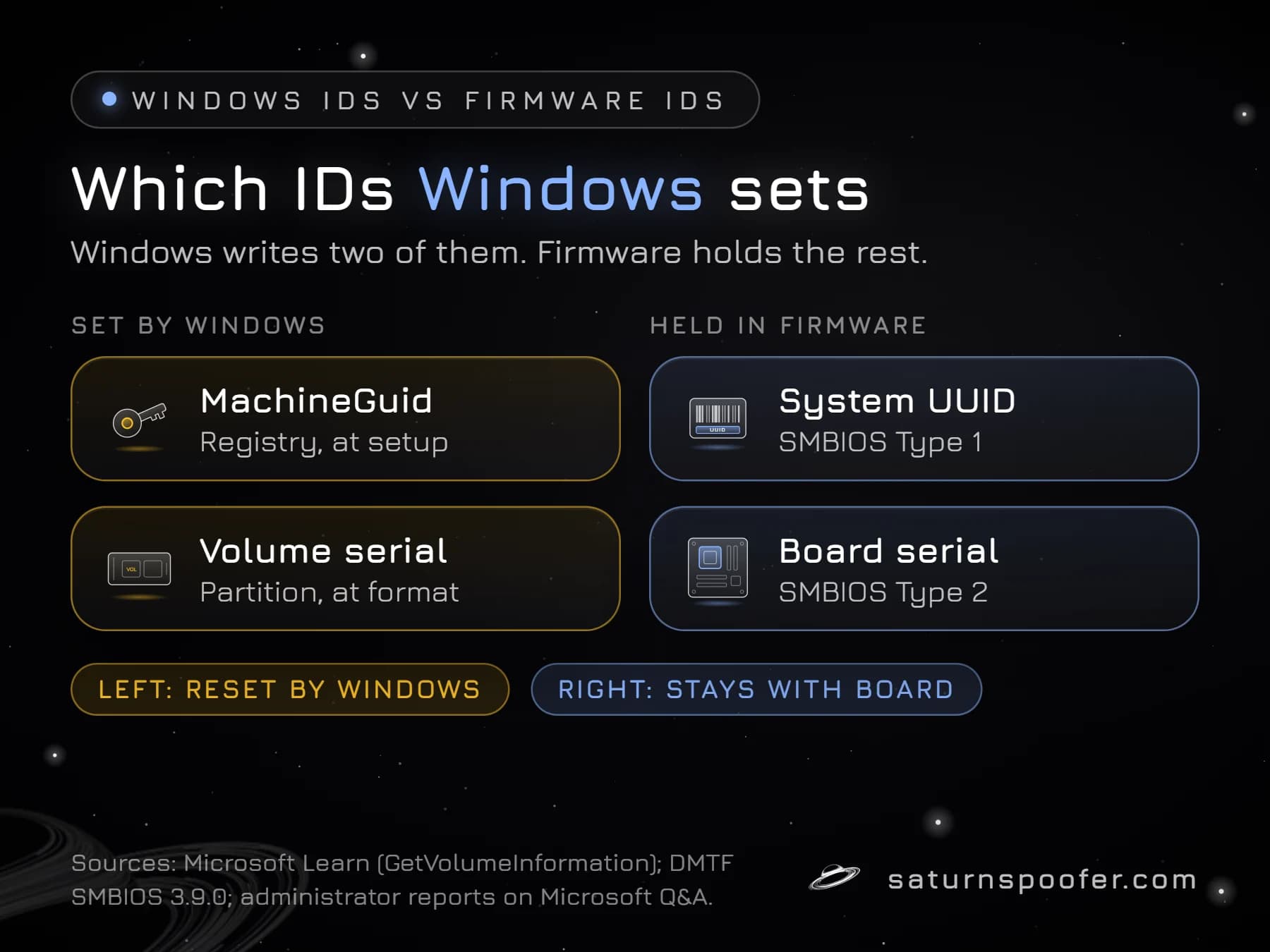
The machine GUID differs from the other common Windows IDs in where it is stored, and that decides what resets it:
| ID | Lives in | Changes when |
|---|---|---|
| MachineGuid | Windows registry | Windows is reinstalled |
| System UUID | SMBIOS firmware | The motherboard changes |
| Volume serial | A disk partition | The partition is formatted |
| Product ID | Windows registry | Windows is set up again |
The SMBIOS system UUID is written into the motherboard's firmware at the factory, so a reinstall never touches it, while the MachineGuid never leaves the registry. Microsoft's GetVolumeInformation reference describes the volume serial number as a number the operating system sets at format time, which makes it a per-partition value rather than a per-PC one.
Windows Product ID vs Product Key
The Windows product ID is not the product key, and neither one is the machine GUID. Microsoft's WMI reference for the Win32_OperatingSystem class describes its SerialNumber property as the "Operating system product serial identification number" and maps it to the ProductId value in the registry, with the example 10497-OEM-0031416-71674. You can print it with:
Get-CimInstance Win32_OperatingSystem | Select-Object SerialNumber
A product key is something else. Microsoft Support describes it as a 25-character code used to activate Windows, written in five groups of five. The About page in Settings typically lists the product ID under Device specifications, and it is the key, not the ID, that you keep private.
Why Games Read the Machine GUID
Anti-cheat software and the games that ship it commonly read Windows-level identifiers such as the MachineGuid alongside firmware values, because together they tell the service whether it has seen the PC before. No publisher lists exactly which IDs it collects, so treat reports that one named anti-cheat checks the MachineGuid as unconfirmed until its publisher says so.
On its own, a new MachineGuid does little against a ban on a PC's hardware IDs, since the system UUID, the board serial, drive serials and other firmware IDs still point to the same machine. That is why changing your HWID means covering many values at once. Saturn changes the MachineGuid and the Windows volume serial number, the two IDs Windows sets itself, together with the hardware IDs on its public list, such as SMBIOS, disk, GPU and MAC identifiers.
Used on a banned PC, an HWID spoofer like Saturn clears the hardware ban there: temporary mode keeps the new IDs only while it runs, and permanent mode keeps them after it closes. A banned account stays banned. Publishers also watch for this: Epic Games warns that software hiding or rewriting hardware IDs can be detected, and that accounts using it risk a permanent ban. Trying Saturn costs nothing for the first 24 hours, and the sign-up asks for an email rather than a card.
Machine GUID FAQ
Is the machine GUID unique?
The machine GUID is unique to one Windows installation in normal use, but cloning can break that. Cloned or restored systems that skipped Sysprep share the same value, which is why two PCs can report one MachineGuid.
Can I use a machine GUID generator?
A machine GUID generator only produces a random 128-bit GUID in the same format. The result is not your PC's machine GUID, which Windows already created during setup and which you read from the registry.
Does reinstalling Windows change the machine GUID?
Yes. A clean install of Windows writes a new MachineGuid, even on the same hardware, while firmware IDs such as the system UUID stay the same.
Does changing hardware change the machine GUID?
No. The MachineGuid lives in the Windows registry, so new parts leave it as it was for as long as the same installation keeps running.
Is it safe to share my machine GUID?
The machine GUID isn't secret the way a password is, yet it does single out your Windows installation to any software that reads it. Mask it in forum posts and screenshots, the way the examples above do.