A RAM serial number is the number a memory maker assigns to one module, and Windows can read it without you opening the case. Each stick gets its own entry, so a PC with 4 modules lists 4 serials. As of September 2026 the old wmic memorychip command is gone from current Windows 11 builds, and PowerShell is the way to read it.
The serial Windows shows and the label on the stick are two different things, and the difference decides what you can check, what a warranty desk wants, and why games that build a hardware fingerprint care about memory at all.
Does RAM Have a Serial Number?
Yes. RAM modules carry a manufacturer-assigned serial, and Microsoft documents the SerialNumber property of the Win32_PhysicalMemory class as the number the maker allocated to identify that physical part. Windows keeps one record per memory device, so every stick in the PC shows up on its own line.
That makes the RAM serial number different from the processor ID, which Windows builds from a model signature that every chip of the same model and stepping shares. Memory is identified per part; the processor is identified per design.
How to Find the RAM Serial Number in Windows
The RAM serial number sits in the Win32_PhysicalMemory class, which PowerShell reads with the Get-CimInstance cmdlet:
- Open a PowerShell window from Start.
- Run
Get-CimInstance -ClassName Win32_PhysicalMemory | Select-Object DeviceLocator, Manufacturer, PartNumber, SerialNumber. - From Command Prompt, wrap it:
powershell -NoProfile -Command "Get-CimInstance Win32_PhysicalMemory | Select-Object SerialNumber".
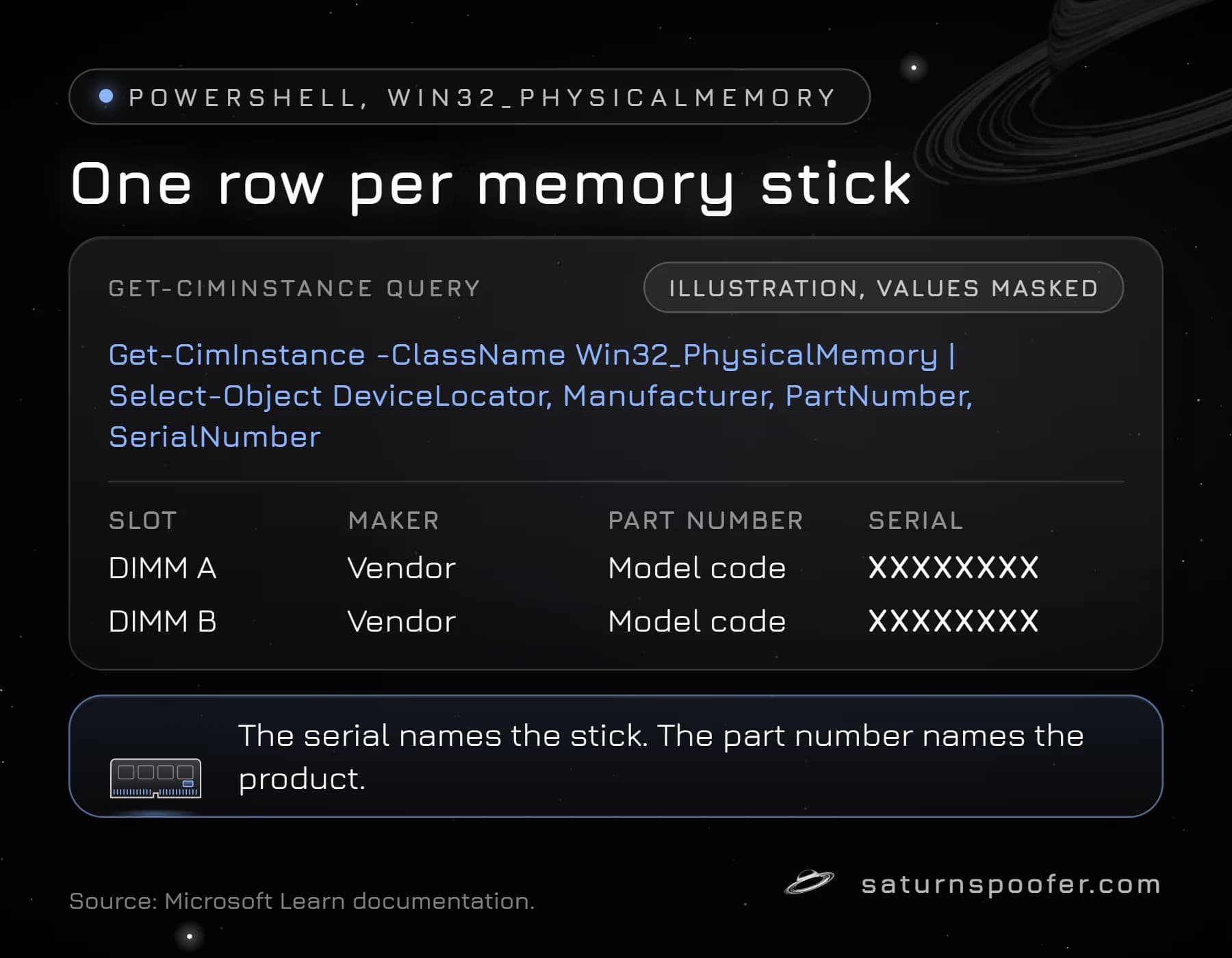
DeviceLocator is Microsoft's name for the label of the slot that holds the module, which tells you which serial belongs to which stick. Microsoft's own example value for it is "SIMM 3".
Guides from a few years ago use wmic memorychip get serialnumber instead. WMIC has been on Microsoft's deprecated list since the 21H1 release of Windows 10, and the current reference page says Windows 11 versions 24H2 and 25H2 come without it. WMI keeps working underneath, which is why the PowerShell query returns the same fields. The same story, with every command variant, is covered in the guide to wmic bios get serialnumber.
| Field | What Microsoft says it is | Example |
|---|---|---|
| SerialNumber | Maker-allocated ID of the module | XXXXXXXX |
| PartNumber | Part number from the maker | Model code |
| Manufacturer | Organization that produced it | Vendor name |
| DeviceLocator | Label of the slot holding it | SIMM 3 |
Where the RAM Serial Number Is Stored
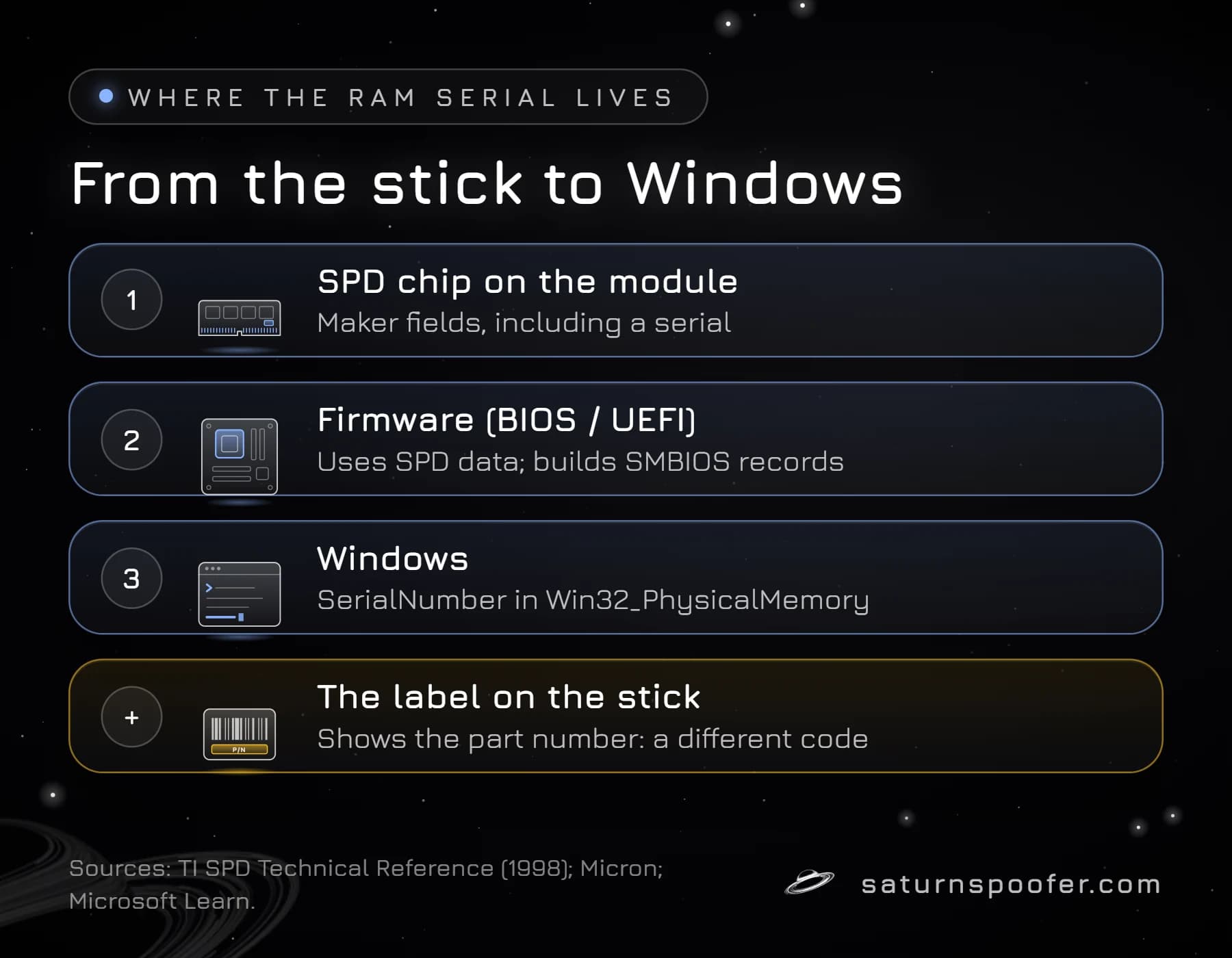
A RAM module stores its own details in its serial presence detect (SPD) data, a small EEPROM chip on the stick that tells the computer what kind of module it is. Texas Instruments' 1998 SPD technical reference describes the SPD as the device that "provides the host computer information about the memory module", and lists the manufacturer's JEDEC ID code, part number, manufacturing date and an assembly serial number among the manufacturer fields.
JEDEC, the standards body for memory, publishes the SPD layout for each generation, with separate documents for DDR4 and DDR5 modules. Micron notes that a PC's BIOS may depend on SPD data to configure and tune the memory. Each generation has its own layout, and reading the chip directly is left to the firmware and specialist utilities rather than a standard Windows command.
Windows gets its copy one step later. Microsoft says the SerialNumber, PartNumber and Manufacturer values come from the Memory Device records in the PC's SMBIOS tables, the hardware description the firmware hands to the operating system. Microsoft does not say how the firmware fills those records, so a blank or odd value in Windows points at the firmware's record, not at the stick.
RAM Serial Number vs Part Number
A RAM part number names the product, while the serial number names the individual stick. PCWorld notes that the label on a module shows the part number, which is the code to search when you want the full specs.
For a Kingston RAM serial number check, the public tool Kingston offers is a part number decoder that reads codes for lines such as Kingston FURY, ValueRAM, DDR4 and DDR5; it does not look up serials. Kingston's warranty terms ask for the model number and, where applicable, the serial number when you make a claim, so the serial matters most when a stick fails.
Is a RAM Serial Number Unique?
A RAM serial number is meant to identify one physical module, since Microsoft describes it as a manufacturer-allocated number for that element. How a maker assigns its numbers is up to the maker, and Microsoft makes no promise that two vendors never collide, so treat it as the maker's ID for that module rather than a worldwide one-of-a-kind ID.
The contrast with the processor holds either way. A CPU reports a shared model value, while each memory stick reports its own serial, so memory adds per-part detail that a processor ID cannot.
Why Games and Anti-Cheats Read RAM Serials
Memory module serials show up in the list of identifiers commonly read when software assembles the full hardware ID of a PC, alongside disk, board and network adapter identifiers. Game publishers don't list which IDs their anti-cheat collects, so no outsider can say that a specific game reads memory serials.
The documented part is what a RAM serial can do in a fingerprint. It is tied to one module and changes when you swap sticks, so it adds detail to a fingerprint rather than anchoring it. When a game issues a machine-level ban, memory serials would be one entry in that record next to the others.
Can You Change a RAM Serial Number?
Not from Windows. The SerialNumber property is read-only in Microsoft's documentation, and the serial itself lives in the module's SPD data and the firmware's records. Replacing the sticks is the plain hardware route, and new modules bring new serials.
The software route is to change what other programs are told. Tools built for swapping hardware IDs in software work on the reported values, not the chips. Epic Games says its systems watch for programs that disguise or alter hardware identifiers in Fortnite and that it may ban the account permanently, so that risk comes with doing this for a game.
RAM, listed as memory module serials, is part of the published spoof list for Saturn's hardware ID spoofer, next to the CPU, TPM, motherboard, disks, GPU, monitor, MAC address, USB and UEFI identifiers. On the computer running it, the HWID ban no longer applies. In temporary mode Saturn reports new values for as long as it is running and the banned originals return after it closes; permanent mode replaces the reported IDs permanently. Account bans work differently: the game account that was banned remains banned. A free 24-hour trial needs an email address and no card.
RAM Serial Number FAQ
How do I check the RAM serial number?
Run Get-CimInstance -ClassName Win32_PhysicalMemory in PowerShell and read the SerialNumber column, one row per module. The label on the stick shows the part number, which is a different code.
Does RAM have a serial number?
Yes. Memory modules carry a maker-assigned serial, the SPD data on the stick has a field for one, and Windows reports it through the Win32_PhysicalMemory class.
Why is my RAM serial number blank or zero?
Windows copies the value from the firmware's SMBIOS memory record, so a blank or zero means that record holds no usable serial. The module's label and part number still identify the product.
Can I check a Kingston RAM serial number online?
Kingston's public decoder reads part numbers, not serials. Kingston asks for the serial number, where applicable, when you file a warranty claim.
Does RAM affect my HWID?
Yes, memory serials are one of the parts commonly read into an HWID, and swapping sticks changes them. Publishers don't disclose how much weight any single part carries.
What is a memory SPD serial?
A memory SPD serial is the serial number stored in a module's serial presence detect chip, the SPD data JEDEC defines for each memory generation.