A CPU serial number is the unique code printed on the processor and its box for warranty claims, and Windows has no standard way to read it. Intel dropped the best-known software-readable one, the 96-bit Pentium III processor serial number from 1999, and as of September 2026, what Windows calls the processor ID describes the chip's model, not the individual chip.
So there are two answers to "what is my CPU serial number": the one you read off the hardware, and the one programs can query. Plenty of guides blur the two, and the difference starts to matter the moment you look at how an HWID is put together.
Does a CPU Have a Serial Number?
Yes, Intel and AMD processors carry a serial number, but only on the outside. Both companies mark their chips with a serial used for warranty and RMA work. Windows has no field that returns that number, so the commands people run for it report other values.
That split is behind a common forum mix-up. Someone asks for the serial, gets told to run a command, and receives a processor ID that turns out to be identical on a friend's PC with the same chip.
Where the Printed CPU Serial Number Is
The printed CPU serial number sits on the processor's markings and, for boxed chips, on the retail box label. Intel's support site says a warranty claim needs two numbers from those markings: the batch number, called the FPO (Finished Process Order), and the serial number, called the ATPO (Assembly Test Process Order).
AMD states that every AMD processor carries a unique serial number, and its online lookup turns that serial into the ordering part number (OPN) and packaging type needed for an RMA. For a CPU already installed in a socket, the practical source is the box or the original purchase paperwork, since the markings are on the chip.
How to Check the CPU Serial Number in CMD or PowerShell
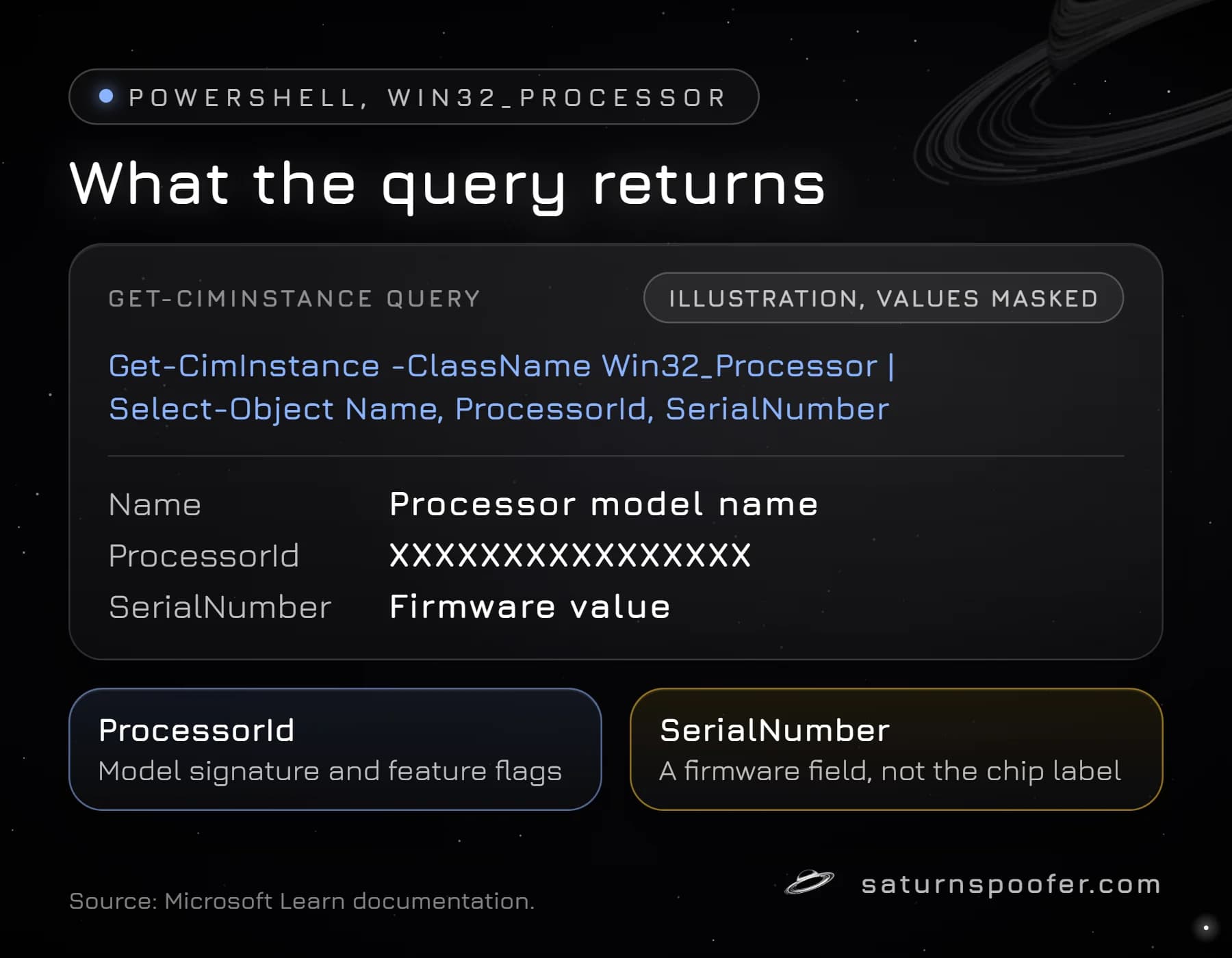
Windows reads processor details through the Win32_Processor class, and the PowerShell cmdlet for it is Get-CimInstance. Run the query one of these ways:
- Start a PowerShell window (search for it in Start).
- Paste
Get-CimInstance -ClassName Win32_Processor | Select-Object Name, ProcessorId, SerialNumber. - From a Command Prompt window, wrap the same query:
powershell -NoProfile -Command "Get-CimInstance Win32_Processor | Select-Object ProcessorId".
The System Information app (msinfo32) tells the same story: the Processor line in its System Summary gives the chip name, clock speed and core count, not a serial.
Older guides tell you to type wmic cpu get processorid. Microsoft deprecated WMIC back in Windows 10 21H1, and its WMIC page now says the tool is gone from 24H2 and 25H2 builds of Windows 11, with no way to add it back. WMI itself still works, which is why the PowerShell query above keeps returning the same data. The full WMIC story, with every command variant, lives in the guide to the BIOS serial number.
The output shows three processor fields worth knowing:
| Field | What Microsoft says it holds | Unique per chip? |
|---|---|---|
| ProcessorId | Two CPUID values: model signature and feature flags | No |
| SerialNumber | The serial field of the firmware's processor record | Depends on the PC maker |
| UniqueId | An ID that may be unique only within a processor family | Only within a family |
What the Processor ID Means
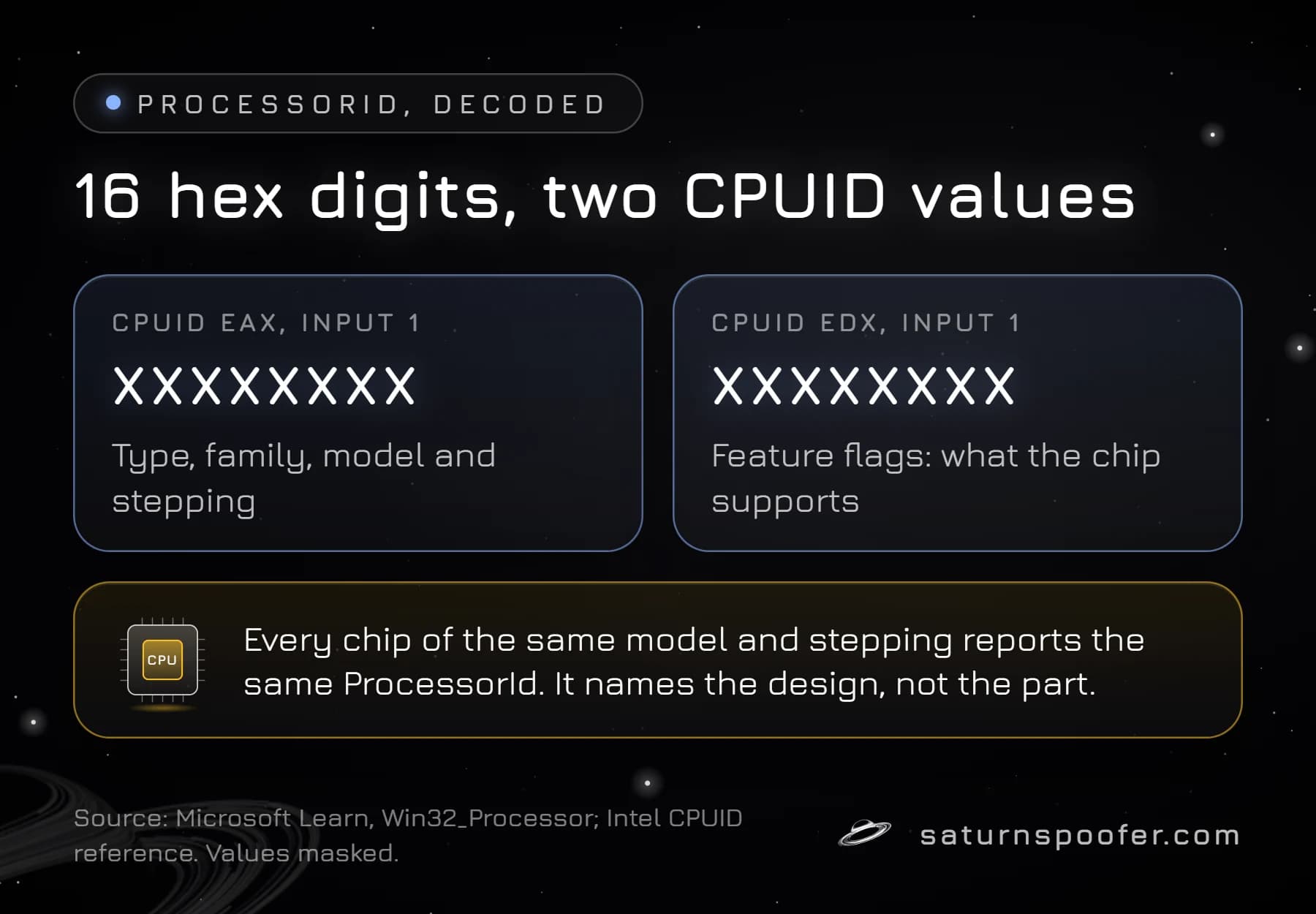
The processor ID in Windows is the ProcessorId property of Win32_Processor, and it is a copy of what the CPUID instruction reports about the chip's type. Microsoft's Win32_Processor documentation describes it as two 32-bit values for an x86 CPU: the EAX value CPUID returns when called with input 1, and the matching EDX value.
Intel's CPUID reference defines that EAX value as the version information: type, family, model and stepping. The EDX value is a set of feature flags. Together they form the 16 hex digits you see, and Windows copies them from the Processor ID entry in the SMBIOS processor record (structure type 4) that the firmware builds. Microsoft's description covers any x86 CPU, AMD included, so the AMD processor ID follows the same layout.
The SerialNumber property is a separate field. Microsoft says it comes from the serial entry of that same firmware record, set by the manufacturer. What ends up in that field depends on the PC or board maker's firmware, so treat it as a firmware value, not the number printed on the chip.
Is the Processor ID Unique?
No. The processor ID is shared by every CPU of the same model and stepping, because both halves of it describe the design rather than the individual part. Two PCs with the same processor model and stepping report identical values.
That makes ProcessorId a poor tracking number and a decent model check. It tells a program which chip generation it is running on and which instructions the chip supports, not which chip it is. Microsoft's UniqueId field does not rescue it either, since the documentation says that ID may only be unique within a processor family.
The Pentium III Processor Serial Number (PSN)
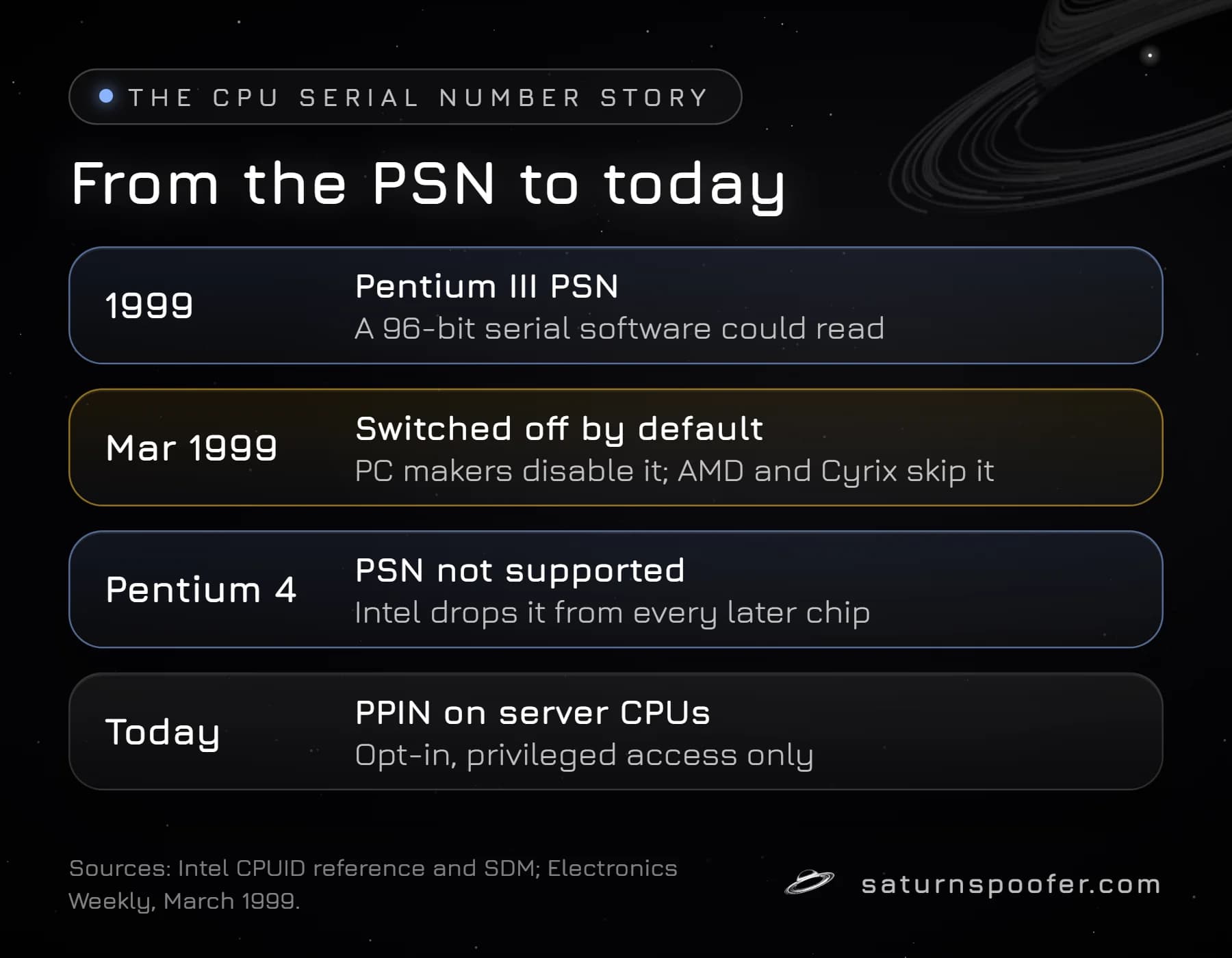
The Pentium III processor serial number was a 96-bit ID built into each chip, and it is the reason "CPU serial number" still sounds like something software should be able to read. Intel added it in 1999, pitching it as a way to make online transactions more secure, and programs read it through the CPUID instruction with input 3.
Privacy groups objected that the number could track people across websites, asked Intel to remove it, and lobbied fund managers to sell Intel stock. By March 1999, Electronics Weekly reported, Intel was shipping a utility that kept the PSN switched off by default, IBM, Dell, Gateway and Compaq were disabling it in their BIOS, and AMD and Cyrix had declined to build the feature at all.
Intel's CPUID reference now says the PSN was available on the Pentium III only and is not supported on the Pentium 4 or any later processor. That is why the processor fields Windows can query today describe the model instead of the chip.
The closest modern relative is the Protected Processor Inventory Number (PPIN) on server processors such as Intel Xeon Scalable and AMD EPYC. Intel's manual describes PPIN as a value unique within one family, model and stepping that only a privileged inventory agent can read, and only once access is enabled; server firmware exposes it through a PPIN opt-in setting. It is a data-center tool, and the Win32_Processor class has no property that reports it.
Why Games and Anti-Cheats Read CPU Data
CPU data is one of the inputs commonly read when software builds an HWID, next to SMBIOS, disk and network adapter values. Publishers don't list the exact identifiers their anti-cheat collects, so nobody outside them can say which CPU fields a given game checks.
The documentation does settle how much a processor ID can prove. It repeats across identical chips, so on its own it cannot single out one PC. It only narrows a fingerprint when combined with values that are unique per device, such as drive and board serials. When a game issues a hardware-based ban, the processor details are one piece of the record, not the whole of it.
Can You Change a CPU Serial Number?
No, a CPU serial number can't be changed. The printed serial is a physical marking, and the processor ID comes from the silicon's own CPUID answers. Swapping the processor is the only way the underlying values change, and even then an identical replacement chip reports the same processor ID.
Memory works differently: Windows lists a manufacturer-assigned serial for each installed module, so the RAM serial number is a real per-part identifier in a way the processor ID is not.
Software can change something else: the processor information other programs receive. Knowing how to change a hardware ID on each part of a PC, and which parts refuse, is a wider question than the processor alone. For games there is a stated risk: Epic Games says its systems flag programs that disguise or rewrite hardware IDs in Fortnite, and it may permanently ban the account behind them.
Processor identifiers appear on the published spoof list of Saturn, a Windows hardware ID spoofer, alongside the TPM, motherboard, RAM, disks, GPU, monitor, USB devices, MAC address and UEFI data. On the PC where it runs, the spoofer clears the HWID ban: temporary mode swaps the reported IDs only while Saturn is open, and the banned originals come back once it closes, while permanent mode rewrites them for good. A banned game account stays banned either way. You can try it free for a day with only an email address; no card is involved.
CPU Serial Number FAQ
How do I find my CPU serial number?
Look at the processor's markings or the retail box label, where Intel prints the FPO and ATPO and AMD prints its serial. Windows commands return the processor ID instead, which identifies the model rather than the chip.
What is the AMD processor ID?
The AMD processor ID is the same Win32_Processor ProcessorId value Windows shows for any x86 CPU: the CPUID family, model and stepping signature plus the feature flags. AMD's own unique serial is the printed one used for its RMA lookup.
Is the processor ID the same as the CPUID?
The processor ID is built from CPUID output, but it is not the CPUID instruction itself. CPUID is the x86 instruction programs call to ask the chip what it is, and ProcessorId stores two of its answers.
Does the CPU affect my HWID?
Yes, CPU data is one of several parts commonly read into an HWID. Because the processor ID repeats across identical chips, unique values from the board, drives and network adapters carry most of the identifying weight.
Can I still use wmic cpu get processorid?
Only where WMIC is still installed. Current Windows 11 builds have dropped it, and Get-CimInstance in PowerShell returns the same ProcessorId value.
Why did Intel remove the Pentium III serial number?
Intel dropped the PSN after privacy groups objected that a unique, software-readable chip ID could track users across websites. Its CPUID reference lists the PSN as Pentium III only and unsupported from the Pentium 4 on.