Fortnite has no official ban checker tool. As of September 2026, Epic Games documents three ways to confirm a ban on your own account: sign in to Fortnite and watch for the ban message, read the email Epic sends when a ban is applied, and open the Sanctions and Appeals portal from Epic, where each active sanction appears with its status and duration. All three are free, and none of them needs a third-party website.
One thing first. The only "ban checker" worth worrying about is the kind that wants your Epic password, because that one can cost you the account the ban didn't.
Does Fortnite Have an Official Ban Checker?
No. Epic Games does not offer a tool called a Fortnite ban checker, and its help center describes no public lookup where you type a username and get a ban result. The closest official thing is a portal inside Epic's Safety Center called Sanctions and Appeals. It shows the sanctions on the account you sign in with, and only that account.
Epic's own help article on checking whether a Fortnite account is banned lists the same three routes and no others.
How to Check If Your Fortnite Account Is Banned
Run Epic's three official checks in this order. Each one catches something the one before it can miss.
- Launch Fortnite and sign in. Epic says a banned account sees a pop-up message when it logs in, and the game may show as unavailable in the Epic Games Launcher.
- Search the inbox of the account's email address. Epic sends a notice to that address every time a ban is applied. Check spam and promotions folders too.
- Log in at Sanctions and Appeals. The portal lists the sanctions on the account, including ones that do not stop you from logging in.
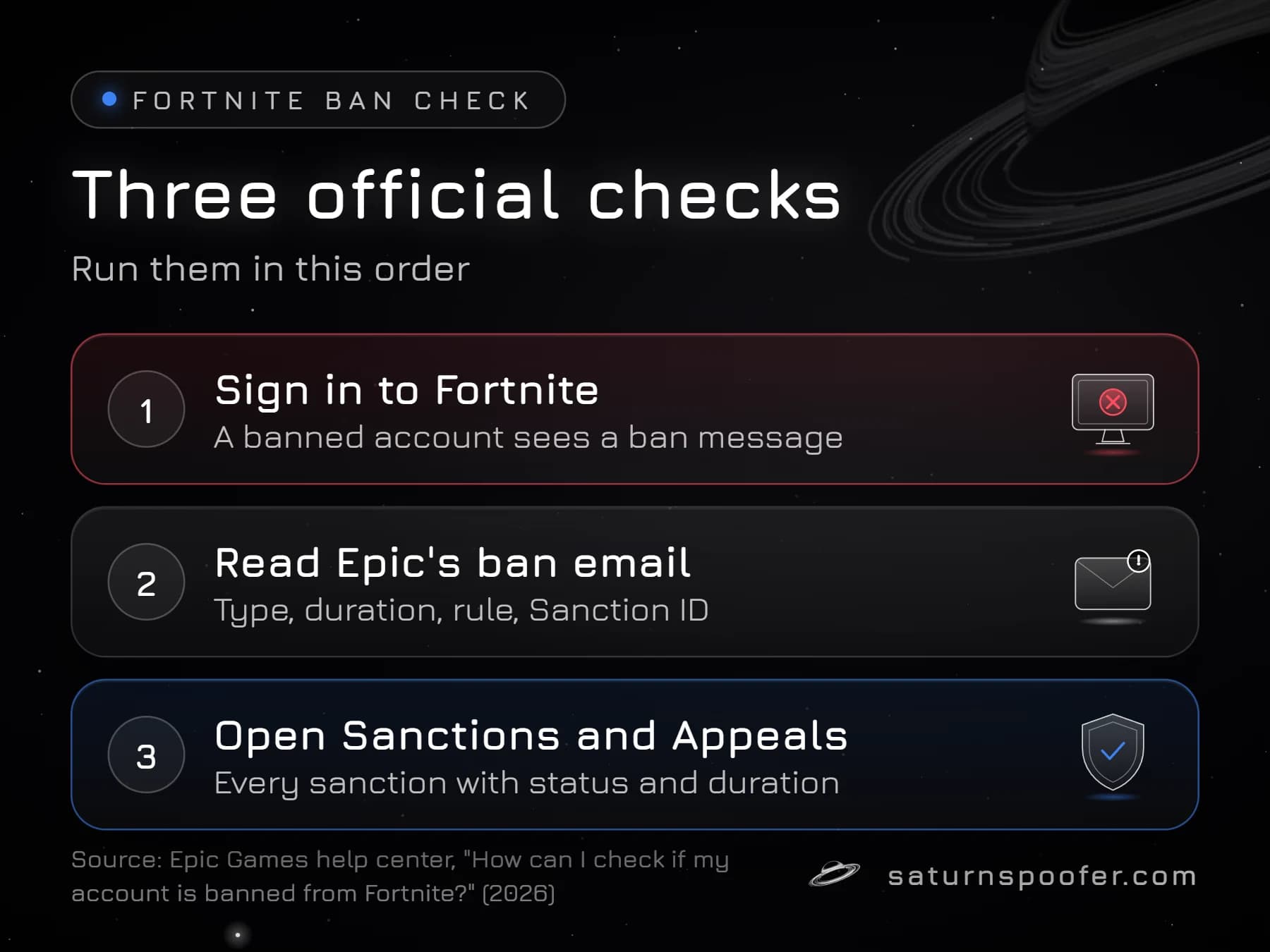
If all three come back empty, Epic's own tools show no active sanction on that account. If the game still will not let you in, the cause is something else, and the section on look-alike messages below covers the common ones.
What the Fortnite Ban Screen Says
The Fortnite ban screen is the message a banned account sees when it signs in, and Epic's help center gives "You have been banned from Fortnite" as its example wording. Epic phrases it as a message "such as" that line, so the exact text on your screen can differ, but that is the only ban screen wording Epic documents.
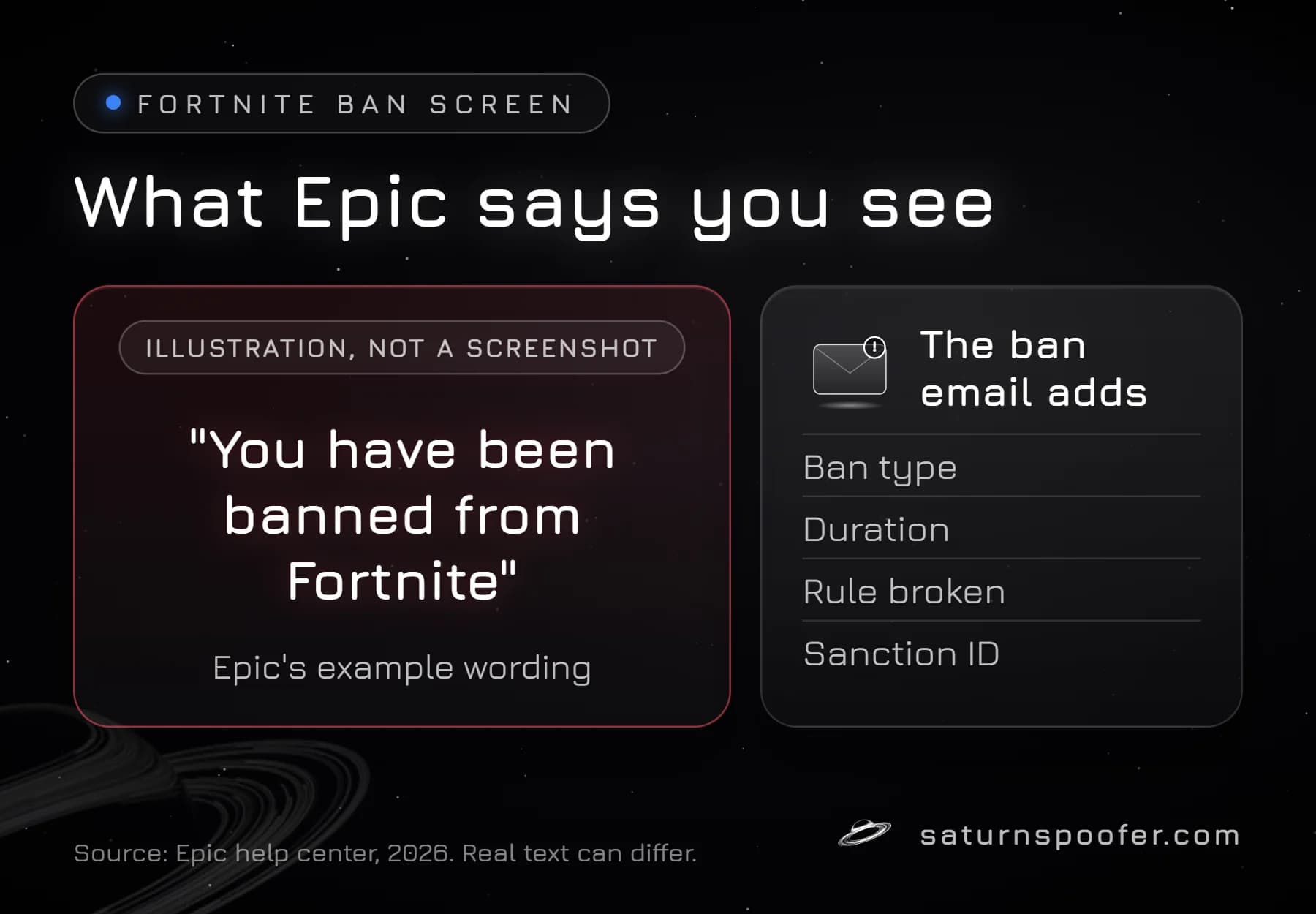
Epic documents two other signals. The Epic Games Launcher may list Fortnite as unavailable for a banned account. And if a chat restriction email never arrived, Epic says Fortnite itself shows the details at your next login.
Longer ban screen texts circulate on forums and in videos. Epic does not publish them, so treat any quoted wording as unconfirmed until it matches your ban email or the portal. A screenshot someone posts can be old, edited, or from a different kind of sanction.
What Epic's Ban Email Tells You
Epic's ban email spells out the sanction in writing, and Epic says it goes to the account's email address whenever a ban is applied. According to Epic, it states:
- the type of ban (for example a matchmaking ban or a social ban)
- the duration of the ban
- the Community Rule that was broken
- a Sanction ID, the reference number the portal and any appeal use
Keep this email. The Sanction ID in it is what you type into the portal to find one specific sanction, and the duration line answers the question most players ask first. The general rules on how long Fortnite bans last, including Epic's cap on temporary bans and its policy for repeat cheating, are separate from what your own email says about your case.
If you cannot find the email, the address on the Epic account may be old or unverified. The portal shows the same sanction without it.
How to Check Your Fortnite Ban Status in the Sanctions and Appeals Portal
The Sanctions and Appeals portal shows your Fortnite ban status, and Epic lists these steps to reach it:
- Go to safety.epicgames.com.
- Select the Sanctions and Appeals option.
- Click "Go to my Sanctions & Appeals".
- Click Sign In, using the Epic Games login your Fortnite progress lives on.
- Read the list: each sanction appears with its ban status and duration, and you can search by Sanction ID.
Use the account that got banned. Epic warns players to make sure they are logged into the correct account before using the portal, and a console player who links several platforms can easily end up checking the wrong one.
The same portal page is where you appeal a Fortnite ban, using the Sanction ID from Epic's email. If an appeal shows as Pending Review for a long time, Epic points players to its support team for details. Epic's support agents cannot review or reverse a ban for you, though; that happens in the portal.
Can You Be Banned From Fortnite and Still Log In?
Yes. A Fortnite account can carry an active sanction and still sign in normally. Epic says a matchmaking ban lets the player log in and use text and voice chat while blocking entry to every Epic-made and creator-made experience, and a social ban takes away only voice and text chat. A working login screen proves very little on its own.
Match what you see against this table, then confirm in the portal:
| What you see | Likely sanction | Where to confirm |
|---|---|---|
| Ban message at login, game unavailable | Fortnite ban (product ban) | Email, portal |
| You log in and chat but cannot join any match | Matchmaking ban | Portal |
| Everything works except voice and text chat | Social ban | Email, portal |
| The whole Epic account is disabled | Account ban | Email, portal |
| A notice about a rule, nothing blocked | Warning message | Epic's notice |
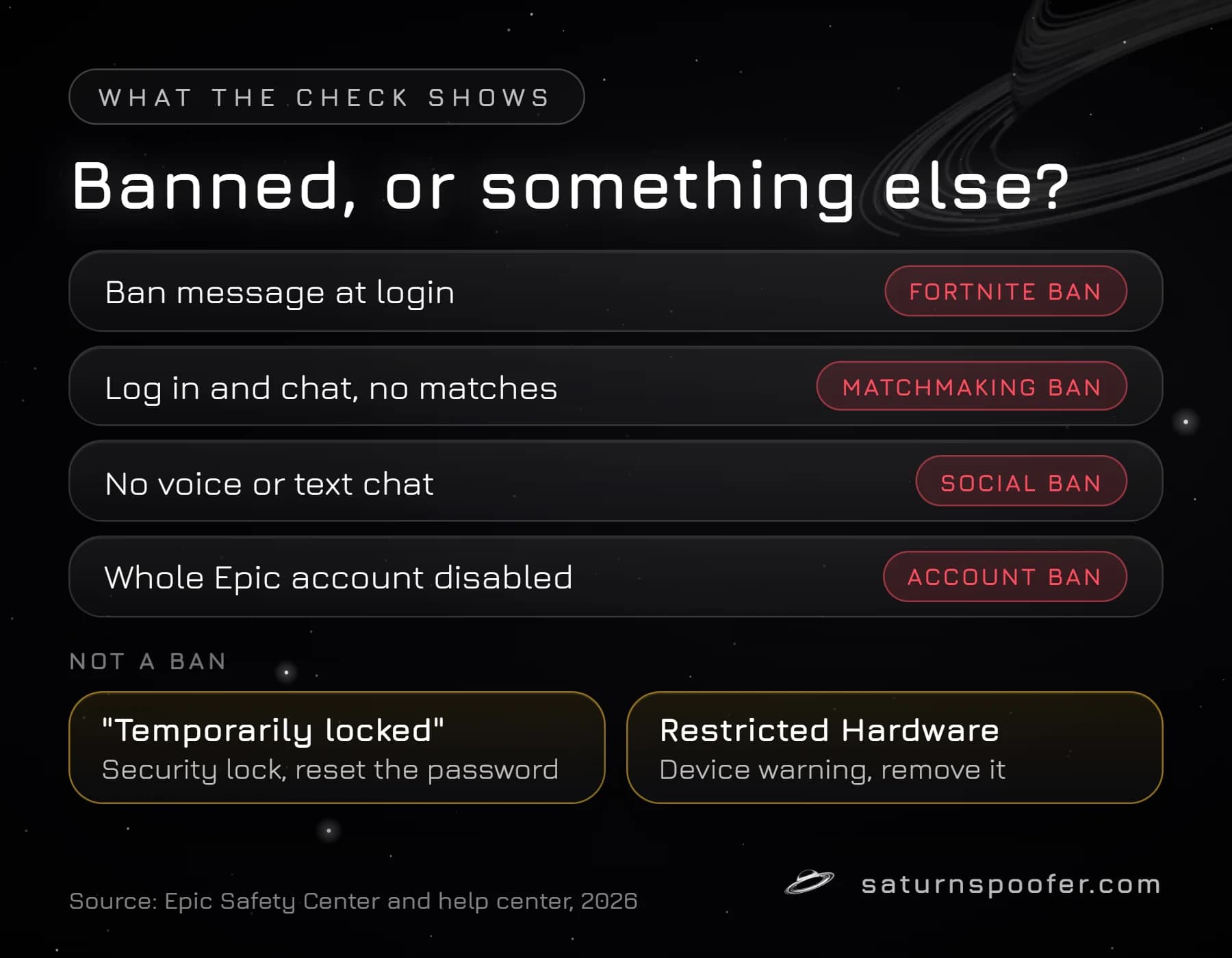
Epic's Safety Center defines each of these sanction types. It also notes that sanctions can reach every account one person owns, so a second blocked account is not by itself proof of anything hardware-related.
The portal lists sanctions on an Epic account. It says nothing about the PC. Epic's help pages describe no hardware ban check, but Epic does show a Hardware Identifiers Warning when its systems spot a program that hides or rewrites the machine's hardware identifiers, and it says an account that keeps using such a tool may be permanently banned. If the block seems to follow one computer across accounts rather than one account, that is the pattern players describe as a Fortnite hardware ban, and it is a different problem from anything the portal shows.
For that case, Saturn's Fortnite HWID Spoofer is built for the Easy Anti-Cheat side of the problem. Running an HWID spoofer lifts the hardware ban from that PC by changing the hardware ID values it reports, such as disk and motherboard serials and the MAC address. Temporary mode changes them while Saturn runs; permanent mode changes them for good. It does not lift an Epic account ban, and a banned account stays banned. You can test it first: the trial runs for 24 hours, needs an email address and asks for no card.
Messages That Look Like a Fortnite Ban but Are Not
Several Epic messages block play or sound alarming without being a Fortnite ban at all:
- "Sorry, your account is temporarily locked. Please try again later." Epic describes this as a security lock that protects the account, and updating the password removes it. No sanction is involved.
- Restricted Hardware Warning. Epic shows this when it detects an input device such as a Cronus Zen or Cronus Max. Removing the device and restarting Fortnite lets you keep playing, but Epic says trying to get around the restriction can lead to a permanent ban.
- Blocked on one network only. If Fortnite fails on one connection but works on mobile data, the account itself is probably not what is blocked. Whether a Fortnite VPN ban or an IP ban exists is a separate question from an account sanction.
When in doubt, sign in to the portal. It lists sanctions, and Epic treats a security lock as account protection rather than a sanction.
Are Third-Party Fortnite Ban Checkers Safe?
Third-party Fortnite ban checkers have no documented access to Epic's sanction records, and a checker that asks for your Epic login is an account-theft risk. Epic states that it asks for your password only on official Epic Games login pages and never through third-party websites, and it tells players not to enter login details on external sites.
The "checker" sites that rank for this search fall into two groups. Some are ban-wave boards, updated by hand from player reports, that say nothing about any single account. The rest are tools and sites Epic does not run, and any of them that asks for a password, a 2FA code or a console login is collecting exactly what an account thief needs. Malwarebytes reported in July 2026 that fake Fortnite reward and locker-value sites were capturing logins through copies of Epic's sign-in page.
If you are checking a ban anyway, do it without handing anyone the account:
- Type safety.epicgames.com into the address bar by hand; do not trust links posted in videos, Discord servers or search ads.
- Never give a password, a 2FA code or a linked PlayStation, Xbox or Nintendo login to any site outside Epic.
- Turn on two-factor authentication. Epic supports authenticator apps, SMS and email codes, and recommends the app.
- Remember that sharing an account is itself against Epic's Terms of Service and can lead to restrictions or bans.
How to Check If a Player You Reported Got Banned
Epic shows the outcome of your reports on the Reporting Misconduct page of its Safety Center, and nowhere else. Open that page, choose My Reports, and your reports appear in two lists: open reports still under review and closed reports already reviewed. View Details gives more on each one.
Epic says this is the only place it shares report outcomes, and support agents cannot add anything. Public stat trackers are no substitute, because a player's stats page staying up says nothing about their sanction history.
Fortnite Ban Checker FAQ
Can a 24-hour ban in Fortnite turn permanent?
Not on its own. A timed ban ends by itself once the period stated in Epic's email is over. Epic keeps temporary bans to a year at most, and permanent bans are a separate category; Epic says it tells you both the type and the duration of every sanction.
How do I check how long my Fortnite ban is?
Your Fortnite ban length is written in the ban email and shown next to the sanction in the Sanctions and Appeals portal. Sign in at safety.epicgames.com, open your sanctions, and read the duration listed for the active one.
Do I need a Sanction ID to check my ban?
No. Signing in to the Sanctions and Appeals portal lists every sanction on the account without it. The Sanction ID from Epic's email only helps you find one specific sanction, and it is required when you appeal.
Can Epic support check my Fortnite ban for me?
Not in the way players hope. Epic's help center is clear that its support staff do not review or appeal bans for players, so the portal is the place to see status and act on it. Support can help with account access problems such as a lost email address.
Where do I find my Fortnite Sanction ID?
The Sanction ID arrives in the ban email Epic sends to the account's address, and Epic's help pages point to that email as the place the ID comes from. Search the inbox for a message from Epic about a sanction or a Community Rules violation, including the spam folder.
What should I do after the check confirms a ban?
Read the sanction type and duration first, because they decide your options. A timed ban can be waited out, a mistaken one can be appealed once, and your Fortnite unban options differ for account, hacked-account and hardware cases.