A Fortnite ban appeal is a one-time request to Epic Games, filed through Epic's Safety Center, where a human moderator decides whether your ban was a mistake. You need the 32-character Sanction ID that Epic includes in the ban notice, you get exactly 1 appeal per eligible sanction, and the answer comes back as one of three outcomes: upheld, lifted or modified.
Plenty of advice online still points players somewhere else. As of September 2026, Epic's Fortnite help center says its Player Support team has no power to handle ban appeals, so a support ticket with "Ban Appeal" as the reason is not how a case reaches a moderator. The portal is the only route and you get one appeal, so write it with care.
How the Fortnite Ban Appeal Process Works
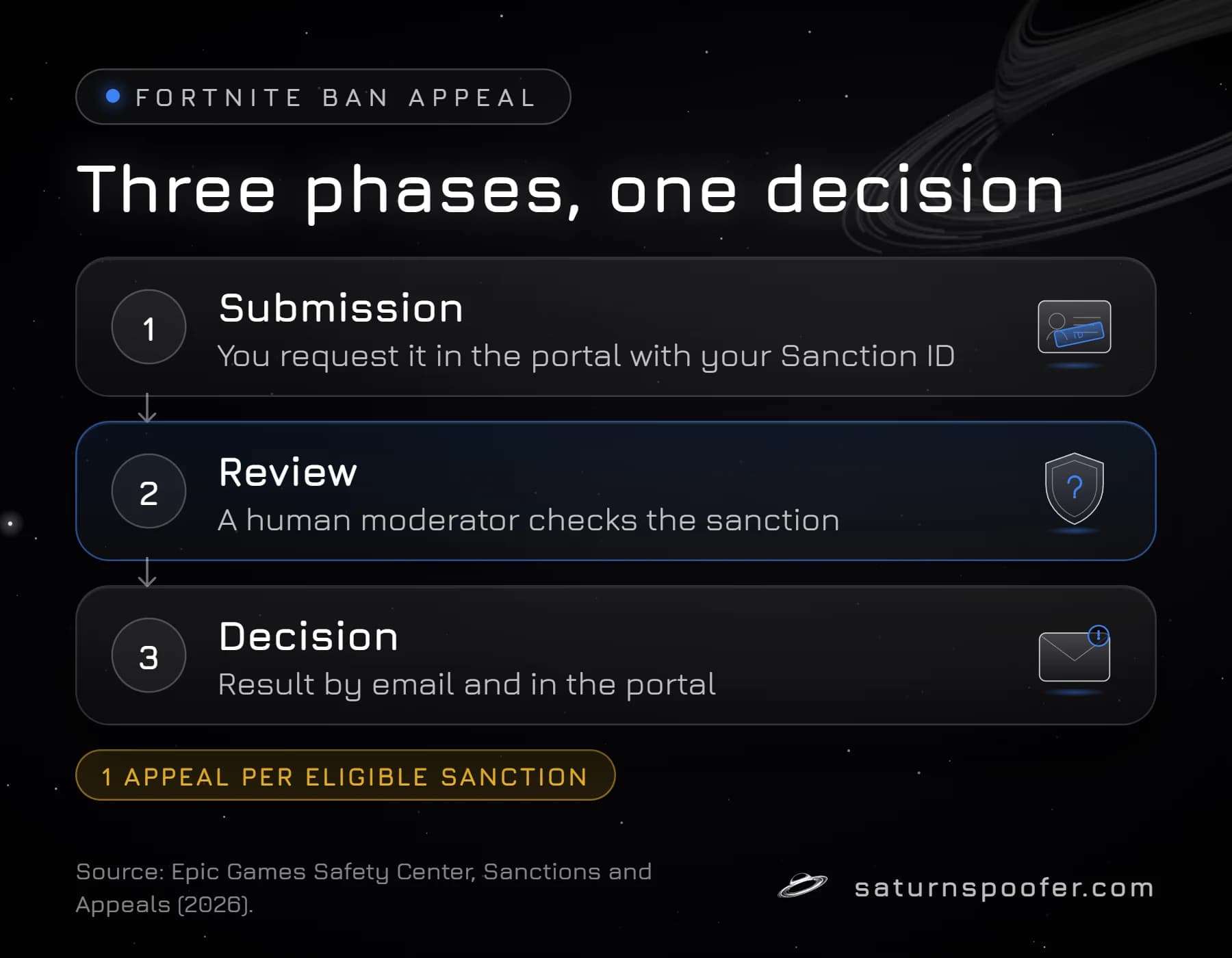
The Fortnite ban appeal process runs in three phases on Epic's Sanctions and Appeals page: submission, review and decision. You start it by requesting the appeal in the portal. Epic then sends the case to a human moderator, who may contact you for more information. When the review ends, Epic emails the outcome and updates the status in the portal.
Epic defines an appeal as a way to challenge a sanction decision when you believe a mistake was made during moderation. That shapes what you write. Epic sorts every outcome by one test, whether the sanction was applied accurately. So argue accuracy. A plea for a second chance answers a question nobody asked.
A sanction, in Epic's vocabulary, is any action taken on an account for breaking Epic's rules or the law. For Fortnite players that covers a warning message, a social ban (voice and text chat), a matchmaking ban, a product ban on Fortnite itself and a full Epic account ban. Epic sizes each Fortnite ban by the severity of the rule break and by any earlier sanctions on record, and the appeal route is the same for all of them.
What You Need Before You Appeal
Get three things ready before you open the portal.
- The Sanction ID. Epic's ban email lists the type of ban, its duration, the Community Rule Epic says was broken, and a Sanction ID. The portal's lookup field expects a 32-character ID; Epic's own example is written in five hyphenated groups, like 4fc94780-09a3-41e4-a572-7793a88bb6e7. For a chat ban, Epic says the details also show in game the next time you sign in to Fortnite if the email never arrived.
- The right Epic account. The portal only shows sanctions for the login you use, so sign in as the sanctioned account. If you own more than one Epic login, check which one received the email; an empty sanctions list on the wrong login proves nothing.
- Your facts, written down. The date of the ban email, the platform you play on, what you were doing around that date, and any records that back you up: purchase receipts, a replay, login alerts from a stranger.
Not sure the account is sanctioned at all? Confirm it first. The in-game ban message, the Epic email and the signed-in Safety Center each show your Fortnite ban status, and the portal lists every active sanction on the account.
How to Appeal a Fortnite Ban, Step by Step
To appeal a Fortnite ban, you sign in at Epic's Safety Center, find the sanction and submit through the option Epic shows for it. The steps below follow Epic's help center as of September 2026:
- Open safety.epicgames.com and select Sanctions and Appeals.
- Click Go to my Sanctions and Appeals.
- Sign in with the account named in the ban email.
- Find the sanction in your list, or paste the Sanction ID from the email into the search field.
- Read the details Epic shows: sanction type, duration and the rule it cites.
- If you believe the decision was wrong and the sanction is eligible, follow the on-screen steps to submit your appeal.
- Keep the ban email. Watch that inbox and the portal status for the decision.
Epic's help article Why is my Fortnite account banned? says the same thing: bans are appealed in the portal using the Sanction ID from the email, while logged in to the correct account. Send one appeal and let it run. A second attempt on the same sanction is blocked anyway.
What to Write in a Fortnite Ban Appeal
A strong Fortnite ban appeal is short, factual and about the one sanction in front of the moderator. You only get one, so the text should answer the reviewer's question on the first read: was this sanction applied to the right person for the right reason? Short feels risky when a whole locker is on the line. It is still the better appeal.
Use this five-line structure. Fill the brackets, cut anything that does not apply, and keep it under 200 words.
Sanction ID: [paste the 32-character ID]
Ban email received: [date], [ban type and duration as the email states them], [rule cited]
What happened: [one or two plain sentences, for example: "Nobody but me plays on this account. I play only on PS5 and have never installed PC software for Fortnite."]
What Epic can check: [facts on Epic's side of the record: platform, purchase receipts, login alerts from an unknown location, the match or date in question]
What I have fixed: [for example: "Changed my password and turned on two-factor authentication on (date)." Leave this line out if nothing applies.]
That is the whole appeal. Leave these out:
- Threats of chargebacks or lawyers. A reviewer cannot verify a threat.
- Long paragraphs about how much money went into the locker. Spend is not evidence.
- Claims you cannot support, or a flat denial of something Epic has logs for. If you did break the rule, lying costs you the only appeal you have.
- Side stories about VPNs, cheat tools, account sharing or hardware changes. Stick to what the sanction is about.
- Text copied from someone else's case or another game. The moderator is reviewing your sanction, so describe that one.
If your account was taken over and someone else broke the rules, say that in the first line of "What happened" and show the timeline: when you lost access, when you got it back, what you secured. Getting the account itself back is a separate job from the appeal.
What Can and Cannot Be Appealed
A Fortnite sanction can be appealed while it is running, once, and only if Epic marks it eligible. Epic's Sanctions and Appeals page sets the limits:
| Situation | Can you appeal? |
|---|---|
| Active sanction, no appeal filed yet | Yes, one appeal |
| Same sanction, appeal already sent | No second appeal |
| Sanction that replaced a modified one | No |
| Sanction Epic lists as not eligible | No |
| Sanction that has already ended | Window closed, unless law gives longer |
| Epic's decision on a report you filed | Yes, one per report |
Epic lets you appeal throughout the duration of the sanction, unless a longer window is required by law, and tells you how long you have when the decision reaches you. Its communication-ban help page is blunter: not all violations are eligible for appeal. If the portal shows no appeal option on your sanction, check the three causes Epic's pages point to: the sanction is not eligible, the appeal has already been used, or you are signed in to a different account.
Players in the European Union have one more route after a decision. For some Epic services, Epic says EU users can take an unresolved dispute to a certified out-of-court dispute settlement body, listed by the European Commission.
Where Not to Send a Fortnite Ban Appeal
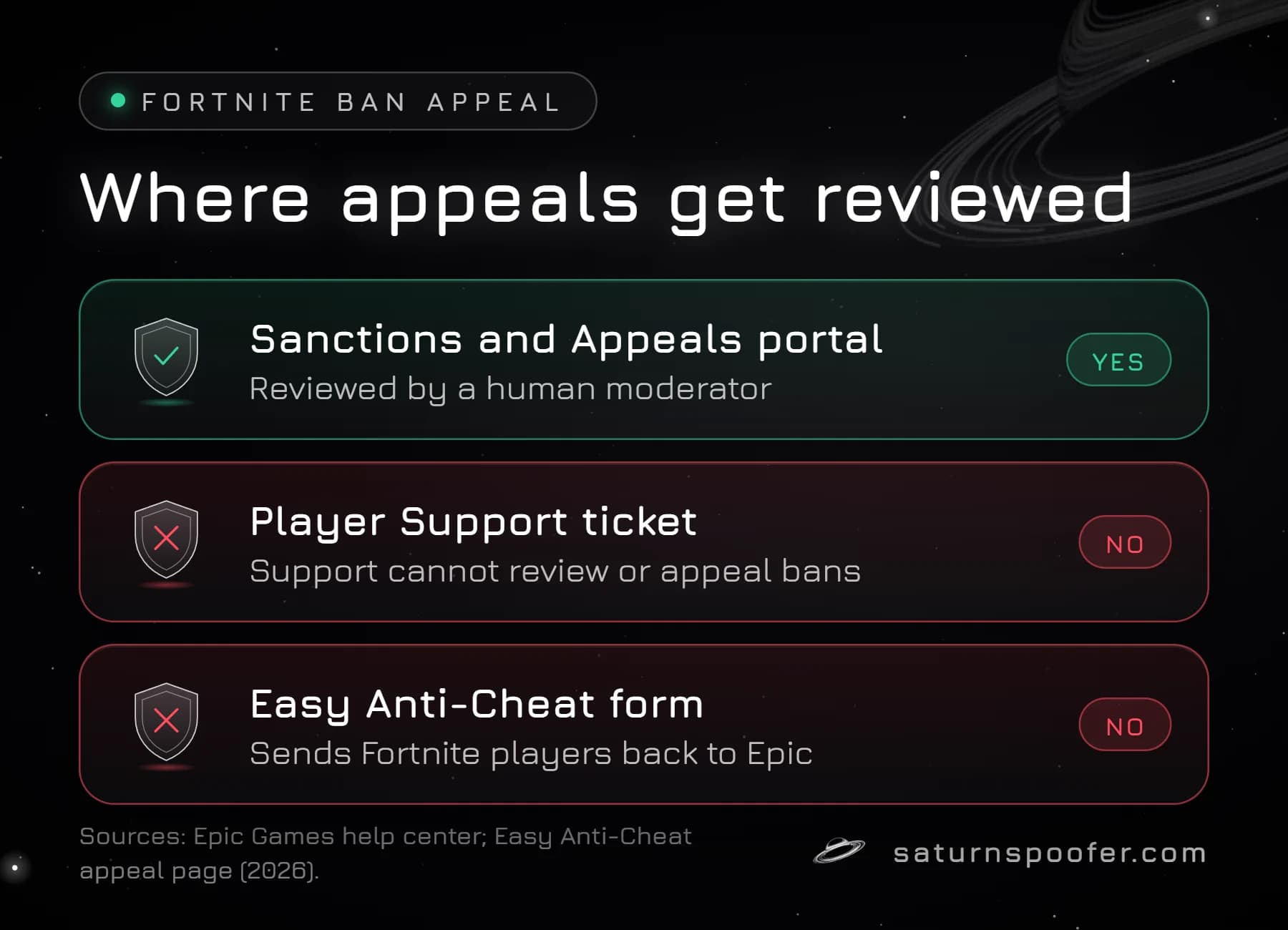
The Sanctions and Appeals portal is the only place a Fortnite ban appeal is reviewed. Three other channels look like they should work and do not.
- Epic Player Support tickets and chat. Epic's help center states that Player Support cannot look at your ban or file the appeal for you, and that appeals belong in the portal. Support is still useful for one thing: Epic's ban status article says you can contact Support for more details if your appeal sits at Pending Review.
- The Easy Anti-Cheat appeal form. Fortnite runs Easy Anti-Cheat, and easy.ac ranks for "fortnite ban appeal", but its form is not for Fortnite cases. The form itself tells Fortnite players to go to Epic instead.
- Paid "unban" services and Discord admins. The appeal is filed from your own signed-in account, so nobody else needs your Epic password or 2FA code to file it; treat anyone who asks as a scam. Type safety.epicgames.com by hand rather than trusting a link someone sends you.
Upheld, Lifted or Modified: What Epic's Decision Means
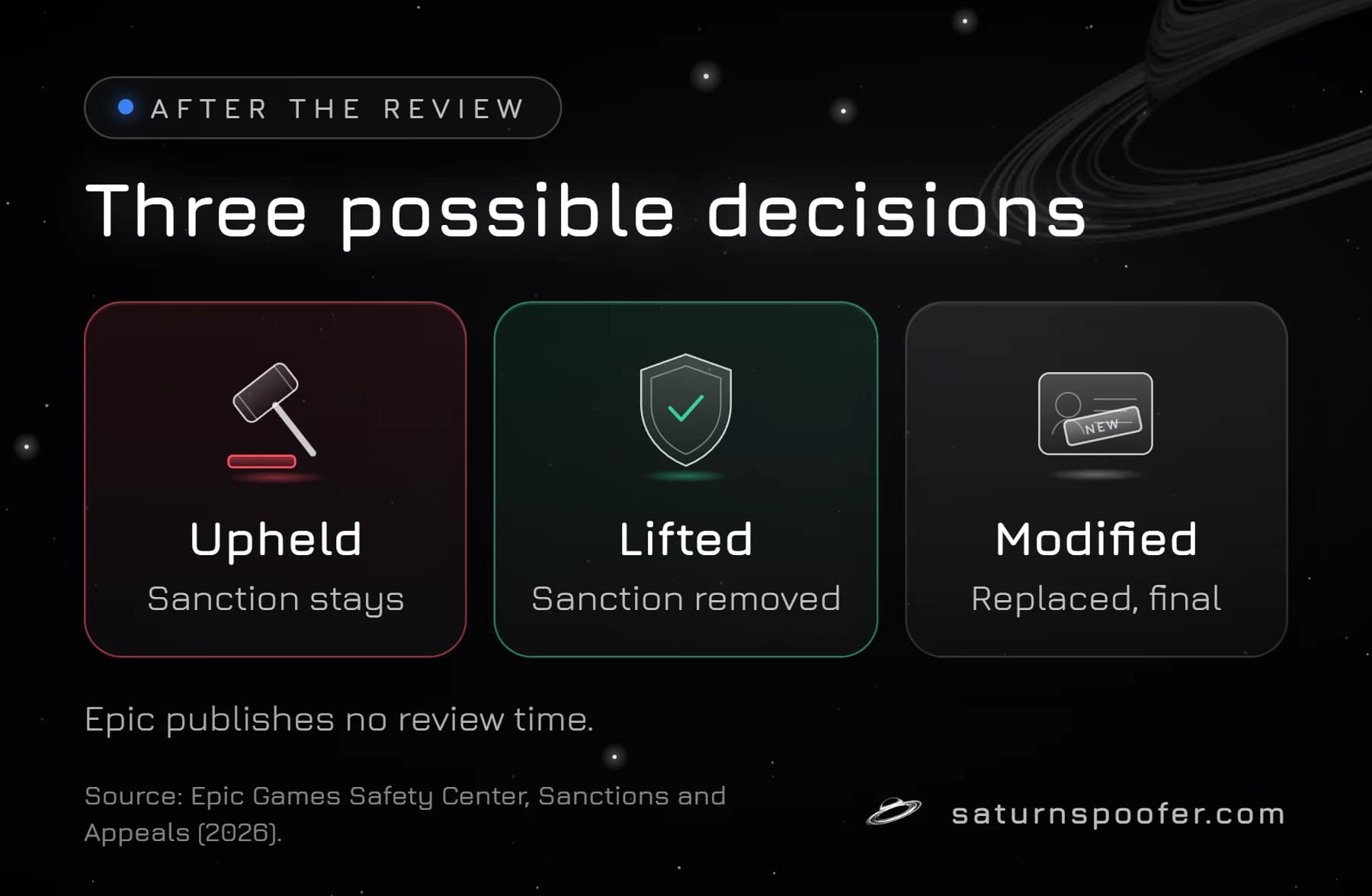
Every Fortnite ban appeal ends in one of three decisions. Epic defines them on the Sanctions and Appeals page, after review by a human moderator:
| Decision | Epic's definition | What it means for you |
|---|---|---|
| Upheld | "if the sanction was appropriately applied" | The ban stays as issued |
| Lifted | "if the sanction imposed on your account was inaccurately applied" | The sanction is removed |
| Modified | "a modified sanction is considered more suitable for the violation that occurred" | A different sanction replaces it; that one cannot be appealed |
A modified outcome catches people out. By Epic's definition it means the reviewer found the original sanction incorrect but still found a violation, so a different penalty applies. Because Epic does not accept appeals on a sanction applied after a modification, a modified result is final for that case.
On timing, Epic publishes no review period for Fortnite ban appeals. The decision arrives by email and in the portal when the moderator is done. Third-party guides that promise a set number of days are guessing.
What to Do If Your Fortnite Appeal Is Denied
A denied Fortnite ban appeal is final for that sanction: Epic does not accept a second appeal on it. A temporary sanction still runs out when the duration in the ban email is up, and the other routes back into the game, from waiting out a suspension to recovering a hijacked account, are covered in detail for players asking how to get unbanned in Fortnite by ban type.
One case Epic's appeal pages never mention is a block on the PC rather than on the account. Epic's list of sanction types covers warnings, chat, matchmaking, product and account bans, and says nothing about hardware. If Fortnite refuses a brand-new Epic account on that computer while your original account still loads on a console or another PC, that pattern points to a hardware ban in Fortnite, which is not one of the sanction types the portal lists. An HWID spoofer for Fortnite clears an HWID ban on your PC by changing the hardware IDs it reports; it does not restore a banned Epic account, which stays banned. Weigh the risk first: Epic's Hardware Identifiers Warning says Epic detects tools that hide or change a PC's hardware identifiers, and a player who leaves such a tool on the PC may get kicked out of matches or see the Fortnite account banned for good.
Fortnite Ban Appeal FAQ
Can Epic Player Support appeal a Fortnite ban for me?
No. Epic's Fortnite help center says Player Support has no power to review a ban or appeal it for a player. The appeal is yours to file, in the portal, using the ID Epic put in the ban email.
How many times can you appeal a Fortnite ban?
Once. Epic allows one appeal for each eligible sanction, blocks a second appeal on the same sanction, and does not accept an appeal on a sanction that was applied after an earlier one was modified.
How long does a Fortnite ban appeal take?
Epic does not publish a review time for Fortnite ban appeals. Its Sanctions and Appeals page describes three phases, submission, review by a human moderator and a decision, and says the outcome arrives by email and shows in the portal.
Can you appeal a permanent Fortnite ban?
Yes, if Epic marks the sanction as eligible. The same portal handles temporary and permanent sanctions, and Epic lets you appeal for the whole time a sanction is in force.
Is the Easy Anti-Cheat appeal form for Fortnite bans?
No. Easy Anti-Cheat's appeal form tells Fortnite players to go to Epic, and Epic handles each Fortnite ban appeal only in its own portal at safety.epicgames.com.
What if I never got a ban email with a Sanction ID?
Check spam and the inbox tied to the right Epic account, then sign in at Epic's Safety Center, which lists every sanction on that account. For chat bans, Epic says the sanction details appear in game the next time you sign in to Fortnite.