Getting unbanned on Fortnite is a question of which ban you have: a temporary ban ends on its own, a ban you believe is a mistake goes to Epic's appeal portal, a hacked account goes through Epic's account recovery first, and a hardware ban on your PC is a separate problem that an appeal doesn't touch. Epic's own help article, checked on September 29, 2026, says temporary Fortnite bans run for up to 365 days and permanent ones have no end date.
Some routes are closed on purpose. Epic's Terms of Service forbid getting around a ban by opening a new Epic Games account, and a permanent termination applies on any device. The routes below run from the easiest to the riskiest, and the last section covers the shortcuts that make a ban worse. If you still need to work out why you were banned from Fortnite in the first place, Epic's ban email names the rule it says you broke.
Can You Get Unbanned From Fortnite?
Yes, for most Fortnite bans. A temporary ban lifts when its timer runs out, a wrongful ban can be reversed through an appeal, and a stolen account can be recovered and then appealed. The bans that stay are the permanent ones, such as a lifetime ban for a second cheating offense. Epic says it bans for cheating on technical evidence, not on suspicion, which leaves an appeal little to argue with when the evidence is real.
There has been one broad exception. In its February 2025 anti-cheat update, Epic cut a first cheating offense to a one-year matchmaking ban, with a lifetime ban for a second offense, and lifted the existing lifetime cheating bans that were more than a year old. Players banned for selling cheats kept their lifetime bans. That was a policy change, not a process you can trigger.
Which Fortnite Ban Do You Have?
Every Fortnite ban comes with an email from Epic listing the ban type, its length and the Community Rule involved, and that email decides your route. If the email is gone, Epic's portal still works as a Fortnite ban checker before you pick a route. Fortnite's main player bans are a matchmaking ban, which still lets you log in and chat but blocks every match, and a social ban, which removes voice and text chat.
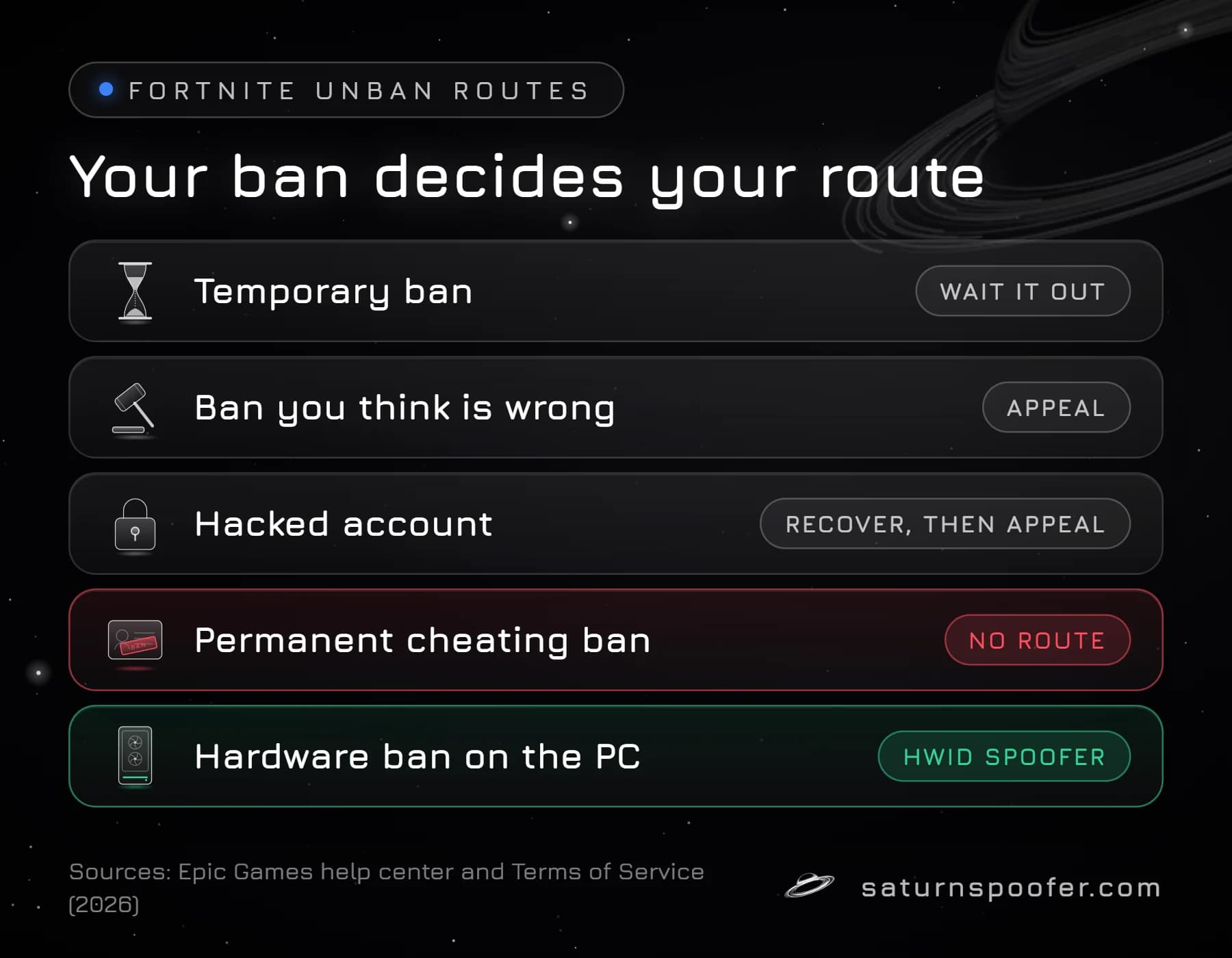
| Your situation | How it ends | Your route |
|---|---|---|
| Temporary ban | The timer runs out | Wait |
| Ban you think is wrong | Epic reverses it | Appeal |
| Hacked account | You regain control | Recovery, then appeal |
| Permanent cheating ban | It doesn't | No route for the account |
| Hardware ban on the PC | New hardware IDs | HWID spoofer |
Route 1: Wait Out a Temporary Ban
A temporary Fortnite ban ends by itself on the date in Epic's email, and you don't need to file anything for it to lift. Epic caps temporary bans at 365 days. A 24-hour ban is a short temporary ban, not a permanent one, and the account plays again once the day is up.
While you wait, the rest of your Epic account keeps working: Epic says banned players keep access to their other Epic Games Store games.
Don't earn a second ban, though. A repeat offense costs more. Epic's Community Rules say penalties weigh severity and whether you're a repeat offender, and under the 2025 cheating policy a second offense turns a one-year matchmaking ban into a lifetime one.
Route 2: Appeal a Ban You Think Is Wrong
An appeal is the only official way to reverse a Fortnite ban before it expires, and it goes through the Sanctions and Appeals Portal in Epic's Safety Center, with the Sanction ID printed in the email Epic sent you. Be signed in to the banned Epic account when you open the portal. Epic Games Player Support can't review or lift a ban for you, so a support ticket about the ban goes nowhere. A Fortnite appeal is decided by a human moderator at Epic, who can keep the sanction, lift it or change it.
Route 3: Recover a Hacked Account
A hacked Epic account gets unbanned in two stages: you take the account back through Epic's account recovery, then you contest any ban the intruder earned. Recovery has to come first, because Epic asks you to be logged into the banned account when you open the appeal portal. Epic's compromised account guide sets out the recovery in this order:
- Secure the email on the account: change its password and turn on two-factor authentication (2FA). If you've lost the email too, recover it through your email provider first.
- Reset your Epic Games password, which only works while the account email is still yours.
- Try signing in through a linked account, such as PlayStation, Xbox, Nintendo Switch, Google or Facebook.
- If you still can't get in, or the intruder changed the email to one you don't control, submit an account recovery request. Epic's team verifies your identity and helps you regain access, and you can check the request's status later.
- Once you're back in, reset the password again and switch 2FA back on.
Then look at the ban itself. Epic's account security page says you're responsible for everything done on your account, so a ban earned by whoever took it over doesn't disappear when you recover it. Contest it through the same Sanctions and Appeals Portal and explain that the account was compromised when the violation happened.
Route 4: Clear a Hardware Ban
A hardware ban blocks a PC rather than a login, and no appeal or password reset changes the hardware IDs that the ban is tied to. None of Epic's Fortnite help pages describe how a hardware ban works or how long one lasts. Its Hardware Identifiers Warning says tools that hide or change hardware identifiers are commonly used to get around a hardware ban, which is as close as Epic's help pages come to confirming it bans hardware. The signs of a Fortnite hardware ban run the other way from an account ban: a banned account fails on every PC, while a banned PC fails with every account.
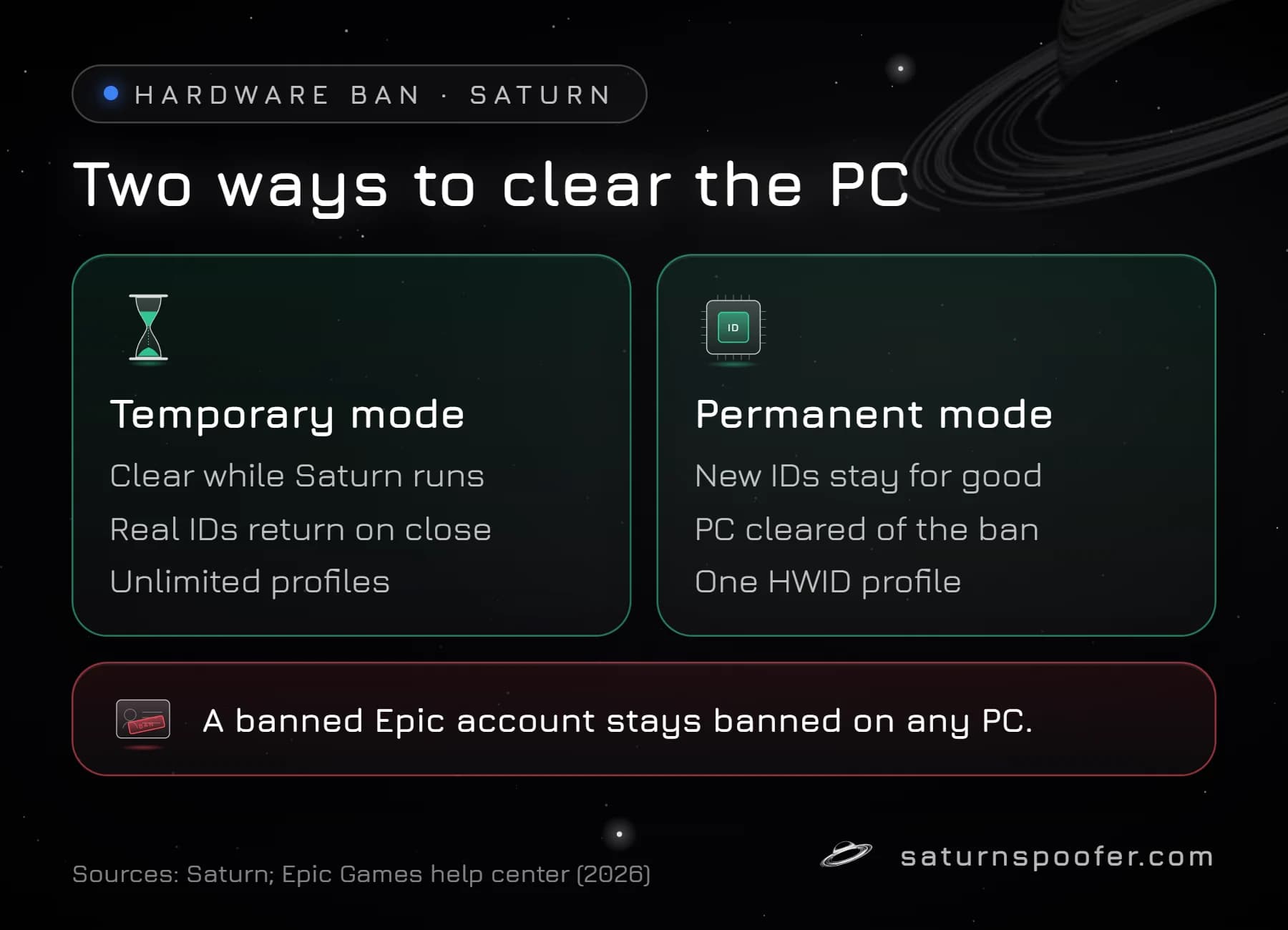
An HWID spoofer clears an HWID ban on your machine. Saturn runs as one loader, and what your license includes sets which anti-cheats it handles: Fortnite runs Easy Anti-Cheat, which Epic owns, and Saturn covers it with its EAC HWID Spoofer. The identifiers it changes cover the CPU, the TPM, the motherboard, RAM serials, NVMe drives, SSD and HDD serials, the MAC address, EDID, USB devices, the GPU and the monitor. You pick one of two modes:
- Temporary mode covers the PC only while Saturn stays open. Shut Saturn down and the real hardware IDs, the ones Epic banned, return. Profiles are unlimited here, so a profile that gets banned is swapped for a fresh one.
- Permanent mode writes new hardware IDs that stay after Saturn closes, which lifts the HWID ban from that PC for good. This mode comes with one HWID profile, and a ban on that profile means purchasing a replacement.
Choosing between a perm vs temp spoofer comes down to whether you want the hardware ID change to survive a restart.
This is the riskiest route on the page, and you should hear Epic's side before you start. Epic warns that a player who keeps such a tool installed can be pulled from matches and lose the Fortnite account for good, and Epic's Terms of Service forbid attempts to tamper with or get around its anti-cheat tools. A spoofer also never lifts an account ban: a banned Epic account stays banned on any hardware. No spoofer can promise you won't be detected, and Saturn doesn't. If you still want to try, Saturn's Fortnite hardware ID spoofer comes with a free 24-hour trial: no card, just an email address.
What About an IP Ban?
Epic's Fortnite penalties, as its ban article lists them, are matchmaking bans and social bans, and blocking an IP address isn't mentioned. A VPN or a new router address also does nothing for an account ban, since the ban sits on your Epic login. Whether Epic hands out an IP ban in Fortnite at all, and how VPNs fit into its rules, is a separate question from the account ban.
What Won't Get You Unbanned
Most "unban" tricks passed around for Fortnite either don't touch the ban or add a new violation on top of it:
- A new Epic account. Epic's Terms of Service forbid evading a ban with a new account, and Epic says it may take action against all of a player's accounts.
- Emailing Player Support. Epic says Player Support can't review or lift bans. Only the appeal portal can.
- Reinstalling Fortnite or Windows. An account ban is stored by Epic against your login, so nothing on your PC changes it.
- Unban services and checker sites wanting your Epic password. Epic's security guidance says never to enter your login details on outside websites.
- Waiting out a permanent ban. Epic describes permanent Fortnite bans as indefinite, so there's no date to wait for.
Fortnite Unban FAQ
Are Fortnite bans permanent?
Some are. Epic hands out timed bans lasting as long as 365 days as well as permanent ones that never expire. Under Epic's 2025 cheating policy, someone caught cheating for the first time loses matchmaking for a year, and getting caught again means a lifetime ban.
How do I get my Fortnite account unbanned?
Match the route to the ban: wait out a temporary ban, appeal a wrongful one in the Sanctions and Appeals Portal with your Sanction ID, or recover a hacked account through Epic's account recovery before appealing. A permanent ban is indefinite, so unless an appeal shows Epic got it wrong, it doesn't end.
Can a 24-hour ban on Fortnite be permanent?
No. A 24-hour ban is a temporary ban, and it lifts on its own once the time in Epic's ban email has passed. You don't need to appeal it.
Can I just make a new Fortnite account?
Epic's Terms of Service say you may not evade a ban by creating a new Epic Games account, and Epic may act against every account you hold. On a hardware-banned PC, a new account also runs into the same hardware ban.
Can Epic Games support unban me?
No. Epic's help article states that Player Support can't look into bans or file appeals for players. Appeals are filed in Epic's Sanctions and Appeals Portal and nowhere else.
Does a Fortnite ban stop me from playing other Epic games?
No. Epic says a Fortnite ban leaves your other Epic Games Store games playable.