A Fortnite IP ban is a block on an internet address, and Epic Games does not list one among the sanctions it hands out. On March 10, 2025, the official Fortnite Status account answered a wave of IP ban rumors in one line: "we don't do ban waves based on IP address." Epic's help center names four player ban types for Fortnite, and none of them targets an IP.
So if you landed here after searching for a Fortnite IP ban or a Fortnite VPN ban, you have two better questions. What does Epic do about VPNs, and which ban is on your account instead? The Epic Games Terms of Service, updated September 10, 2026, do not mention VPNs, proxies or IP addresses once. Two of Epic's help articles do bring up VPNs; both are quoted below, along with a way to tell an account ban, a hardware ban and a connection error apart.
Does Fortnite IP Ban?
No, Fortnite does not IP ban, going by everything Epic Games has published. The Fortnite Status reply of March 10, 2025 is the most direct statement Epic has made about IP bans, and it read: "we don't do ban waves based on IP address. When we find accounts we believe are compromised, we'll disable it to protect the owner and so the account can be recovered."
Epic's written rules point the same way. The Sanctions and Appeals page in Epic's Safety Center lists every sanction type Epic uses: warning messages, social bans, product bans, account bans and the Fortnite matchmaking ban, plus two restrictions for LEGO Fortnite Odyssey worlds. Each one is applied to an Epic account. Epic's ban help article for Fortnite players covers the player bans and promises each banned player an email with the kind of ban, how long it lasts and which rule it enforces.
Epic does see your IP address. Its Privacy Policy, last updated April 22, 2026, lists IP address, device ID and internet service provider among the technical data Epic collects, notes that general location is usually inferred from the IP, and says the data helps Epic detect and prevent cheating and fraud. Nobody outside Epic can rule out that it blocks a single address in a rare case without saying so, but Epic has never documented a Fortnite IP ban and has publicly denied running IP ban waves.
Can You Get Banned for Using a VPN on Fortnite?
Using a VPN on Fortnite is not a listed ban reason, because Epic's Terms of Service, its Community Rules and its Fortnite ban help article never name VPNs as a violation. That does not make a VPN safe to leave running while you play. Two of Epic's help articles bring up VPNs, and neither is friendly to them.
- The active VPN error. For players who get an error saying their VPN is active, Epic's help center has a single instruction: "If you receive an error that your VPN is active, you need to disconnect your VPN." Epic offers no workaround.
- The Hardware Identifiers Warning. Epic's article on this Fortnite warning ties it to software that hides or alters a PC's hardware IDs and says "common causes include VPN clients, virtual machine applications, and system utilities that modify network adapters or hardware settings." If that software stays installed, Epic warns of removal from matches and a possible permanent ban on the account.
So a Fortnite VPN ban is not a sanction Epic lists, yet a VPN can still lead to one.
The likely order is an error or a warning first, then a ban if Epic concludes the VPN software is helping to disguise the machine. Players also report a match removal message that names lag, the IP or machine, VPN use or cheating as possible reasons. None of the Epic help articles we read quotes that message, so treat any exact wording of it as player reported. If you run a VPN for privacy, the low-risk habit is to switch it off before you launch Fortnite.
Two clauses in the Terms of Service matter more than any VPN rule. Players agree not to circumvent Epic's "Gameplay Integrity Tools," the anti-cheat and anti-fraud systems, and Epic states it will not tell players how those tools work or what they detected. The same terms bar a player Epic has terminated from getting around that decision by opening another Epic Games account. A VPN used to sneak a banned player back in would likely be read as exactly that kind of evasion.
IP Ban vs Account Ban vs Hardware Ban
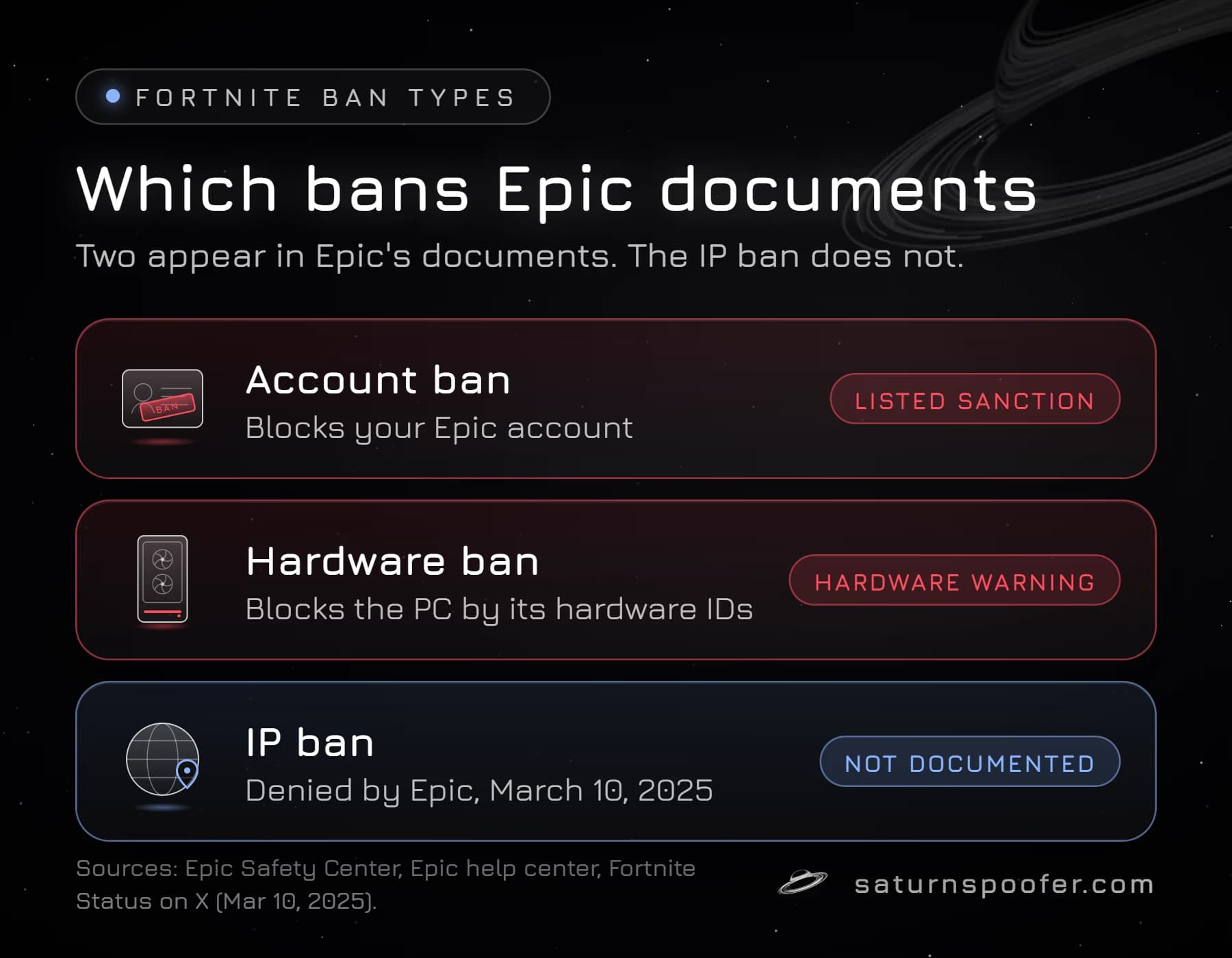
A Fortnite ban sits on one of three things: the Epic account, the PC's hardware identifiers or, in theory, the internet address. Only the first two show up in Epic's own material, and the table sorts all three by what each blocks and what Epic has put in writing.
| Ban type | What it blocks | What Epic documents |
|---|---|---|
| Account ban | The Epic account, on any device | Listed sanction, ban email, appeal |
| Hardware ban | The PC, by its hardware IDs | Hardware Identifiers Warning |
| IP ban | An internet address | Nothing; IP ban waves denied |
If Epic emailed you, the account side is yours. Epic caps a temporary Fortnite account ban at 365 days and leaves a permanent one in place with no end date, and the email Epic sends says which of the two you got.
The hardware side works differently. Easy Anti-Cheat, which Epic owns, protects Fortnite on PC, and Epic's Hardware Identifiers Warning shows that Epic looks for tools that change a computer's hardware IDs. A Fortnite HWID ban is tied to the machine rather than the login, which is why a new IP address does nothing for it.
An IP ban, if Epic issued one, would hit an address your internet provider assigns to your router and can change. That weakness is a likely reason Epic's enforcement rests on accounts and hardware, which cheaters cannot swap by restarting a modem.
How Do You Know If Your IP Is Banned on Fortnite?
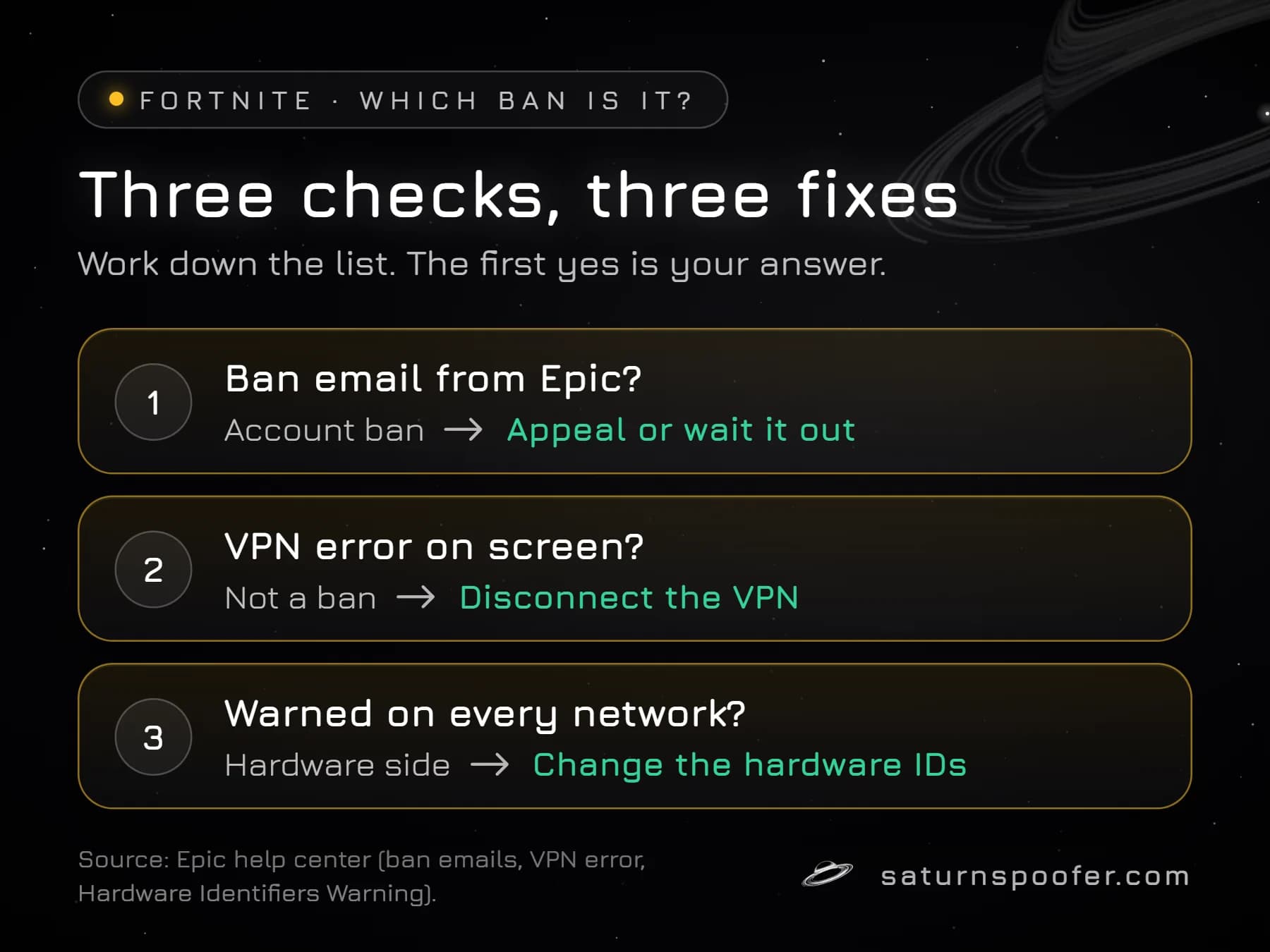
You know whether you have a Fortnite ban by checking for Epic's ban email, since every player ban arrives with one naming the ban type, the length and the rule broken. Epic describes no email, notice or Sanction ID for an IP ban, because IP bans are not on its sanction list. Check the signs in this order:
- Find the email. An Epic ban email means an account sanction, and the Fortnite ban screen and Epic's portal will show that same sanction.
- Read the message on screen. An error that your VPN is active is a connection block with its own fix, not a ban. A Hardware Identifiers Warning points at software on the PC.
- Notice where the block follows you. If the same account on the same PC fails on one network and works on another, the cause lives on that network, such as a VPN, proxy or network tool, and it is not an Epic sanction.
- Rule out the account last. If the account shows no sanction but the same PC keeps getting warned or removed on every network, look at the hardware side.
How Do You Get Un-IP-Banned From Fortnite?
You get un-IP-banned from Fortnite by fixing the ban you have, since Epic issues no IP ban to lift. Resetting a router or moving to mobile data changes the address Epic sees and nothing else, so the usual Fortnite IP ban fix cannot touch an account ban or a hardware ban. The right step depends on which of the three cases above you are in.
If Epic Sent a Ban Email
An account sanction goes through Epic's own process. A temporary ban ends on the date in the email. For a ban you think was a mistake, Epic accepts one route: a Fortnite ban appeal filed in its Sanctions and Appeals portal, which Epic's support agents will not submit on a player's behalf. A VPN, a new IP or a spoofer does nothing for a banned Epic account.
If the Error Mentions a VPN
Turn the VPN off, as Epic's help center instructs. If the Hardware Identifiers Warning showed up instead, Epic's advice is to remove whatever program changes hardware IDs and restart Fortnite, because leaving it installed risks removal from matches and a permanent ban.
If the PC Itself Is Banned
A banned PC stays banned until its hardware identifiers change. Saturn's spoofer for Fortnite runs under its EAC HWID Spoofer license and spoofs the PC's CPU, TPM, motherboard, RAM, NVMe, SSD, HDD, GPU, monitor, USB and MAC address identifiers. An HWID spoofer like Saturn clears an HWID ban from your machine: temporary mode clears it while Saturn runs, and permanent mode changes the identifiers for good. Picking between perm and temp spoofers means picking one hardware profile or unlimited profiles to rotate through.
Three limits apply, and Epic states two of them itself. The spoofer does not lift an account ban. Epic says its systems catch software that masks or rewrites hardware identifiers, and that an account that keeps such software installed may be banned for good. And Epic's terms rule out a second account as a way around any ban. The Saturn trial is free for 24 hours, and signing up takes an email address with no payment card.
Waiting out a temporary ban, appealing, recovering a hacked account and replacing hardware identifiers are the four ways to get unbanned from Fortnite, and none of them depends on an IP address.
Where the Fortnite IP Ban Rumor Comes From
The Fortnite IP ban rumor spread in March 2025, when a viral post on X claimed that logging into a friend's account raised the odds of your IP being flagged, and that flagged players would lose all their accounts in the next ban wave. Reddit threads about a "new IP ban wave" followed. Epic answered on March 10, 2025 through Fortnite Status: anyone can play Fortnite from different devices, players should log out of shared devices, and Epic does not run IP based ban waves. Accounts Epic believes are compromised get disabled so the owner can win them back.
The rumor keeps returning for three reasons. From the player's chair, a compromised account that Epic disables looks like a ban. Epic's Sanctions and Appeals page says Epic may sanction every account a player holds, which feels like a household ban when two accounts share a PC. And VPN sellers rank for "fortnite ip ban" with articles that pitch a VPN as the cure, while Epic's own help center tells players to switch VPNs off.
Fortnite IP Ban FAQ
How long does a Fortnite IP ban last?
Epic publishes no length for a Fortnite IP ban, because it does not list IP bans as a sanction at all. The lengths Epic does publish apply to account bans: temporary bans run for up to a year, and permanent bans have no end date.
Will a VPN get me around a Fortnite ban?
A VPN does not get you around a Fortnite ban, because the bans Epic describes attach to the account and a hardware ban attaches to the PC, and neither changes with the address. Epic's help center tells players to disconnect a VPN when the VPN error appears, and Epic lists VPN clients among the usual triggers of its Hardware Identifiers Warning.
Can I play Fortnite on console if I'm banned on PC?
A Fortnite account ban follows the Epic account, so signing in on a console with that account should run into the same ban. Epic's Terms of Service describe a permanent termination as losing access "in any Epic Games Account or on any device." A hardware ban on a PC is different, since it is tied to that one machine.
Does changing my IP address unban me from Fortnite?
Changing your IP address does not unban you from Fortnite. A router reset, a mobile hotspot or a VPN gives you a new address, but Fortnite bans sit on the account or the hardware, so the ban stays where it was.
Can Epic see my IP address?
Epic can see your IP address. Its Privacy Policy says Epic collects IP address, device ID and internet provider details, infers rough location from the IP, and uses collected data to fight cheating and fraud. Nothing Epic has published says it bans one.
Can I make a new Epic account after a Fortnite ban?
Epic's Terms of Service bar a banned player from dodging the ban with a new Epic Games account, and they let Epic act against every account one player owns. On a hardware-banned PC, a fresh account can also run straight into the hardware ban.