A Rust ban appeal succeeds only for a ban that was issued in error, and where you send it depends on who banned you: Easy Anti-Cheat, Facepunch staff or the owner of a community server. More than one million Rust accounts have been permanently banned since 2013, by Facepunch's own count, and Facepunch states that a support ticket will not undo a valid EAC ban. That makes picking the right channel, and writing a clean appeal, the whole game.
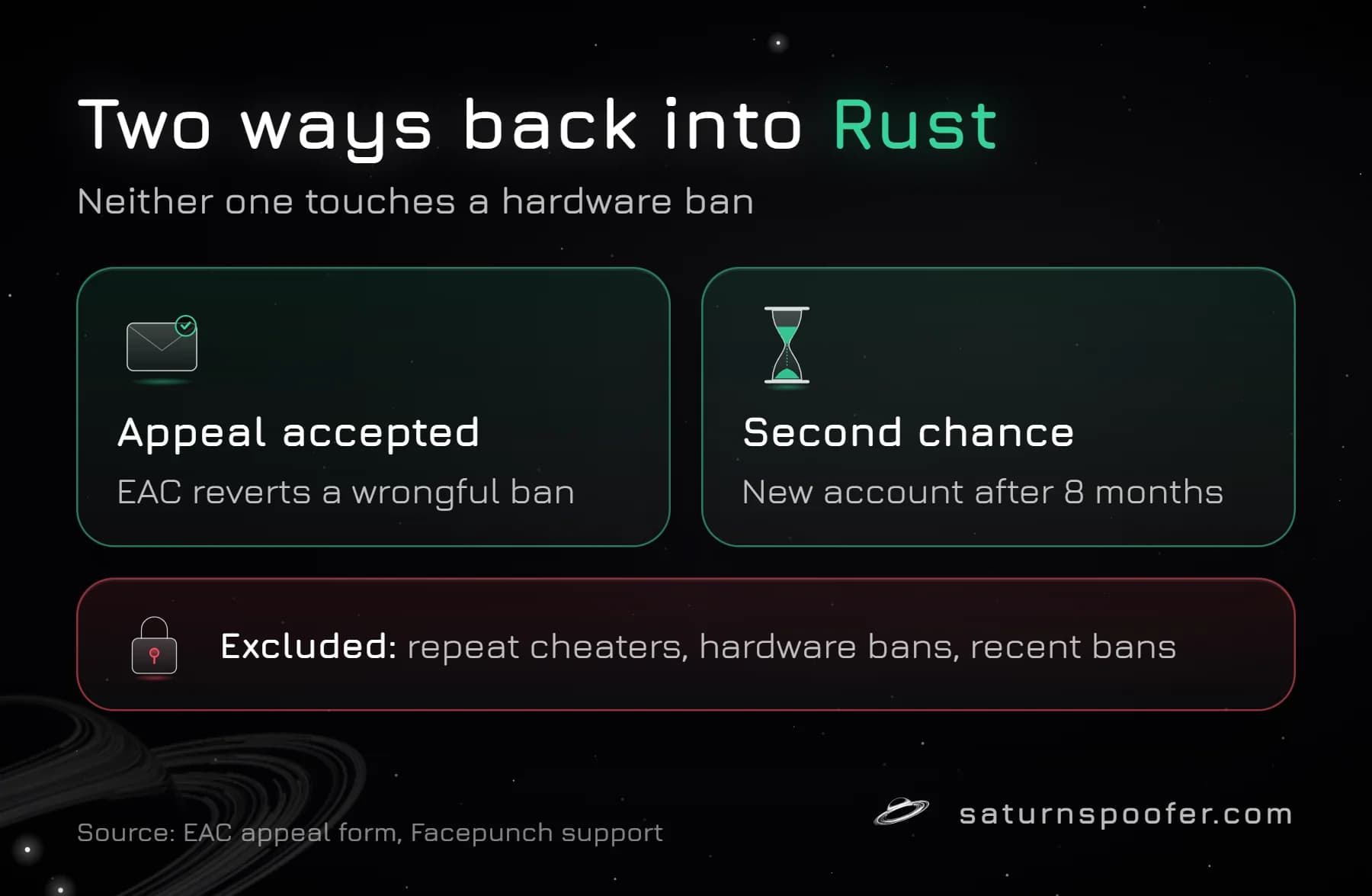
There is also a route that isn't an appeal at all. Since June 23, 2025, Facepunch's Ban Second Chances policy has let a player with one old ban return on a newly bought account after 8 months. Below are the appeal routes for each ban type, the exact EAC steps, a template, realistic timing, and the bans no appeal will touch.
Who Banned You Decides Where to Appeal
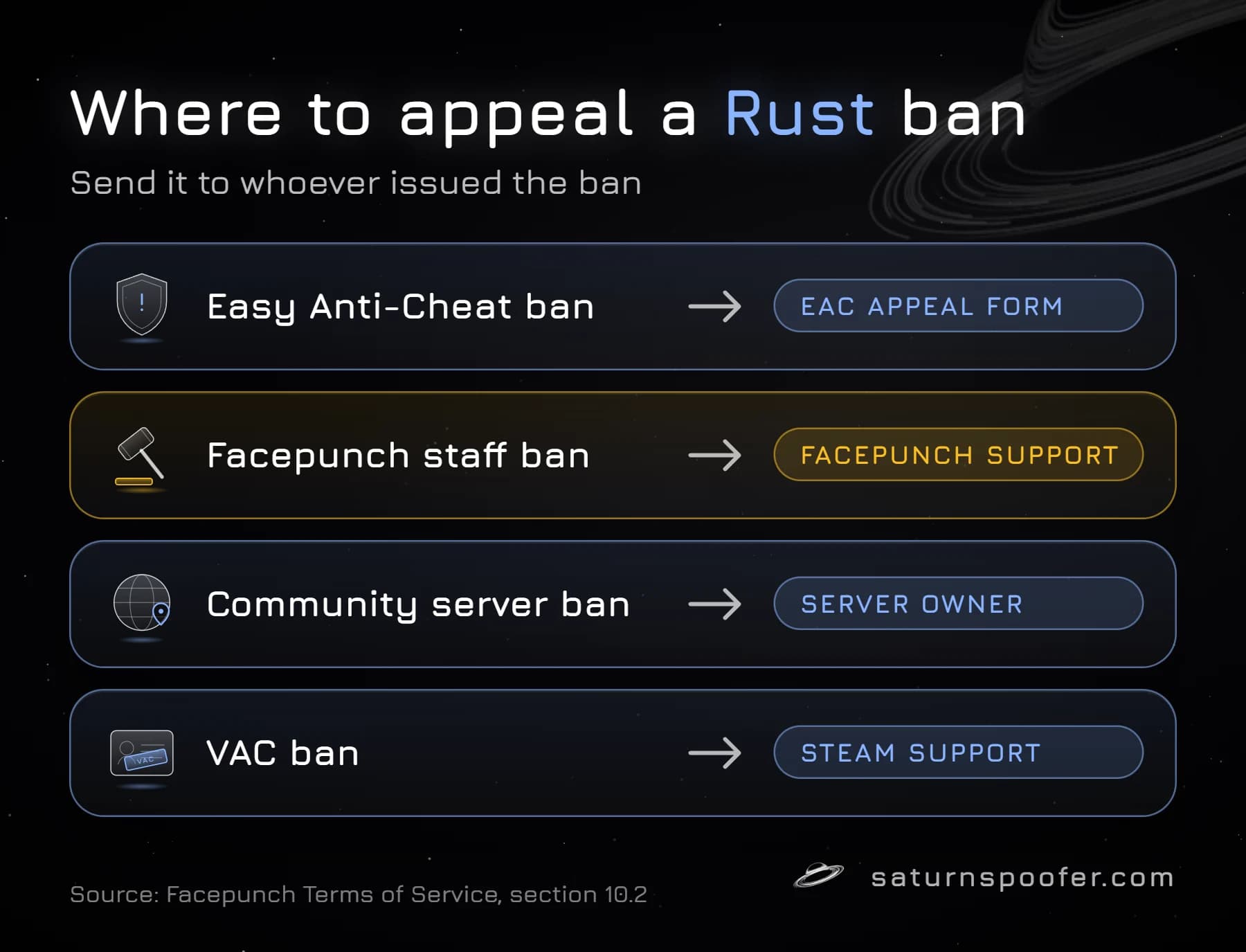
A Rust ban can come from four places, and each one has its own door. Sending an Easy Anti-Cheat case to Facepunch's ticket desk is an easy mix-up, and one of the AI answers we sampled while researching made it too.
| Ban | Where to appeal | Can it be reversed? |
|---|---|---|
| Easy Anti-Cheat ban | EAC appeal form | Only if it was wrong |
| Facepunch staff ban | Facepunch support | Cheater teams, hate speech: no |
| Community server ban | That server's owner | Up to the owner |
| VAC ban | Steam Support | Only Valve's own corrections |
Facepunch's terms of service, section 10.2, spell out the split: EAC bans go to Easy Anti-Cheat's appeal page, VAC bans go to Steam, and questions about bans Facepunch issued go to its support team, which says it will use reasonable efforts to explain them. An EAC ban comes from the Easy Anti-Cheat system Rust runs, but EAC's own FAQ says it is the game publisher that decides whether a flagged account gets suspended or banned.
How to Appeal an EAC Ban on Rust
A Rust EAC ban is appealed on Easy Anti-Cheat's website, not through Facepunch's ticket system.
First, make sure it is a ban. A kick that reads "Disconnected: EAC: Client Integrity Violation" is not one: Facepunch's support page says it usually means the local Easy Anti-Cheat files didn't update or got corrupted, and the fix is deleting the EasyAntiCheat folder and verifying the game files in Steam. Appealing a disconnect like that gets you nowhere, because there is no ban on the account for EAC to review.
Then work through these steps:
- Confirm the ban type. The message "EAC banned" when you join a secured server, together with a Game Ban showing on the Steam account's public profile, means Easy Anti-Cheat issued it.
- Read Facepunch's EAC Banned article first. The EAC form asks players of every game except Fortnite to check that game's support channel before appealing.
- Open the Easy Anti-Cheat appeal form. It has one required field, a Reference ID, and EAC asks you to double-check it before you submit.
- Write a short, factual explanation (template below) and send it once.
- Wait. If EAC accepts the appeal, its form says the ban is reverted automatically.
The same form turns Fortnite players away and points them to Epic's own Fortnite appeal portal, but Rust cases belong on it. Neither Facepunch nor EAC publishes where Rust shows the Reference ID, so be wary of guides that claim to know.
What to Write in a Rust Ban Appeal
A good Rust appeal is short, specific and true. Easy Anti-Cheat keeps detailed records of every detection, according to Facepunch, so an appeal that argues with the evidence goes nowhere, while one that gives the reviewer facts to check has a chance. Include:
- The Reference ID, typed exactly.
- Your Steam profile link, so the reviewer matches the right account.
- The date and rough time of your last session, and the server you were on.
- Anything unusual that was running on the PC: overlays, macro or mouse software, a new tool you installed that week.
- Whether anyone else had access to the PC or the Steam account.
- One sentence asking for a review of a detection you believe was false.
A sample that fits on one screen: "I'm appealing the Rust EAC ban on my account [profile link], Reference ID [ID]. I last played on [date] on [server] and did not use any cheat. The only third-party software running was [list]. Nobody else has access to this PC or account. Please review the detection."
Leave out insults, threats to quit, claims about how many hours you have, and screenshots of your stats. None of it changes what the detection log shows. If you did cheat, an appeal won't help, and the honest route is the 8-month one further down.
How Long Does a Rust Ban Appeal Take?
Easy Anti-Cheat doesn't give a fixed time for Rust appeals. Its FAQ says timelines "vary by case volume and game," and the day counts you see in guides come from players' reports, not from EAC or Facepunch.
Two things are documented. An accepted appeal reverses the ban automatically, so there is nothing else to file afterwards. And when Facepunch finds that a whole round of EAC bans went out by mistake, its servers reverse that round on their own, with no ticket needed. Sending the same appeal again doesn't speed anything up, because Facepunch is clear that tickets and appeals don't remove a valid ban.
Rust Bans Facepunch Won't Reverse
Some Rust bans have no working appeal route, and it saves time to know them before writing anything:
- Playing with cheaters. Facepunch places these bans by hand, calls them final and permanent, and says appeals to support are rejected automatically.
- Racist or homophobic language. Same rule: reviewed by staff when issued, permanent, appeals to support rejected automatically.
- A hacked account. Facepunch keeps an EAC ban in place no matter who was using the account. Its terms put keeping the account safe on you, the owner.
- A second offense after a second chance. Facepunch's policy says a player who cheats again is banned with no appeals.
- Hardware bans. They go to repeat offenders and are excluded from the second-chance offer.
Facepunch keeps hardware bans for repeat offenders, and the signs of when Rust bans the hardware itself differ from an ordinary EAC ban, so check which one you have before you plan anything.
Can You Get Unbanned From Rust Without an Appeal?
Yes, in one specific way: Facepunch's second chance. A player who was banned more than 8 months ago, hasn't cheated since and hasn't dodged the ban can buy Rust again on a new Steam account and play. It is not an unban. The original account keeps its ban and its record, and Facepunch says it isn't wiping either.
The fine print matters. The offer excludes repeat cheaters, anyone banned within the last 8 months, server-level bans and hardware-banned players, and coming back on a new account before the 8 months are up is likely to end in another ban. Steam family sharing is no help either: Facepunch disabled it for Rust on February 17, 2021, so every player needs their own copy. Skins and items stay on the banned account, because Facepunch says items from an EAC-banned account can't be transferred.
Community Server Bans and VAC Bans
A community server ban only covers that server or network, and Facepunch has no say in it. Appeals go through whatever the owner uses, usually a Discord ticket or a forum section, and the owner decides the outcome. These bans don't add a Game Ban to your Steam profile.
A VAC ban is Valve's, not Facepunch's. Rust's Steam listing carries the Valve Anti-Cheat tag, and Steam Support's VAC page says VAC bans are "permanent, non-negotiable, and cannot be removed by Steam Support." Valve removes one on its own if it finds it was issued incorrectly, which is the only way a VAC ban goes away.
Hardware Bans: Where an HWID Spoofer Fits
A Rust hardware ban has no appeal route that Facepunch documents. Its second-chance page tells hardware-banned players not to waste time or money on that offer, and the flag is tied to the computer, not to a single Steam login. Facepunch isn't the only studio that runs bans that stick to a machine, but in Rust those bans sit outside both the appeal route and the comeback route.
This is the one case where software on your own PC changes anything. Saturn's Rust spoofer replaces the hardware identifiers Windows reports, so a hardware flag recorded against the old ones stops matching that machine. That is what a spoofer swaps on a PC: the identifiers, not the account record. It does not lift the EAC ban on your old account, remove the Steam Game Ban, or make an appeal succeed, and Facepunch's rules on new accounts still apply. Pick temporary mode and the swap holds for as long as Saturn stays open; close it and the original IDs come back. Pick permanent mode and the change sticks on one profile. You can try it free for 24 hours with just an email, no card.
Rust Ban Appeal FAQ
Are Rust game bans permanent?
Yes. Facepunch calls all EAC bans in Rust permanent, and its staff bans don't expire. The exceptions are a successful appeal of a false detection and a mistaken ban wave that Facepunch reverses itself.
Does Rust give IP bans?
No Facepunch page describes an IP ban in Rust. The bans it publishes are EAC account bans, staff bans and machine-level bans for players caught more than once, while each community server owner picks their own methods.
Can I appeal a Rust ban if my account was hacked?
You can send one, but Facepunch says the EAC ban stays regardless of who was using the account. Secure the Steam account first, because the ban is tied to it either way.
Will a second appeal help?
Sending the same appeal twice doesn't help. Facepunch says tickets and appeals don't remove a valid EAC ban, and a repeat of the same facts gives the reviewer nothing new, so wait for the answer to the first one.
Do I keep my skins after a Rust ban?
They stay on the banned account. Facepunch says games can't be moved off an EAC-banned account and skins or other items stay where they are.
Can a Steam VAC ban on Rust be appealed?
No. Steam Support says VAC bans are permanent and it can't remove them, though Valve lifts any VAC ban it finds was issued in error.