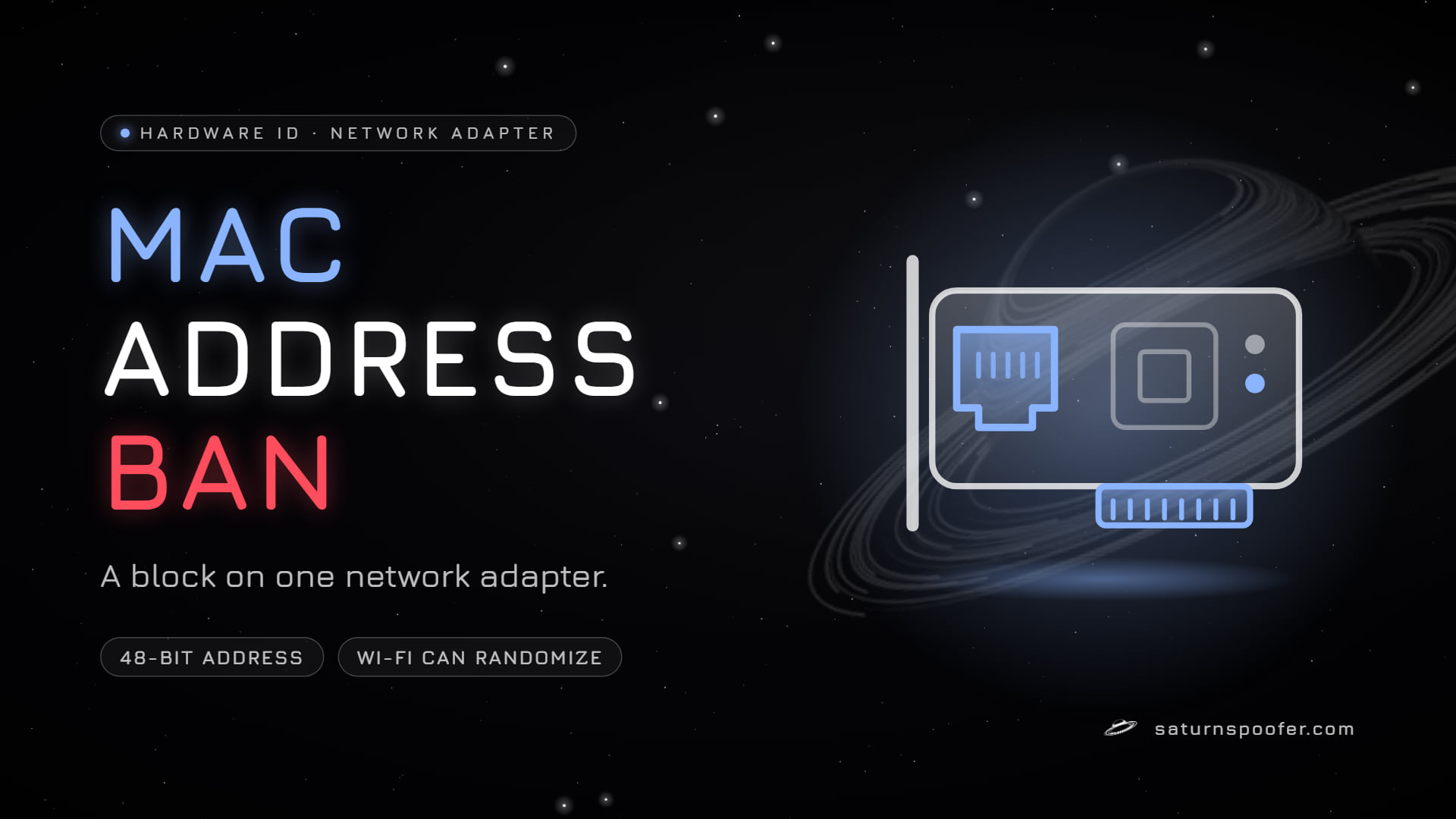
A MAC address ban is a block tied to the 48-bit hardware address of one network adapter. A router, a school Wi-Fi network or a game's anti-cheat can apply it, and whether it works depends on who can see that address. IETF RFC 7042 (October 2013) splits the 48 bits into a 3-byte maker prefix and 3 bytes the maker assigns. Windows lists every adapter's address through three built-in commands that Microsoft documents, covered below.
What Is a MAC Address Ban?
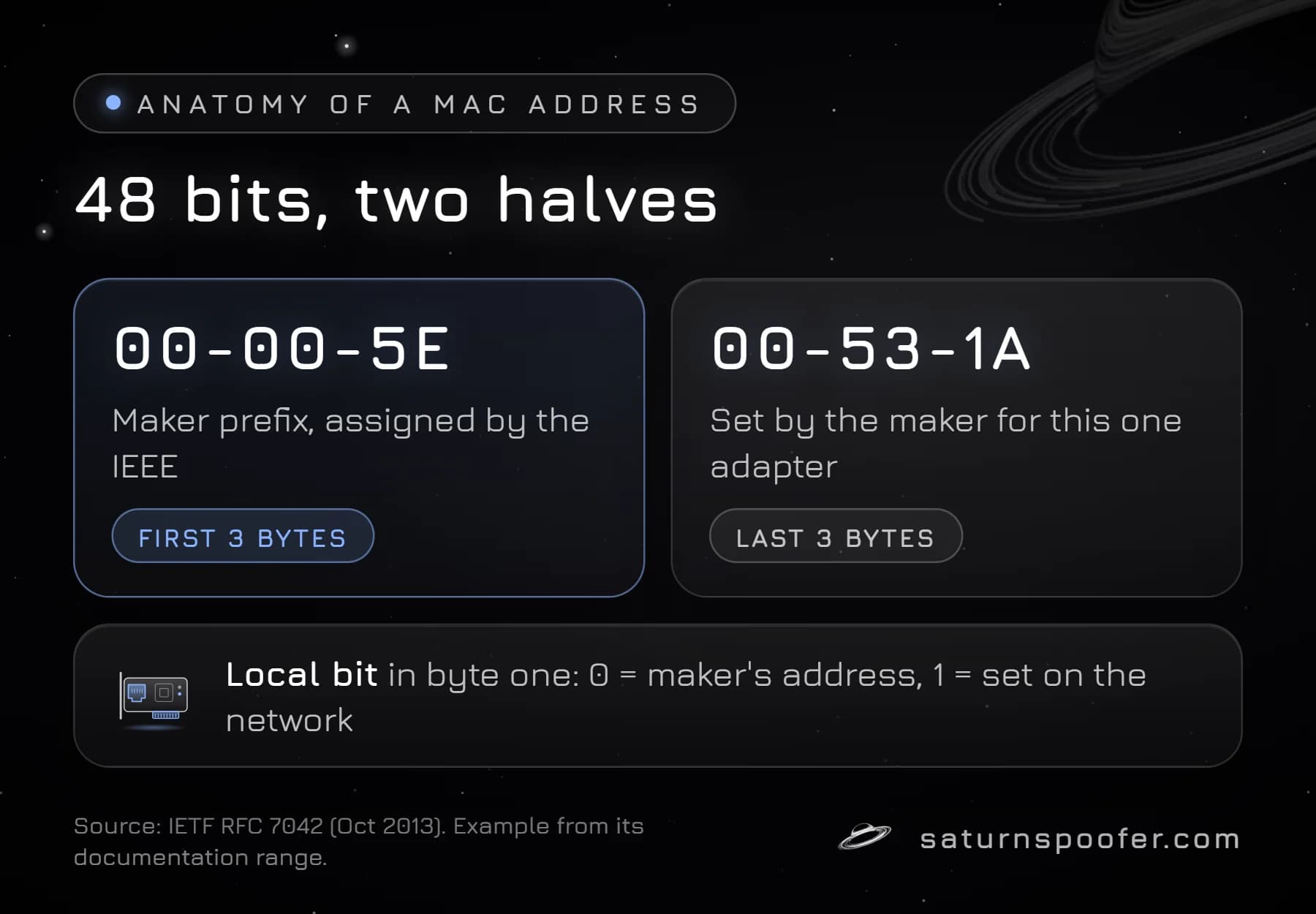
A MAC address ban refuses a device because of the address its network adapter reports. Every Ethernet port, Wi-Fi card and USB network dongle has its own, so a PC with both Ethernet and Wi-Fi has at least two. Windows writes them as six pairs of hex digits joined by hyphens, like 00-00-5E-00-53-1A, a value RFC 7042 sets aside for documentation.
The first three pairs are the maker's prefix, assigned by the IEEE. The maker assigns the last three to that one adapter. RFC 7042 also marks one bit in the first byte as the "Local" bit: a zero means a globally unique address from the maker, and a one means an address set by whoever runs the network.
Because the MAC address sits next to SMBIOS, drive and TPM values, it counts as one input to the PC's hardware ID, and usually not the strongest one.
Can a Game Ban Your MAC Address?
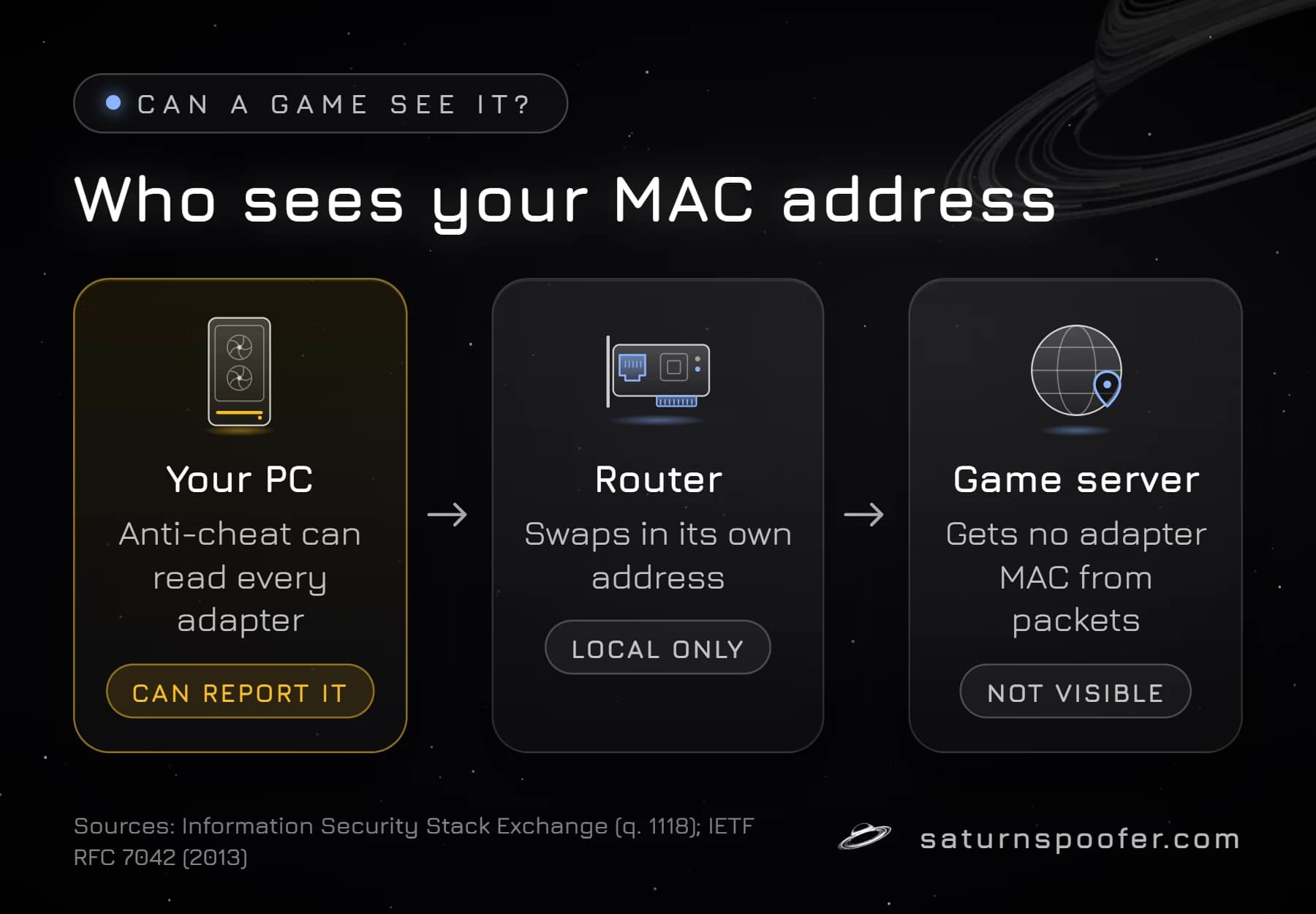
A game can ban your MAC address only through software running on your PC. A MAC address works on the local network segment: each router that forwards your traffic swaps in its own link-layer address, so a game server on the internet does not get your adapter's value from the packets it receives.
The anti-cheat is the exception. It runs on the PC, so it can ask Windows for every adapter's address and send the answer home to the publisher. That is the only route by which a MAC address could reach a game's ban record.
Which values a given anti-cheat reads is not public. Riot's page on hardware ID bans, last revised in late May 2026, speaks only of the computer's physical components and names none. Publishers tend to merge several identifiers into one fingerprint, and the games that use HWID bans penalize that fingerprint: a MAC address is commonly read as one input among many, not a ban on its own.
How to Find Your MAC Address in Windows
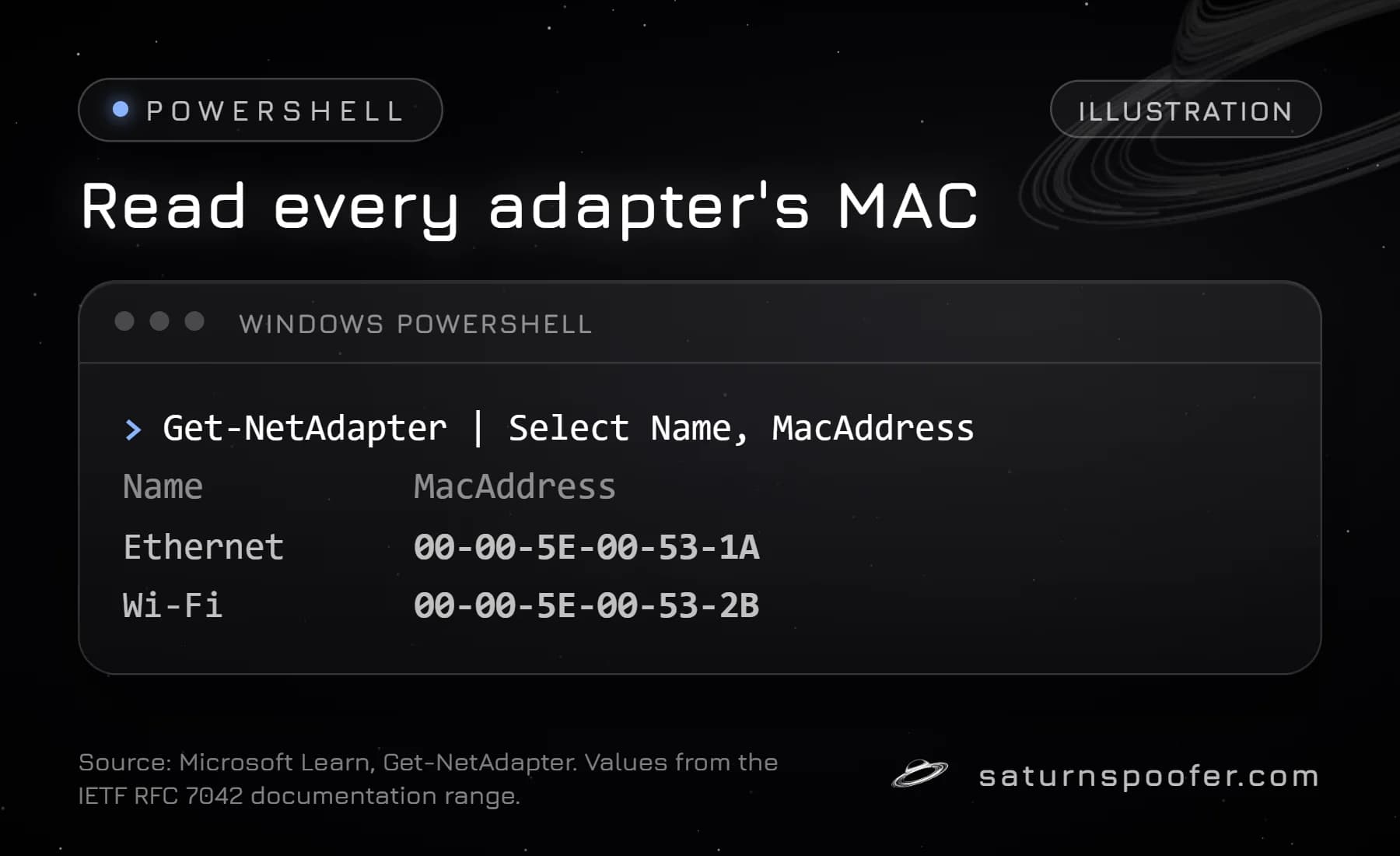
You find your MAC address in Windows with one of three commands from Microsoft's documentation:
| Command | What it shows |
|---|---|
Get-NetAdapter |
Each adapter, with a MacAddress property |
getmac /v |
The MAC of every network card, verbose |
ipconfig /all |
Full TCP/IP details for all adapters |
Run the first one in PowerShell, the other two in either PowerShell or Command Prompt. Expect more rows than you have cards: Microsoft's ipconfig reference says adapters can be physical interfaces or logical ones, and Get-NetAdapter has a -Physical switch for the hardware kind. An address with the Local bit switched on was set by software or a network administrator, not burned in by the maker.
A USB Wi-Fi adapter shows up here like any internal card. It carries two identifiers at once: the MAC address of its network side and the USB device serial that Windows reads when the dongle is plugged in.
MAC Address Randomization in Windows
MAC address randomization is a Windows 10 and 11 Wi-Fi setting that swaps the card's real address for a generated one. Microsoft calls it random hardware addresses and gives privacy as the reason: shops and other public spaces can follow a device's movement by its fixed address.
- For every network: in Settings, open Network and internet, then Wi-Fi, and turn on Random hardware addresses. Windows then uses a random address while it scans and connects.
- For one network: choose that network in the same Wi-Fi settings and turn the switch on there. It applies the next time you connect.
The option only appears when your Wi-Fi hardware supports it, according to Microsoft's Wi-Fi connection guide. Microsoft describes it for Wi-Fi only; the guide says nothing about Ethernet adapters.
How to Change a MAC Address
You change a MAC address in Windows by setting an override on the adapter, which leaves the address stored in the hardware alone. The network card keeps the burned-in value, and Windows sends the one you set in its place.
- PowerShell: the
Set-NetAdaptercmdlet accepts a new address for a named adapter through its-MacAddressparameter. Microsoft's Set-NetAdapter reference cautions that some adapters won't accept a new MAC address and that the change can disrupt networking. - Wi-Fi: the random hardware address switch above is the built-in route, with no value to type.
A MAC override is the easy case. Changing your hardware IDs beyond the network adapter, such as the SMBIOS values, drive serials and TPM key, is a different job, covered in the guide to changing your hardware IDs.
Does Changing Your MAC Address Remove a Ban?
Changing your MAC address alone is unlikely to clear a game's hardware ban when, as is common, the ban covers more than the network adapter. A new MAC address next to the same motherboard, drive and TPM identifiers still leaves most of the fingerprint unchanged.
Epic Games says its systems detect tools that hide or change hardware IDs in Fortnite and that it may permanently ban accounts that use them. Read the rules of the game you play before changing anything. On the PC itself, an HWID spoofer is the tool that clears an HWID ban, and what an HWID spoofer is comes down to software that changes what Windows reports for many parts at once, not one adapter setting.
Saturn, sold as a hardware ID spoofer for Windows, lists the MAC address (the network adapter's address) on its public spoof list next to USB devices, the motherboard and SMBIOS identifiers, disks, the TPM, the GPU and the monitor's EDID. Its two modes last different lengths of time, and that gap drives the perm vs temp spoofer choice:
- Temporary mode holds the new values for as long as Saturn is open; close it and Windows reports the banned originals again. Profiles are unlimited, so a burned one is swapped out.
- Permanent mode writes new hardware IDs a single time, and the PC stays cleared afterward. You get exactly one HWID profile, and a banned profile means buying another.
Neither mode touches an account ban. A banned account stays banned, since that record lives with the publisher and not on your PC. The free trial runs 24 hours and needs an email address, with no card.
MAC Address Ban FAQ
Can a MAC address be blocked?
Yes, on a local network. Routers, Wi-Fi access points and school or office networks can allow or refuse devices by MAC address, because they see the address directly. A website or game server across the internet cannot see it from the traffic alone.
Is MAC spoofing illegal?
Windows itself offers MAC changes through random hardware addresses and Set-NetAdapter, so changing one is an ordinary setting, not a hack. Whether using it breaks a network's or a game's rules depends on their terms, and the law differs by country, so check both if you are unsure.
Does a MAC address ban also block my IP address?
No. An IP address belongs to your internet connection and changes with the network you use, while a MAC address belongs to one adapter. A ban can target either one, or both.
Does resetting Windows change my MAC address?
No. A reset reinstalls software, and the adapter keeps the address stored in its hardware. An override you set yourself may be cleared, which brings the original address back.
Can two devices have the same MAC address?
Globally unique addresses come from the maker's prefix, so duplicates should not happen by design. A locally set address, marked by the Local bit, can repeat, so an override can clash with another device on the same network.