A GPU serial number is the unique code a card's maker assigns to one physical graphics card, and the label that carries it is stuck to the card itself. NVIDIA's management library describes it as a board serial of up to 30 characters that "matches the serial number tag that is physically attached to the board." As of September 2026, NVIDIA documents a software read for it but only on some product lines, which is why most people end up looking at the sticker.
The GPU also carries a second identifier that software can always read on NVIDIA cards: the GPU UUID. The two are easy to mix up. The serial is for the warranty desk, the UUID is for software, and both sit among the identifiers behind a PC's HWID on a gaming machine.
What Is a GPU Serial Number?
A GPU serial number identifies one specific graphics card, not a model. Two cards of the same model and brand share a name, a device ID and a driver, but each has its own serial, which the board maker uses for warranty claims and returns. NVIDIA's NVML reference calls it "the globally unique board serial number associated with this device's board."
The serial belongs to the board, not the chip. NVIDIA notes that one board can hold more than one GPU, and on those boards the serial is shared, which is why its own tools point to the UUID or the PCI bus ID when a script needs to tell GPUs apart.
How to Find Your GPU Serial Number
The graphics card serial number is in two kinds of places, and the first one is the dependable one:
- The sticker on the card. NVIDIA describes the serial as matching the tag attached to the board, so this is the one place you can count on finding it. In most desktop PCs that means opening the side panel.
- The retail box and your paperwork. If you kept the box, the invoice or a product registration, check them before you open the case.
A GPU serial number lookup, such as checking warranty status, happens on the board maker's own support site, and it needs the serial from one of the places above.
Can Windows Show the Graphics Card Serial Number?
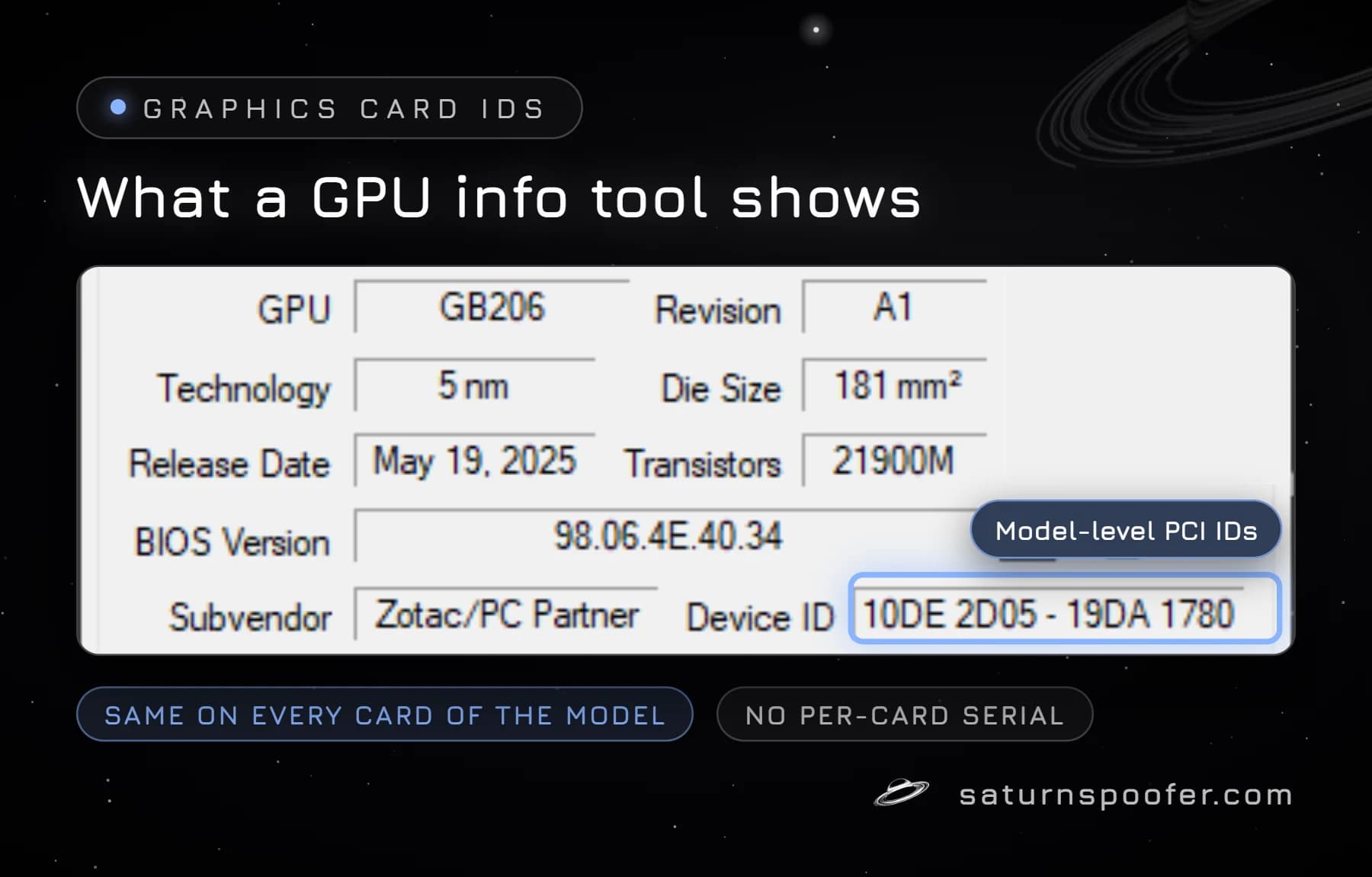
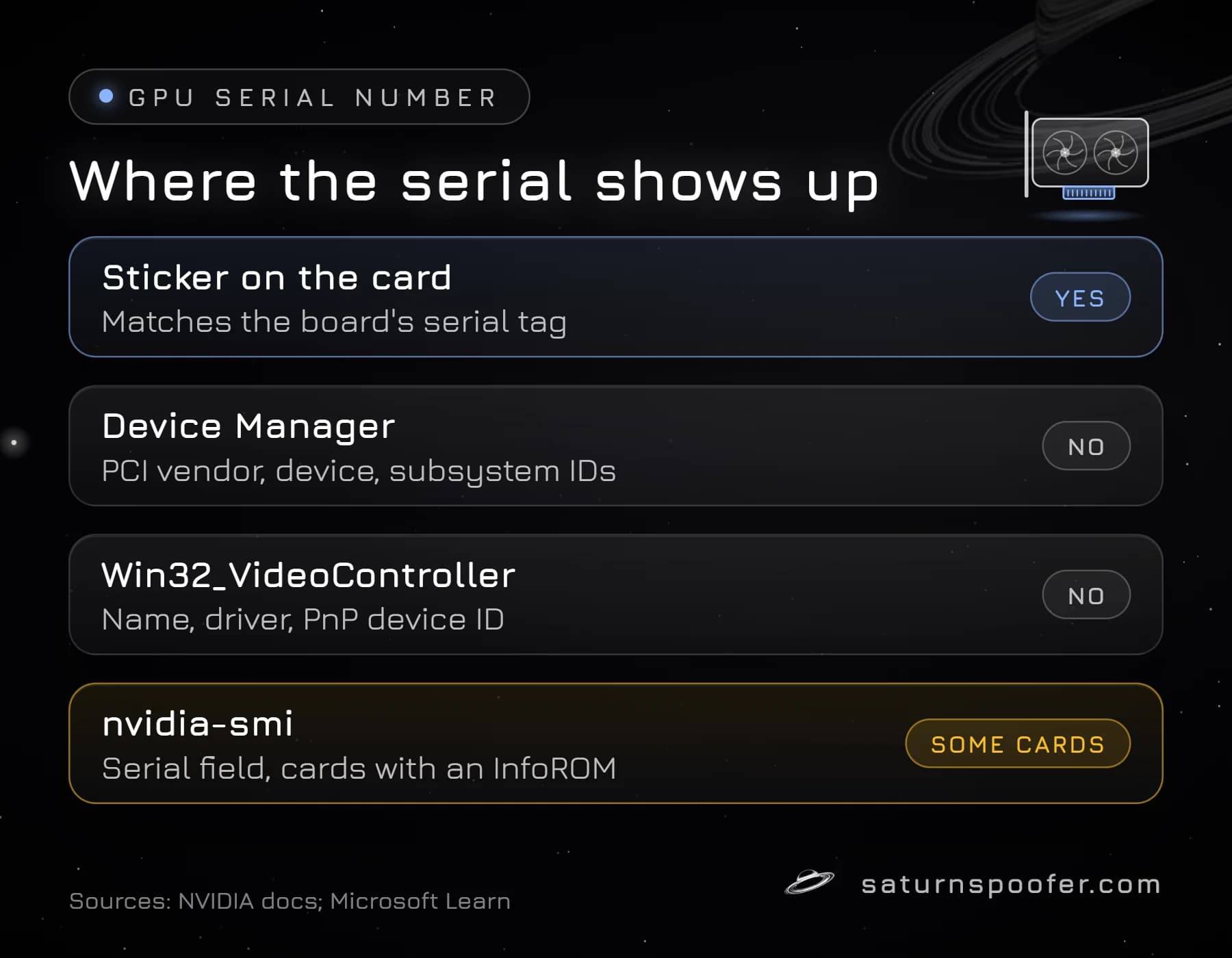
No, not with Windows' own tools, which surprises people because Device Manager lists plenty of IDs. The ID Windows builds for a graphics card is a PCI hardware ID, and Microsoft's PCI identifier format has four parts: a vendor code, a device code, a subsystem code with the board maker's vendor code, and a revision number. Every card of the same model from the same board maker gets the same hardware ID, so it can't tell your card apart from the next one on the shelf.
| Where you look | What it shows | Serial? |
|---|---|---|
| Device Manager | PCI vendor, device and subsystem IDs | No |
| Win32_VideoController (WMI) | Name, driver, PnP device ID | No |
| nvidia-smi (NVIDIA) | Serial field, GPU UUID | On some cards |
The WMI class that PowerShell scripts use for graphics cards, Win32_VideoController, has no serial property either. Microsoft's property list for it covers the adapter's name, driver version, memory and PnP device ID. GPU information tools show the same thing: their Device ID field lists the vendor, device and board-maker codes, not a per-card serial.
Reading the Serial With NVIDIA's Command Tool
NVIDIA's command-line tool, nvidia-smi, is where NVIDIA documents a software read of the board serial. The nvidia-smi documentation lists a Serial Number field that "matches the serial number physically printed on each board," and the query option nvidia-smi --query-gpu= takes a comma-separated list of the fields you want. The full report comes from nvidia-smi -q.
The catch is coverage. The same documentation says nvidia-smi supports Tesla, Quadro, GRID and GeForce cards, but gives "very limited information" for GeForce cards outside the Titan series, and NVIDIA's library returns the serial only for products with an InfoROM, a small on-board store of configuration data. On a typical gaming card, the sticker is still the reliable place to read it.
We found no AMD or Intel documentation for a command that prints a card's board serial, so for those cards the label and the box are the sources to use.
What Is a GPU UUID?
A GPU UUID is a unique identifier that NVIDIA's driver reports for each GPU, separate from the board serial. NVIDIA's library documents it for all of its products and describes it as a globally unique, immutable 5-part hexadecimal string that "does NOT correspond to any identifier printed on the board." Because it's per GPU rather than per board, NVIDIA's nvidia-smi documentation recommends the UUID or the PCI bus ID over the serial when you need a consistent way to pick a GPU.
To see it, run nvidia-smi -L, which NVIDIA documents as listing each GPU in the system "along with their UUIDs." NVIDIA's library allows up to 96 characters for the UUID string.
Why the GPU Counts as a Hardware ID
A graphics card counts as a hardware ID because software on the PC can read identifiers from it that stay the same across a Windows reinstall: the model-level PCI codes on every card, and on NVIDIA cards the GPU UUID. Together with drive serials, SMBIOS data and the monitor EDID, they help a program recognize the same machine.
Game publishers keep quiet about which of those values their anti-cheat checks, and no publisher page we read names the GPU serial or UUID. What is documented is how a hardware ban works in general: the penalty follows identifiers like these instead of one login, so a second account on that computer inherits the problem.
Can You Change a GPU Serial Number?
You can't change a GPU serial number in the sense of rewriting the sticker or the board's stored serial; we found no NVIDIA or Microsoft documentation of a user tool for it. Swapping the card for a different one is the only physical change. What software can change is what Windows and programs are told, which is how tools that change the IDs a PC reports handle the GPU and the other parts of the PC.
Saturn is a spoofer for Windows hardware IDs, and graphics adapter identifiers are on its list of spoofed IDs, next to the MAC address, the TPM, RAM, disks, the motherboard and the monitor's EDID. A hardware ban on your machine is what an HWID spoofer clears, in two modes. Temporary mode holds the new values only while Saturn is running, and permanent mode keeps them after a reboot. Whether a permanent or temporary spoofer fits depends on how often you want to switch profiles.
A spoofer doesn't touch account bans: an account banned by a game stays banned whatever the PC reports. Publishers also watch for the tools. Epic Games says Fortnite can detect programs that mask or rewrite a PC's hardware IDs, and that the account behind them may be banned for good. You can try Saturn free for 24 hours with an email address and no card.
GPU Serial Number FAQ
Do GPUs have a serial number?
Yes. Graphics cards carry a board serial on a label on the card. NVIDIA's software can also report it, but only on some product lines.
Is a GPU UUID the same thing as a GPU serial?
No. The serial belongs to the board and matches the printed label. The GPU UUID is a separate NVIDIA identifier for each GPU that isn't printed anywhere on the card.
Can I find my GPU serial number in Device Manager?
No. Device Manager shows the PCI hardware ID, which names the vendor, the model and the board maker but is identical on every card of that model.
How do I identify a graphics card by its serial number?
Enter the serial on the board maker's support or warranty page, which matches it to the card model and its warranty record.
Does reinstalling Windows change the GPU serial or UUID?
No. The serial lives on the board and the UUID comes from the GPU, so reinstalling Windows leaves both untouched.