A Dead by Daylight ban is a penalty Behaviour Interactive puts on your account, and its Terms of Use also let it ban the device you play on. Behaviour's Game Bans article, dated January 21, 2026, steps temporary bans from 48 hours to 1 week to 1 month before a ban turns permanent. So a DbD HWID ban is possible, but Behaviour says far less about it than players and AI answers claim.
Behaviour has published the ladder, two offense lists, the device clause, a note on its May 2026 ban wave and an appeal route. It has not published what triggers a device ban. A few error messages look like bans and aren't, and an HWID spoofer only matters once the PC itself is what got blocked.
Does Dead by Daylight HWID Ban?
Yes, Dead by Daylight can ban hardware. Behaviour Interactive's Terms of Use say it can suspend or terminate accounts without notice and can ban your device, temporarily or permanently, from some or all of its services. The same terms add that a ban stays valid on every platform the account is connected to and on the equipment linked to that account.
The device side is where Behaviour goes quiet. No support article lists which offenses lead to a device ban, how many bans it takes, or which hardware identifiers get recorded. Two claims that circulate widely are not Behaviour's words at all. The line about "IP and hardware locks if needed" comes from a 2021 player post on Behaviour's forum that quotes a different studio, and the idea that three account bans trigger a hardware ban comes from player threads with no staff reply behind it.
The anti-cheat side is better documented. Dead by Daylight's Steam store page lists Easy Anti-Cheat under "Uses Kernel Level Anti-Cheat", which means its driver works as anti-cheat that runs in the Windows kernel while the game is open. Epic's EAC player FAQ says the service gathers hardware identifiers so banned players cannot slip back in, and it leaves the penalty for a flagged account to the game's publisher. For Dead by Daylight, that publisher is Behaviour.
How Long Is a Dead by Daylight Ban?
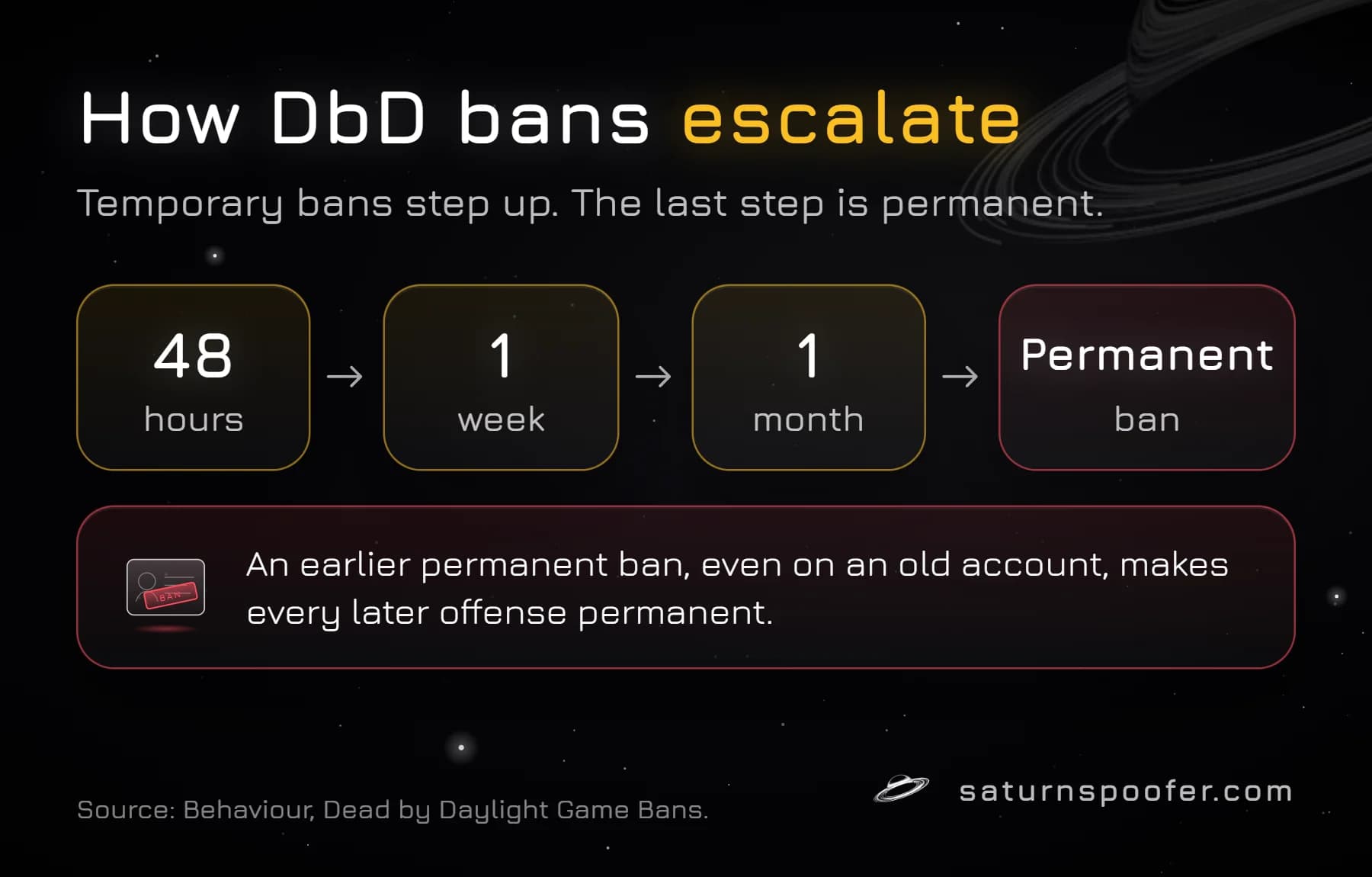
A Dead by Daylight temporary ban lasts 48 hours, 1 week or 1 month, and the step after that is permanent. Behaviour's Game Bans article calls this a sliding scale decided case by case, based on how serious the offense is and how many bans you already have. An egregious offense can skip one or more steps.
| Step | Ban length | Can you appeal? |
|---|---|---|
| First temporary ban | 48 hours | No |
| Next temporary ban | 1 week | No |
| Next temporary ban | 1 month | No |
| Final step | Permanent | Yes, by ticket |
One rule changes the whole ladder. Behaviour writes that any earlier permanent ban on your record, including one on a previous account, turns every later offense into a permanent ban. A player with an old permanent ban has no 48-hour step left.
Older guides still print a 24-hour first step. That ladder is outdated; the current Behaviour article starts at 48 hours.
What Gets You Banned in Dead by Daylight?
Dead by Daylight bans fall into two groups in Behaviour's rules, and Behaviour stresses that both lists are examples rather than a complete set.
- Temporary bans cover communication abuse such as insults and hateful speech, griefing (working with the other side, targeting one player again and again, holding the game hostage), exploiting bugs for an advantage or advertising exploits, botting and lag switching.
- Permanent bans cover acquiring in-game cosmetics through unofficial channels, holding legacy cosmetics you never earned (the cutoff was November 24, 2016), cheating your save file or using someone else's, serious threats or doxxing, and third-party software that gives an unfair advantage.
Behaviour also notes that it does not ban for using communication apps. Every offense on both lists requires an in-game report, and most of the permanent-ban offenses also require a Customer Support ticket.
Account Ban vs Device Ban in Dead by Daylight
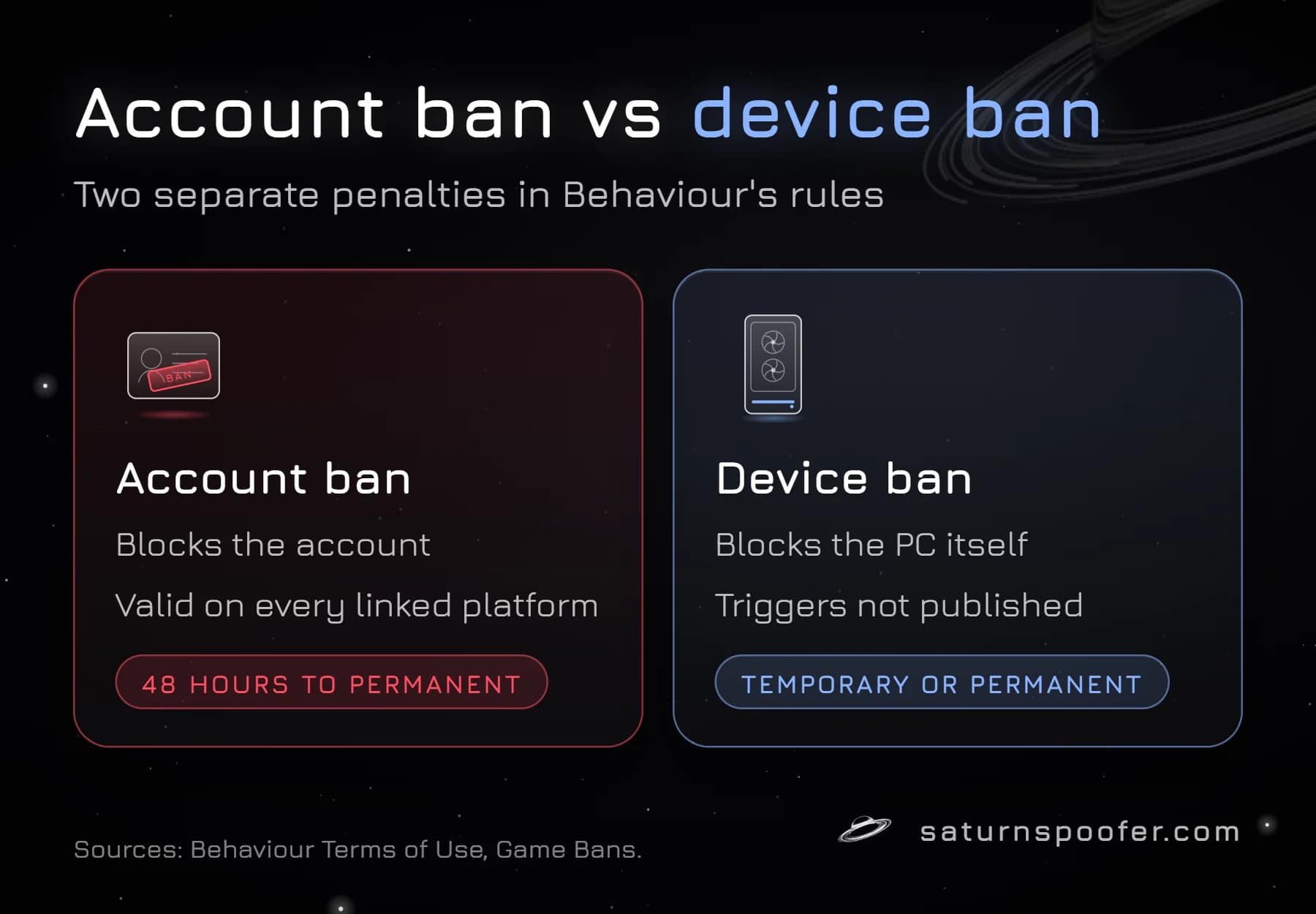
A Dead by Daylight account ban blocks the Behaviour account, and the Terms of Use carry it to every platform linked to that account. A device ban blocks the PC. The two are separate decisions, and Behaviour does not say how often it uses the second one.
| Question | Account ban | Device ban |
|---|---|---|
| What is blocked | The Behaviour account | The PC |
| Where Behaviour states it | Game Bans article | Terms of Use |
| Length | 48 hours up to permanent | Temporary or permanent |
| Published triggers | Offense list and ladder | None published |
Behaviour's ban evasion rule sits between the two. Players with several permanent bans who keep offending after the first one can lose access on their other accounts too, and Behaviour applies that structure on any platform. Riot and Embark publish more detail on device bans at other publishers; Behaviour's own documents stop at the Terms of Use clause.
How Do You Know You're Banned in Dead by Daylight?
Dead by Daylight tells you through an in-game notification. Behaviour says a temporary ban notice details the offense and how long it lasts, and a permanent ban notice details the offense. The ban pop-up also has a "Cloud ID" button at the bottom that reveals your Player Cloud ID, which Behaviour asks for when you contact Support.
Behaviour has not documented a separate message for a device ban. When a brand-new account gets blocked on that same computer right away, the pattern points at the machine, but Behaviour does not confirm it either way.
What Isn't a Dead by Daylight Ban
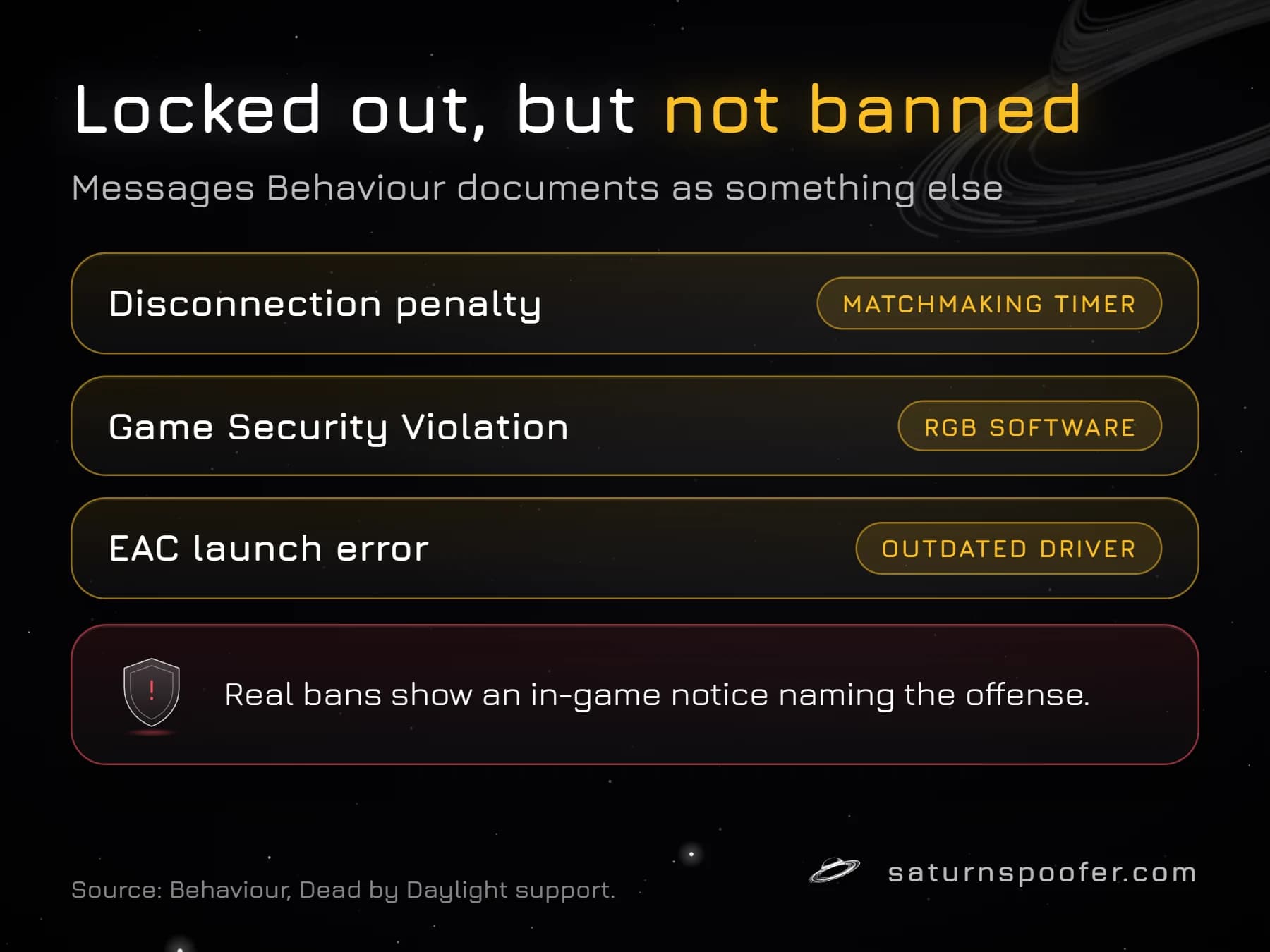
Several Dead by Daylight messages lock you out without being a ban, and Behaviour documents each of them separately:
- Disconnection penalty: leaving a match in any way, from closing the game to an internet drop, triggers a matchmaking timer. Behaviour says the penalties start small and that it does not accept appeals for them.
- Game Security Violation Detected: Behaviour's support article links this message to RGB lighting software that conflicts with EAC, and you cannot play until that software is turned off.
- EAC launch error after the July 2026 security update: since July 30, 2026, outdated RGB, overclocking, BIOS, hardware monitoring and OEM updater tools can block the game until you update them.
- "Cannot connect to servers": a connection error is not a ban notice. Behaviour says banned accounts get an in-game notification that names the offense, so a plain connection failure usually points at the network, Steam or the servers.
Dead by Daylight also ran Denuvo Anti-Cheat on the Steam version as a trial from September 2 to September 15, 2026. Behaviour removed it when the trial ended, and leftover Denuvo files are not a sign of a ban.
The May 2026 Dead by Daylight Ban Wave
Behaviour ran a Dead by Daylight ban wave in the first week of May 2026 against accounts that had obtained in-game content from unauthorized sources, which its statement said breaks both its own EULA and the platforms' EULAs. In the May 6, 2026 post on its official X account, Behaviour said affected permanent bans had been cut back as a warning. Japanese outlet Automaton reported the temporary bans ran until May 13 at 2 a.m. Japan time, which is May 12 in the Americas, and that a repeat would bring a permanent ban.
That wave was about content, not cheat software, and no device bans were mentioned. Behaviour has not published ban counts for it.
Can You Appeal a Dead by Daylight Ban?
You can appeal a permanent Dead by Daylight ban, but not a temporary one. Behaviour's rules say temporary bans cannot be appealed, while a permanent ban you believe is wrong goes to its Support Team as a ticket with "Ban Appeal" picked as the contact reason. Have your Player Cloud ID from the ban pop-up ready.
Every field on Behaviour's form, and the wording a reviewer needs, is laid out step by step for appealing a permanent Dead by Daylight ban. Epic also runs its own EAC appeal form, but its FAQ tells players to follow the game's own process when a publisher handles appeals, as Behaviour does.
What Clears a Dead by Daylight Hardware Ban
A Dead by Daylight hardware ban is tied to identifiers the PC reports, so a new email or a game reinstall does not change it. A Windows reinstall resets some software values but leaves the serials stored in the motherboard, drives and other parts, and swapping hardware gets expensive fast. Behaviour publishes no list of the identifiers it records, so there is no single part you can safely replace.
An HWID spoofer works on the identifier layer instead. The short version of what an HWID spoofer replaces on a PC is new values for the motherboard, CPU, TPM, RAM, disks, MAC address, monitor EDID, GPU, USB devices and UEFI variables, so a device ban recorded against the old values no longer matches the machine. Saturn, an HWID spoofer for Windows rather than a cheat, covers the game with Saturn's Dead by Daylight HWID spoofer, which runs from the same loader as its other anti-cheat licenses. Dead by Daylight players can run it on a 24-hour trial that needs an email but no card. It offers Saturn's two spoofing modes: in temporary mode the spoof lasts only while Saturn runs, the banned IDs come back once it closes, and profiles are unlimited, while permanent mode rewrites the PC's IDs once and comes with a single profile.
Two limits apply. Saturn does nothing to the Behaviour account itself, so an account ban stays exactly where it is, and it is not a way around Behaviour's rules on cheating. If the ban looks like a mistake, the appeal comes first.
Dead by Daylight HWID Ban FAQ
Are Dead by Daylight bans IP bans?
Behaviour's published rules describe account bans and device bans. Neither its Terms of Use nor its support articles mention IP bans, so there is no official basis for calling a Dead by Daylight ban an IP ban.
Does a Dead by Daylight ban carry across Steam, Epic and Windows Store?
Yes. Behaviour's Terms of Use say a ban is valid on all platforms connected to the account, and Dead by Daylight on PC runs through Steam, the Epic Games Store and the Windows Store.
Can a permanent ban be lifted early?
Only through a successful appeal. Behaviour reviews permanent bans through a Ban Appeal ticket; it lists no other route, and it gives no timeline for replies.
Does Easy Anti-Cheat ban you in Dead by Daylight?
Easy Anti-Cheat flags the account, and Behaviour decides the ban. Epic's FAQ notes that a ban can be issued some time after the detection, even while you are offline, so a delay after a match is normal. The background on how Easy Anti-Cheat works explains the split between detection and penalty.
Can an HWID spoofer lift a Dead by Daylight account ban?
No. A spoofer swaps the hardware values Windows hands to the game, and that only touches the device side of a ban. The ban on the Behaviour account is Behaviour's own record, not something stored on your PC, so it stays in place.