A Dead by Daylight ban appeal is a Support ticket sent to Behaviour Interactive with the Contact Reason set to Ban Appeal, and it only works for a permanent ban. In its Game Bans article (January 21, 2026), Behaviour says temporary bans cannot be appealed at all, and its forum rules add that each ban gets one review. If Easy Anti-Cheat issued the ban automatically, the appeal goes to EAC instead of Behaviour.
Two questions decide your route before you type a word: is the ban permanent, and who applied it? Get those right and the ticket itself takes a few minutes.
Which Dead by Daylight Bans Can You Appeal?
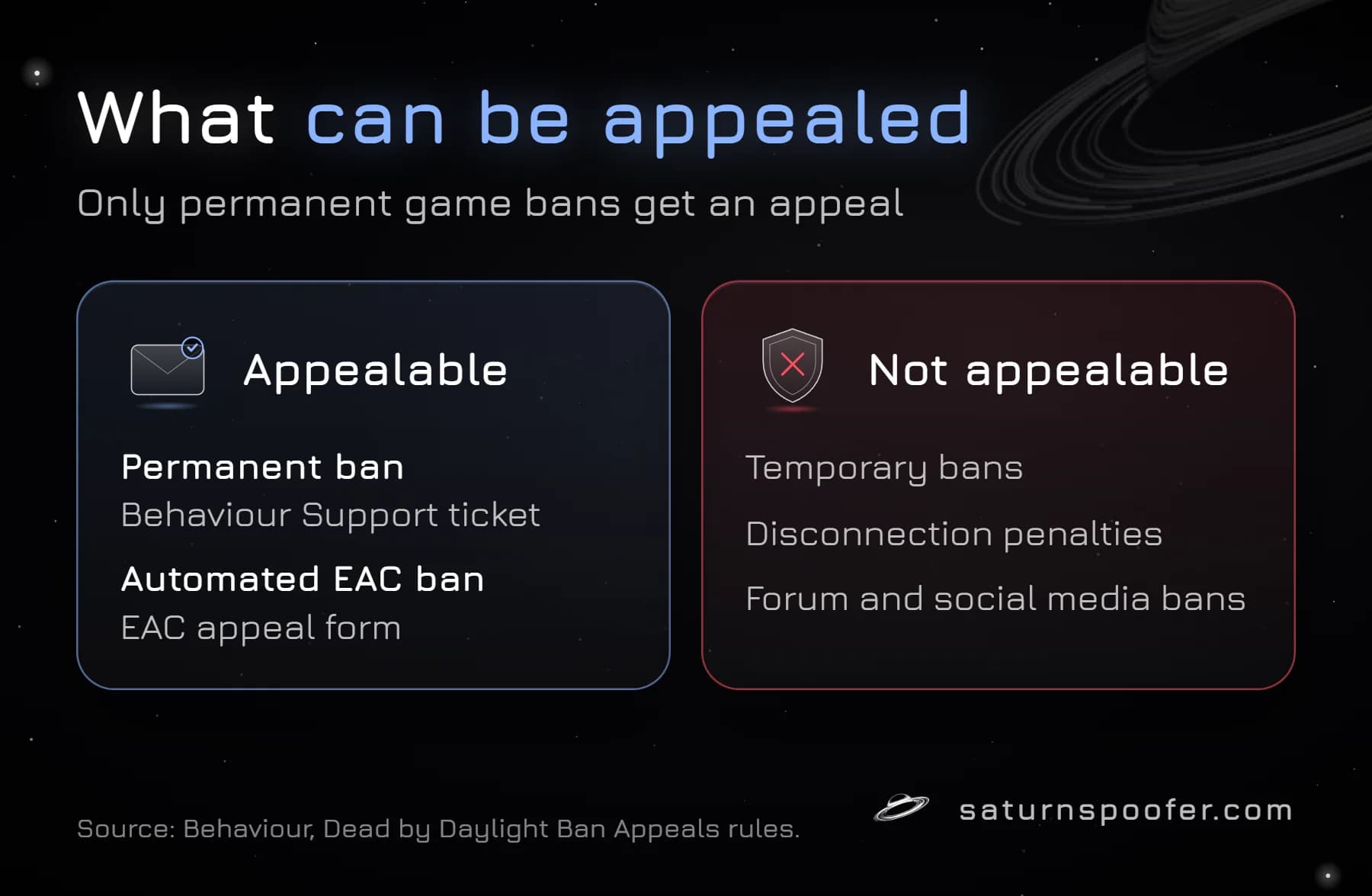
Only a permanent Dead by Daylight game ban can be appealed. Behaviour's Ban Appeals rules on its official forum ask players not to contact Support about anything else, because agents cannot overturn other bans. The same page lists what it will not review:
- temporary bans of any kind, disconnection penalties included
- bans from Behaviour's forums
- bans or blocks on its social media accounts, such as Twitch, Twitter, Facebook or Instagram
- bans from unofficial fan sites or fan groups
Temporary bans run on a fixed ladder of 48 hours, then 1 week, then 1 month before the next step turns permanent, and the full rules on how Dead by Daylight bans escalate explain why an old permanent ban makes every later offense permanent. For a temporary ban, the only option is to wait it out. The forum page was last updated on January 10, 2023, and the support site's 2026 article still says the same thing about temporary bans.
Behaviour Ban or EAC Ban: Which Route Is Yours?
Dead by Daylight has two appeal routes, and they do not overlap. A ban Behaviour applied goes to Behaviour Support as a Ban Appeal ticket. An automated ban from Easy Anti-Cheat, Epic's EAC service that runs inside the PC game, goes to EAC's own appeal form.
| Ban type | Where to appeal | What you need |
|---|---|---|
| Temporary ban | Nowhere (not appealable) | Wait for it to end |
| Permanent ban by Behaviour | Behaviour Support ticket | Player Cloud ID |
| Automated EAC ban | EAC appeal form | EAC reference ID |
| Disconnection penalty | Nowhere (not appealable) | Wait for the timer |
Not sure which kind you have? Start with Behaviour. On the official forum, a Behaviour community manager explained that when Support points a player to EAC, the ban came from EAC, so only EAC can reverse it and Player Support cannot help with it.
What to Have Ready Before You Appeal
Dead by Daylight appeals go faster when the ticket carries everything Behaviour needs on the first try. Gather these before you open the form:
- Your Player Cloud ID. When you are banned, the pop-up ban message has a "Cloud ID: Press here to display your Cloud ID" button at the bottom. Behaviour's Contact Support article tells banned players to use that ID for an appeal.
- The ban notice itself. Behaviour says a permanent ban arrives as an in-game notice listing the offense. A screenshot showing the offense and your Cloud ID together makes a useful attachment.
- Your platform. The form asks for it: Steam, Epic Games Store or Windows Store on PC, Xbox Series S/X or Xbox One, PS4 or PS5, or Nintendo Switch.
- The email address you want replies on. The ticket is tied to it, and you will use it to sign in and track the case.
- Your timeline. When you last played, when the ban appeared, and anything unusual before it, such as a password reset you did not request. If someone else may have used your account, say so plainly and keep the login alerts.
How to Submit a Dead by Daylight Ban Appeal
A Dead by Daylight ban appeal is filed on Behaviour's support site, either through its chat assistant or the request form. Behaviour's Contact Support article describes both routes; these are the form steps:
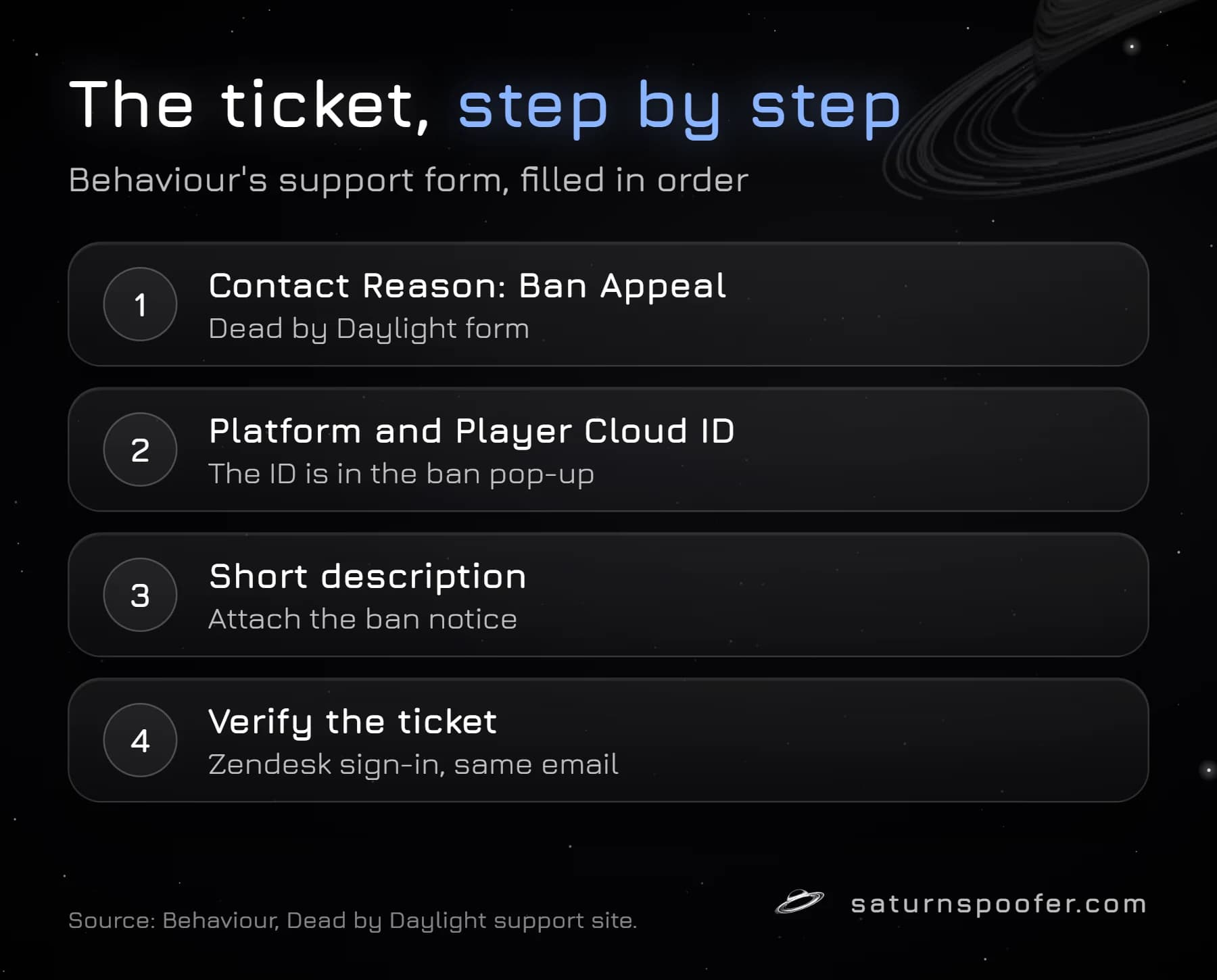
- Open the Dead by Daylight support site and choose "Submit a request".
- Under "Please choose your issue below", pick the Dead by Daylight form.
- Enter your email address and, if you like, a name or gamertag.
- Choose your platform from the list.
- Set the Contact Reason to "Ban Appeal".
- Fill in the Player ID field if the form shows it, add a subject, and write the description (next section).
- Add the date it happened and attach your screenshot of the ban notice.
- Submit, then register or log in with a Zendesk account using the same email so Behaviour can verify the ticket.
The chat icon in the bottom right of the support site opens Behaviour's virtual assistant instead. Typing "Contact Support" at any point asks it to create a ticket for you.
What to Write in a Dead by Daylight Ban Appeal
A Dead by Daylight appeal should argue one thing: that the ban was a mistake. Behaviour's Ban Appeals page states a zero tolerance policy and says a ban found to be legitimate will not be lifted under any circumstances, so a promise to behave better does nothing. Facts do.
Keep the description short and in this order:
- Your Player Cloud ID and platform.
- The offense named in the ban notice, copied exactly.
- Why you believe it is wrong, in two or three plain sentences.
- Evidence: the ban screenshot, login alert emails, or a clip if one exists.
- One line asking for a review.
A workable example: "Player Cloud ID: [your ID]. Platform: Steam. My account received a permanent ban for cheated progress on [date]. I have never edited my save file or used anyone else's, and I received a password reset email I did not request the day before the ban (screenshot attached). Please review the ban." Swap in your own facts, and never claim something you cannot back up, because an unsupported claim will not survive the review.
Leave out insults, demands to see the evidence and threats to quit. EAC states it does not disclose which cheats it detected, and Behaviour's appeal pages make no promise to explain a decision.
How to Appeal an Automated EAC Ban
An automated EAC ban in Dead by Daylight is appealed on EAC's appeal form, not through Behaviour. The form asks for a single item, the reference ID, and EAC warns you to double-check it before submitting. If EAC accepts the appeal, the page says the ban is reverted automatically.
On the same form, EAC points Fortnite players to Epic's separate Fortnite appeal portal and asks players of any other game to go through that game's own support before using the form. For Dead by Daylight, that means opening a Behaviour ticket first and only moving to EAC when Support says the ban is an EAC one. EAC's FAQ adds that its team investigates every claim of a false detection, and that a ban can be applied some time after the detection, so a ban that lands days after your last match is normal.
What Happens After You Appeal
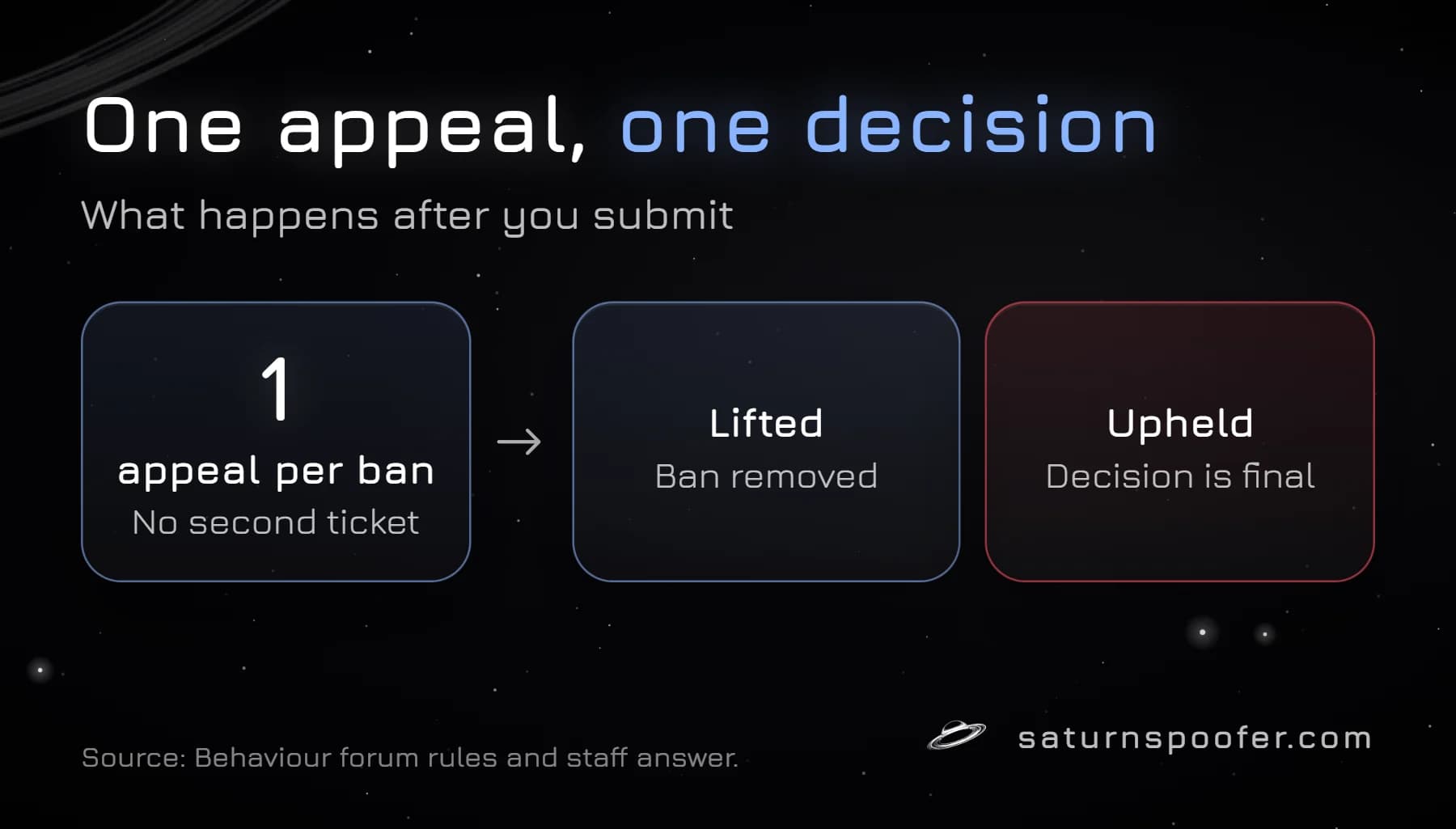
Behaviour reviews a Dead by Daylight appeal once. A Behaviour community manager wrote that everyone is entitled to one appeal where the information is reviewed, and that if the ban is upheld, the decision stands and no further appeals are allowed. The Ban Appeals page backs this up: extra tickets will not change the outcome.
Behaviour publishes no response time. Its Contact Support article says only that it answers tickets as soon as it can, and warns that several tickets about the same issue slow things down. EAC says the time an appeal takes depends on how many cases it has and which game is involved. You can follow your Behaviour ticket at support.deadbydaylight.com under your requests, signed in with the email you used.
Other publishers work the same way. Embark's one-appeal rule for Arc Raiders also ends each case with a single decision, so the first ticket has to carry your whole case.
If Your Dead by Daylight Appeal Is Denied
A denied Dead by Daylight appeal is final. Behaviour's rules give no second review, and the account stays banned. Writing again, opening tickets under other emails or posting on the forums will not reopen it; Behaviour says it does not take ban appeals on the forums at all.
A permanent ban can also reach further than the account. Behaviour's Terms of Use let it ban a device, temporarily or permanently, as well as an account, which is why some players find the block follows the PC rather than one login. That is a hardware question, not an appeal question, and the pattern is the same when a ban sticks to the PC in other games.
For that device side, Saturn's HWID spoofer for Dead by Daylight changes the hardware identifiers a Windows PC reports, such as the motherboard, disk, CPU, TPM and MAC address, and a device ban stored against the previous values stops matching that PC. A 24-hour trial needs only an email address. It offers the temporary and permanent modes: the first holds only while the Saturn app stays open and lets you swap between unlimited profiles, and the second makes a one-time change to the IDs and includes a single profile. It does not lift or shorten the ban on your Behaviour account, and if your appeal succeeds, you do not need it.
Dead by Daylight Ban Appeal FAQ
Is there a limit on Dead by Daylight ban appeals?
Yes, one per ban. Behaviour's community team says each player gets one appeal, and once a ban is upheld no further appeals are allowed.
How long does a Dead by Daylight ban appeal take?
Behaviour gives no timetable. Its support article says tickets are answered as soon as possible and that duplicate tickets cause delays, and EAC gives no fixed timeline either.
Can you get banned from Dead by Daylight for leaving matches?
Leaving a match triggers a disconnection penalty, a matchmaking timer that Behaviour says starts small. It is not a game ban, and Behaviour does not accept appeals for it.
Does the appeal process differ on Xbox, PlayStation or Switch?
No. Console players use the same Behaviour form. Its platform list covers Xbox Series S/X, Xbox One, PS4, PS5 and Nintendo Switch as well as the three PC stores.
Will an HWID spoofer get my Dead by Daylight account back?
No. All an HWID spoofer touches is the set of hardware IDs a PC reports. A banned account stays banned unless Behaviour or EAC reverses the decision on appeal.