An Apex Legends ban appeal goes through EA's Penalty History tool, not through Respawn, the game's forums or an anti-cheat vendor. You sign in with the EA Account the ban sits on, pick the penalty, and ask EA's Terms of Service team to look again. The team can keep the ban, shorten it or lift it, and it answers by email.
Getting the details right matters more in 2026 than it used to. Apex Legends on PC moved from Easy Anti-Cheat to EA's own Javelin system on September 29, 2026, and Respawn reported 12,969 accounts banned in Javelin's first week alone. Plenty of guides still send players to an Easy Anti-Cheat form or an old support ticket. EA's own pages also name the bans it won't soften, and those are worth reading before you write a word.
How Do You Appeal an Apex Legends Ban?
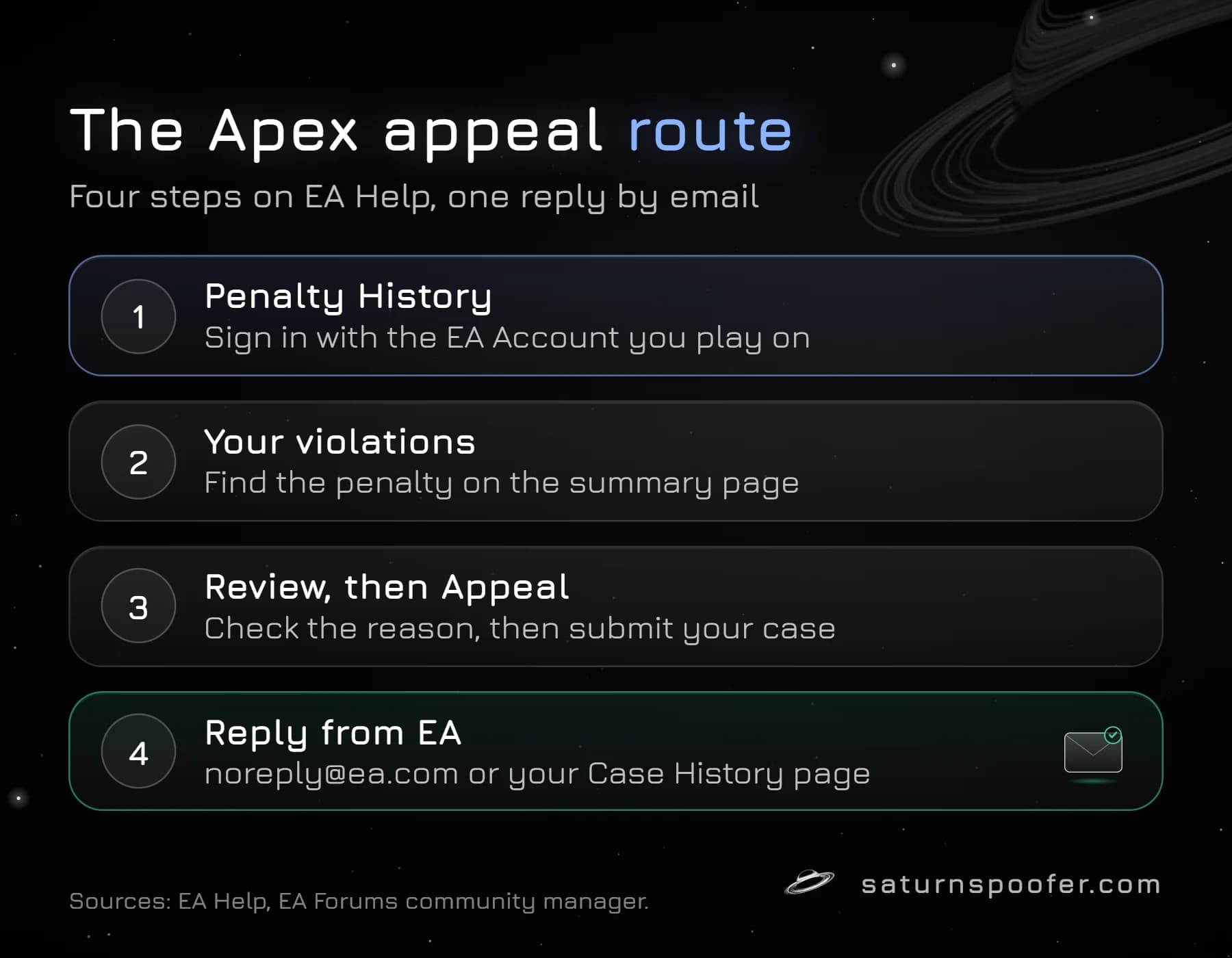
You appeal an Apex Legends ban from the Penalty History page on EA Help. EA's guide to account locks, bans and suspensions lays out four steps:
- Go to Penalty History on EA Help and log in with the EA Account that plays Apex Legends.
- Find the penalty in the Your violations list on the summary page.
- Select Review to see the penalty type, the reason and the appeal status.
- Select Appeal and follow the on-screen steps. EA's guide offers Appeal for a violation you haven't appealed yet.
EA's Apex rules page also lets you dispute a ban by contacting support from the bottom of that page, and the Terms of Service team then emails you an explanation. Both routes reach the same team. Penalty History is the one EA points to first, because it shows the exact violation and keeps your case status in one place.
Check Your Apex Legends Ban Before You Appeal
An Apex Legends ban appeal only works on a penalty EA can find, so confirm what you have before you write anything. An EA community manager's checklist for Apex players, posted in 2026, starts with the same few checks:
- If you play on more than one platform, or have more than one EA Account, sign in to the EA Account linked to the platform where the ban showed up.
- EA sends penalty notices from [email protected], so search your inbox and the spam folder for it.
- Work out the penalty type. A lock comes from failed logins or suspicious activity and is fixed through account recovery, not an appeal. A suspension ends after a set time. A ban lasts a long time or for good.
- Read the matching part of EA's Rules of Conduct and the Positive Play Charter, so your appeal answers the right accusation.
In the game, Apex Legends may show "This account is not permitted to play online". EA's error-code page says that message can mean a ban or a connection problem, and points you to its ban-status page to check. A launch error from EA Javelin, the anti-cheat EA builds in-house, is a different thing again: Javelin can block software from running without any penalty on your account.
What to Write in an Apex Legends Ban Appeal
An Apex Legends ban appeal should be short, specific and true. The reviewer already has the evidence behind the penalty; your job is to point at what it missed. EA's own rules make honesty more than good manners, since making a false claim to EA advisors is itself against Apex's gameplay rules.
A workable appeal covers six points, in this order:
- Your EA ID, the platform and the date the penalty appeared.
- The penalty type and reason exactly as Penalty History shows them.
- What you were doing at the time, such as the mode, the squad and any software running on the PC.
- Why you think the penalty is wrong, in one or two plain sentences.
- The evidence you have: clips of the match, purchase receipts, login alerts, or proof a password was changed.
- A request for a manual review.
Match the evidence to the reason. For a hacked account, describe the unknown logins and what you did to secure the account before appealing. For a chat or voice penalty, give the context around the reported line. For a cheating flag, name any overlay, macro or input tool that was running, because EA treats a lot of third-party software as cheating, from aimbots and wallhacks to tools that disconnect other players. Skip the anger and the backstory about how many hours you've played. Neither changes what the reviewer checks.
What Happens After You Submit the Appeal
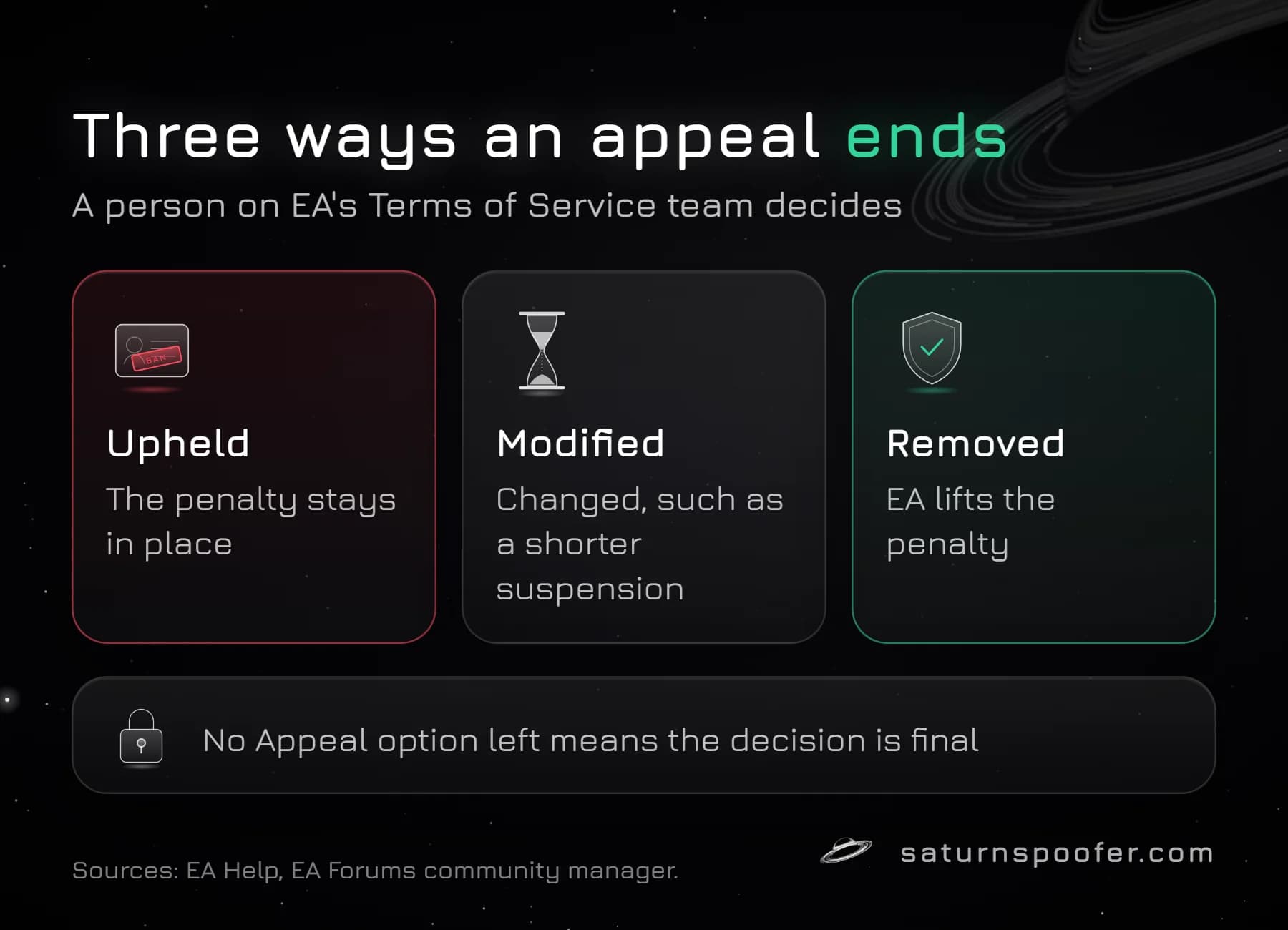
EA's Terms of Service team reviews every Apex Legends appeal by hand. The community manager's post says that even when the reply uses template wording, a person made the decision and the response is not automated. The appeal status updates in Penalty History, and the answer arrives from [email protected] or on your Case History page.
| Outcome | What it means |
|---|---|
| Upheld | EA found the penalty was right and it stays. |
| Modified | The penalty changes, such as a shorter suspension. |
| Removed | EA decided it made a mistake and lifts it. |
EA doesn't publish a review time for Apex Legends appeals. Its current help pages, which we checked on October 9, 2026, explain the steps and the reply email but give no deadline. Answers that quote 72 hours, 10 days or 30 days come from forum posts or from an older EA page that now redirects to the EA Help home page.
EA also doesn't publish how many times you can appeal. Penalty History sets the limit for each penalty. Once it stops offering another appeal, you've used every review available for that penalty, and EA treats the decision as final.
What EA Won't Reverse
Some Apex Legends bans come with EA's own warning that an appeal won't change them. Knowing which ones saves you an appeal you can't win:
- On March 4, 2026, EA said accounts confirmed using Cronus, XIM, Strike Pack or similar devices get permanent bans, and that it will not entertain appeals for leniency. In Javelin's first week Respawn counted 1,201 Cronus bans and 199 XIM bans.
- EA's Apex rules count deliberately teaming with confirmed cheaters across multiple matches as cheating, even if you used nothing yourself.
- Respawn issued a permanent account ban on October 1, 2026 to a player crashing matches with a Ballistic exploit, and said it is acting on every account found using it.
- In September 2026 Respawn gave 258 Predator players on PlayStation and Xbox 60-day suspensions for account sharing. EA also says buying an Apex account puts the account and everything on it at risk.
- EA says it tracks how often the rules are broken and may close the whole EA Account of a player who keeps breaking them.
Mass false-ban claims get checked, but they don't always land. When players said Bot Royale matches had caused wrongful bans, Respawn reviewed the reported accounts and posted on September 18, 2026 that the bans were valid. Respawn added that it still reviews credible false-ban cases.
When the Penalty Isn't in Penalty History
An Apex Legends ban that doesn't show in Penalty History needs a different route. EA lists several reasons a penalty can be missing: you have no penalty, you're signed in to the wrong EA Account, the tool has a bug, the account was hacked, or the penalty came from EA Forums or a mobile game.
- If you can't sign in or the violation isn't listed, EA's help page points you to its webform: fill it in with as much detail as you can, submit it, then choose Email us. A reply comes from [email protected].
- If the account was hacked, secure it first using EA's account recovery steps, then appeal.
- If Sony or Microsoft blocked you on PlayStation or Xbox, EA can't lift it. Contact PlayStation Support or Xbox Support.
Don't post your case on EA Forums and wait. Forum staff have said they can't review, change or overturn any account or game sanction. And the Easy Anti-Cheat appeal form on easy.ac only covers games that still run Easy Anti-Cheat, which Apex on PC no longer does.
Hardware Bans: Where an Appeal Stops
An appeal asks EA to review a penalty on your EA Account. It doesn't tell you whether your PC is blocked as well. Respawn keeps hardware bans for severe and repeat cheating, and it built them so the same player can't come back on a fresh account. Details on how Respawn decides who gets an Apex Legends hardware ban, and how to spot one, have their own page. The short version: if a brand-new EA account gets blocked on your PC while your own account works on another computer, the block is on the machine.
Hardware bans like this work much the same way across most anti-cheats, as bans tied to a PC rather than an account. An HWID spoofer is the fix for that part. Saturn's HWID spoofer for Apex Legends changes the hardware IDs the ban is matched against, from disk and motherboard serials to network adapter addresses. Read up on what an HWID spoofer changes and what it leaves alone before you rely on one. It does nothing for a banned EA account, which only an appeal can restore. Saturn's free trial runs a full day, 24 hours, and it's unlocked with an email address rather than a card.
Apex Legends Ban Appeal FAQ
How long does an Apex ban appeal take?
EA doesn't give a time. Watch the status in Penalty History and your inbox for [email protected].
Is there a limit on Apex ban appeals?
There's no published number. When Penalty History stops showing the Appeal option for that penalty, you've reached the limit and EA treats the decision as final.
Are Apex bans permanent?
Some are. EA says a ban can last a long time or permanently, while suspensions expire. Confirmed input-device cheating draws a permanent ban that EA says it won't soften on appeal.
Can you appeal an Apex hardware ban?
You can appeal the penalty on your EA Account through Penalty History. EA hasn't said whether a hardware block appears there as its own entry, so a machine-level block may stay even after an account decision.
Can someone else appeal for me?
Not through Penalty History, which only takes the appeal from the signed-in EA Account that carries the penalty. EA's Apex rules also warn against sharing your login with anyone, so don't hand your password to a friend or a paid appeal service.
What if my appeal is denied?
Check Penalty History. If the Appeal option is still there, you can send one more with better evidence. If it's gone, the decision is final.