A Battlefield 6 ban is a penalty EA records against your EA Account, against the game itself, or against the PC you play on, and EA's own terms allow all three. Which of the three you have decides what can still be undone, so it is the first thing to pin down. Enforcement also changed during 2026: EA's Season 3 anticheat update on June 1, 2026 added a VAC ban on Steam for confirmed cheaters, and its Season 4 update on August 28, 2026 named four prohibited input devices and switched on strict TPM 2.0 checks.
Does Battlefield 6 Ban Your PC or Only Your Account?
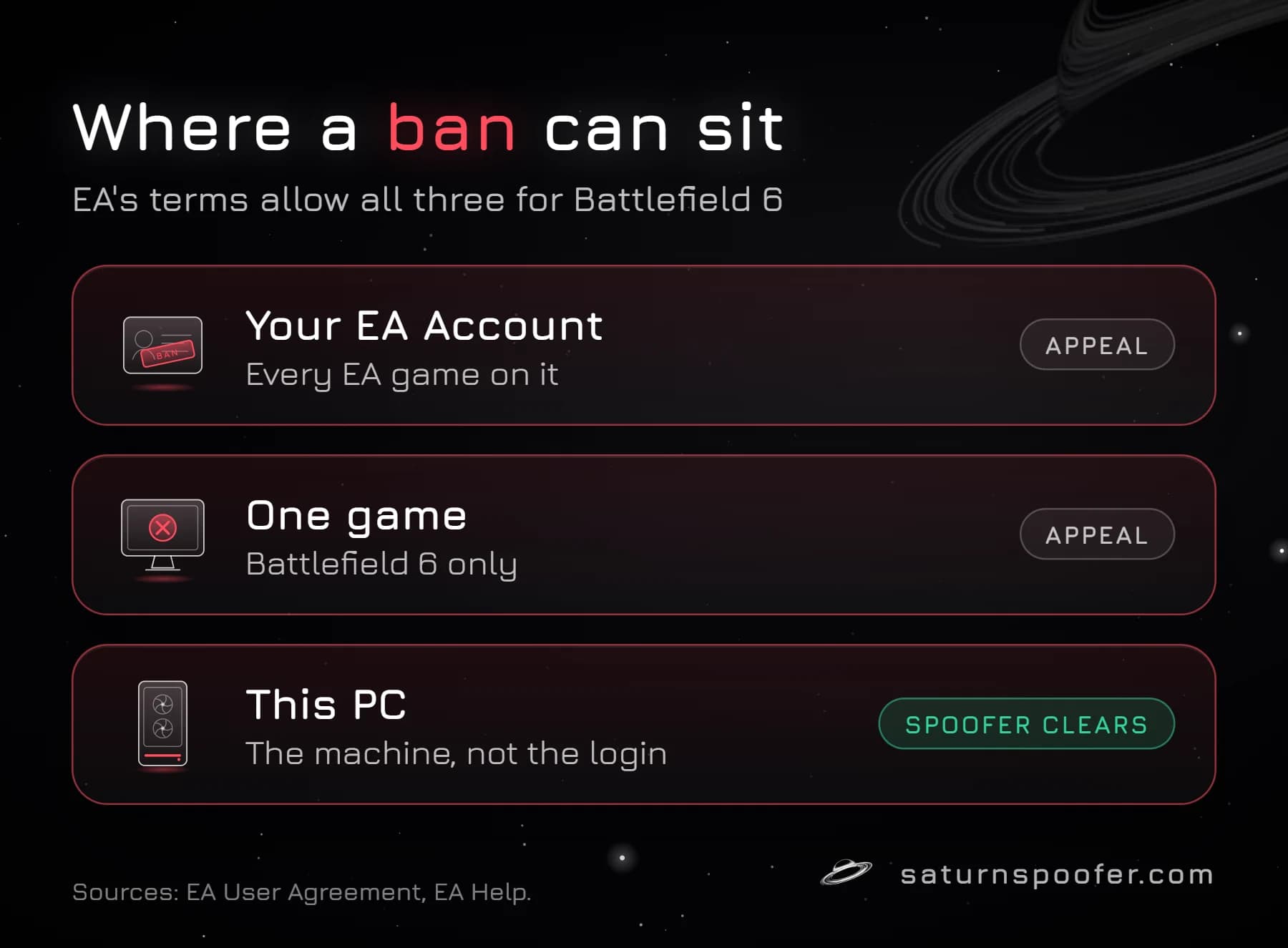
Battlefield 6 bans can reach either. Section 8 of EA's User Agreement, the terms behind every EA Account, lets EA warn, suspend or terminate an EA Account, and as an alternative it lets EA "ban your device or machine from accessing specific EA Services." EA's help center describes the same split from the player's side: a lock, ban or suspension can apply to the EA Account as a whole, to one game, or to the device itself.
EA keeps the mechanism to itself. No EA page lists the hardware identifiers a device penalty is built on, or says when a Battlefield 6 case becomes a device case. The closest hint sits in the Season 3 update, where EA says its new detections reached most of "the accounts and devices" tied to illicit bot services. Respawn, the EA studio behind Apex Legends, has been more direct about its own game: its anti-cheat team counted almost 6,000 hardware bans between late April and July 13, 2026, most of them on PC, which is the subject of the breakdown of Respawn's hardware bans in Apex Legends. Battlefield Studios has published nothing equivalent for Battlefield 6.
The practical test follows from those definitions. If a brand-new EA Account is refused on this PC while the old account signs in fine on another machine, the penalty is tied to the hardware. If the account is refused on every PC, it sits on the account. Penalty History, covered below, settles the account side either way.
What the Battlefield 6 Ban Message Looks Like
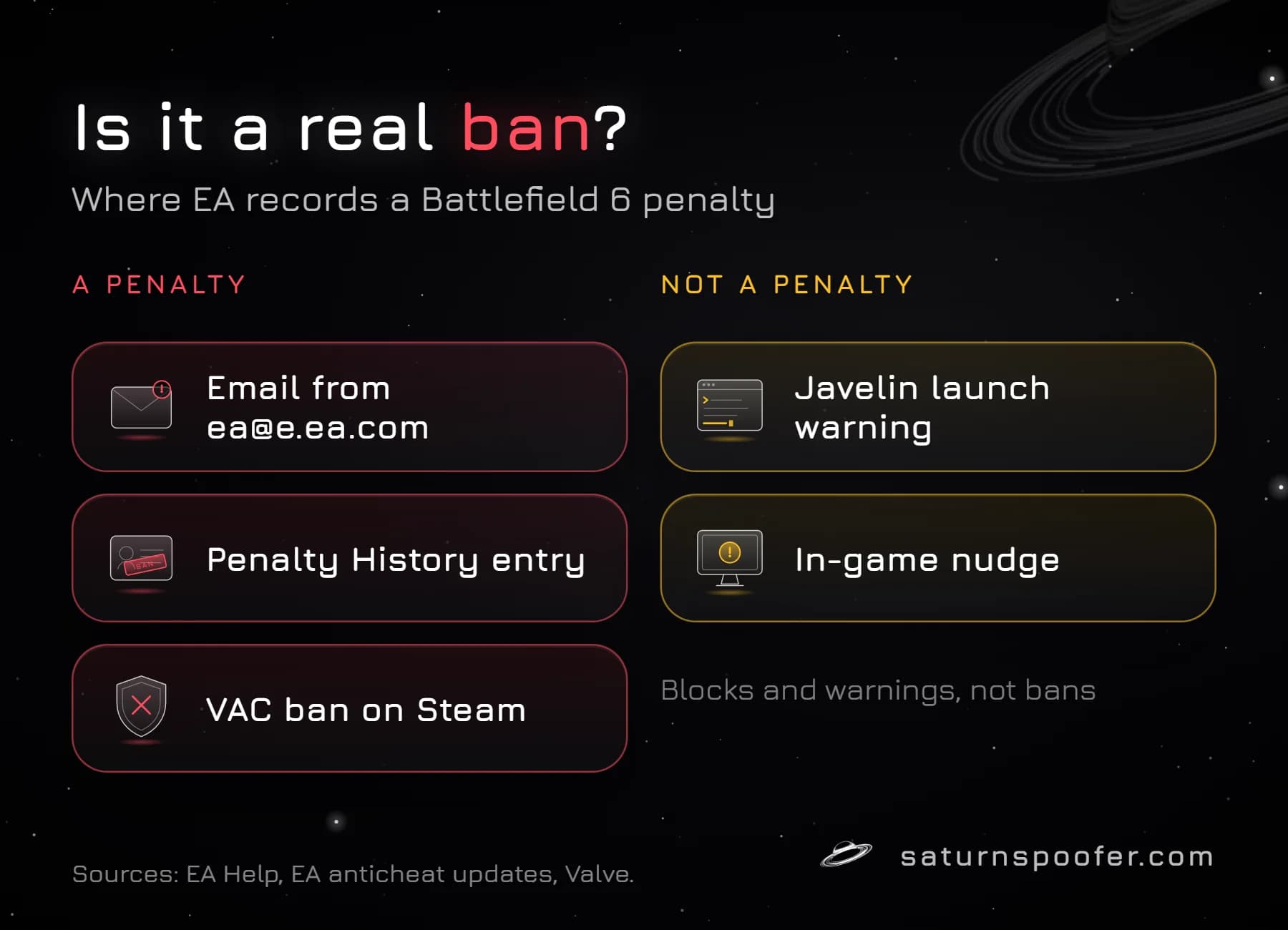
EA has not published a sample of the in-game Battlefield 6 ban screen, so the dependable way to read a ban is to look where EA records it. A real penalty leaves a trail in EA's own systems, and these are the places to check:
| Where it shows | What it tells you | A penalty? |
|---|---|---|
| Email from [email protected] | A lock, ban or suspension was placed | Yes |
| Penalty History on EA Help | Type, reason and appeal status | Yes |
| VAC ban on your Steam profile | A confirmed cheating ban | Yes |
| Javelin warning at launch | A prohibited or blocked program | No, a block |
| In-game nudge | A minor rule violation | No, a warning |
The email address is the first check. EA's help center names [email protected] as the official sender for locks, bans and suspensions, and it warns that these emails can land in a spam folder. The decision on an appeal comes from a different address, [email protected].
Penalty History is the record that counts. For each violation it shows the penalty type, the reason EA gives and where any appeal stands. The reason line can be very short: in October 2025, PC Games Hardware wrote about a player whose permanent Battlefield 6 ban gave "enhanced gameplay" as its only reason.
The Steam line is newer. Since the Season 3 update, EA adds a VAC ban when it confirms a Battlefield 6 cheater, so that other players can identify them, and Valve's documentation says a ban applied through Steam's ban system is publicly visible on the player's Steam profile.
How to Tell a Real Ban Notice From a Fake
Fake Battlefield 6 ban notices circulate often enough that EA has addressed them twice. In its Season 1 anticheat update of November 28, 2025, EA said that most of the screenshots of EA communications about cheating-hardware bans going around were "humorous fan creations and not official", while adding that there was a shred of truth behind them. In Season 3 it created the BF_SledgeHammer account to reply on the EA Forums and Steam, partly to posts showing manipulated enforcement emails.
Three checks separate the real thing from a meme:
- The sender is [email protected], not a lookalike address or a direct message.
- A matching violation sits in Penalty History when you sign in to EA Help yourself, without following a link from the message.
- Nothing asks for your password. EA's Battlefield 6 rules page says EA will never ask for it, and that an email posing as EA and asking for a password is a scam.
The best known example is a "take a shower" screen claiming a forced break after 16 hours of play. EA's Battlefield 6 rules page and its help article on locks, bans and suspensions never mention a playtime limit, and the viral 16-hour ban screen fails every check above. Until Penalty History shows a violation, a screenshot that only exists on social media is a meme, not a ban.
Why Battlefield 6 Bans Players
Battlefield 6 bans follow EA's rules of conduct, and EA's rules page for the game spells out what counts as cheating. The list covers third-party software such as aimbots and wallhacks, tools that disconnect other players from EA servers, exploits and glitch abuse, stat padding, and win-trading or other ranking manipulation, including teaming up in Solo modes and squads colluding with other squads.
One rule catches players off guard. EA treats partying up with confirmed cheaters over several matches, to boost a score or finish challenges, as cheating even when you run no cheats yourself, and it says it can ban you from Battlefield 6 for it. The same page adds that EA requires clear evidence of cheating before it bans a player, and that the penalty system is cumulative: repeat offenses can end with the EA Account closed.
Hardware is covered too. The Season 4 update lists the input devices EA prohibits, naming XIM, Cronus Zen, Strikepack and Titan Two as devices built to avoid detection while giving an edge, along with modded controllers and remapping software that hides or automates input. The rules behind bans for Cronus Zen and other scripting devices have their own write-up. Outside cheating, hate speech and harassment can get an account suspended, and EA's help center says a chargeback outside its refund policy can get an account locked.
EA's Season 3 update also introduced behavior models aimed at stream sniping, deliberate team sabotage, blocking vehicle spawns and collusion, so not every Battlefield 6 ban starts with software.
Warnings and Launch Blocks Are Not Bans
Battlefield 6 can refuse to start without any penalty on your account, and players often mistake those blocks for bans. On PC, the game runs Javelin, EA's own kernel-level anti-cheat, and it needs Secure Boot and TPM 2.0. When Steam cannot detect them, it shows a notice that both must be enabled to play some or all of the game. EA switched on strict TPM 2.0 enforcement with the Season 4 update, after reporting that 98.76% of players already met the requirement and linking most of the remaining 1.24% to emulators, faked hardware compliance, botting or cheating. The chip matters for bans as well: Riot's anti-cheat team has written that a TPM chip's endorsement key is fixed at the factory and only changes with new hardware, so a TPM-backed hardware identity survives a new account or a fresh copy of Windows.
Javelin's own messages work the same way. EA's help center documents warnings such as "EA Javelin Anticheat has detected incompatible software" and lists programs that cannot run alongside a Javelin game. Since Season 4, any product on the prohibited list triggers a warning when you launch Battlefield 6. These messages stop the launch; they are not the lock, suspension or ban that EA records in Penalty History.
Season 4 also added in-game "nudges", notices about a more minor violation that appear in menus, in lobbies or while you wait to respawn. EA describes them as a chance to stop before a bigger warning or sanction, and the examples it was still evaluating included going out of bounds on purpose and playing disruptive sounds over voice chat.
How Long Does a Battlefield 6 Ban Last?
A Battlefield 6 penalty lasts as long as its type allows, and EA defines two. A suspension temporarily blocks you from the game, a part of it, or the EA Account as a whole, and it expires after a set period. A ban takes the same access away for a long period or for good, and EA reserves full EA Account bans for repeated or extreme violations. EA does not publish a table of lengths per Battlefield 6 offense, so the dates on your own Penalty History entry are the answer that applies to you.
Timing can confuse the picture. EA's Season 3 update explains that some detections feed ban waves of different sizes, released later so cheat makers cannot quickly adjust, while flagged accounts that cross certain thresholds are actioned at once. A ban can therefore land some time after the matches that triggered it.
If a suspension seems to outlast its end date, EA's help center says the account sometimes has to be re-enabled, with instructions sent to the email on the EA Account, and that a penalty which still does not lift may in fact be a ban.
How Do You Appeal a Battlefield 6 Ban?
Battlefield 6 appeals run through EA's Penalty History tool, and the steps on EA's page on locks, bans and suspensions are short:
- Sign in to Penalty History on EA Help with the EA Account that received the penalty.
- Open the "Your violations" section and press Review next to the penalty.
- Read the type, reason and status EA shows for that violation.
- Press Appeal, if the violation has not been appealed already, and complete the on-screen steps.
EA's moderation team then re-examines the original decision along with anything you add. Three outcomes are possible: the penalty stands, it is changed (a suspension can be shortened, for example), or it is removed because EA finds it made a mistake. The answer arrives by email from [email protected].
Keep the appeal factual: the date, the platform, the exact wording of the notice and any software or devices running at the time. EA's Battlefield 6 rules warn that making a false claim to EA staff can itself lead to action on your account.
When the penalty does not appear in Penalty History, EA lists the usual causes (signing in to the wrong account, a hacked account, a penalty from the EA Forums or a mobile game, or a fault in the tool) and points to its customer care webform instead. A block that came from PlayStation or Xbox, rather than EA, goes to that platform's support.
What an HWID Spoofer Can and Cannot Clear
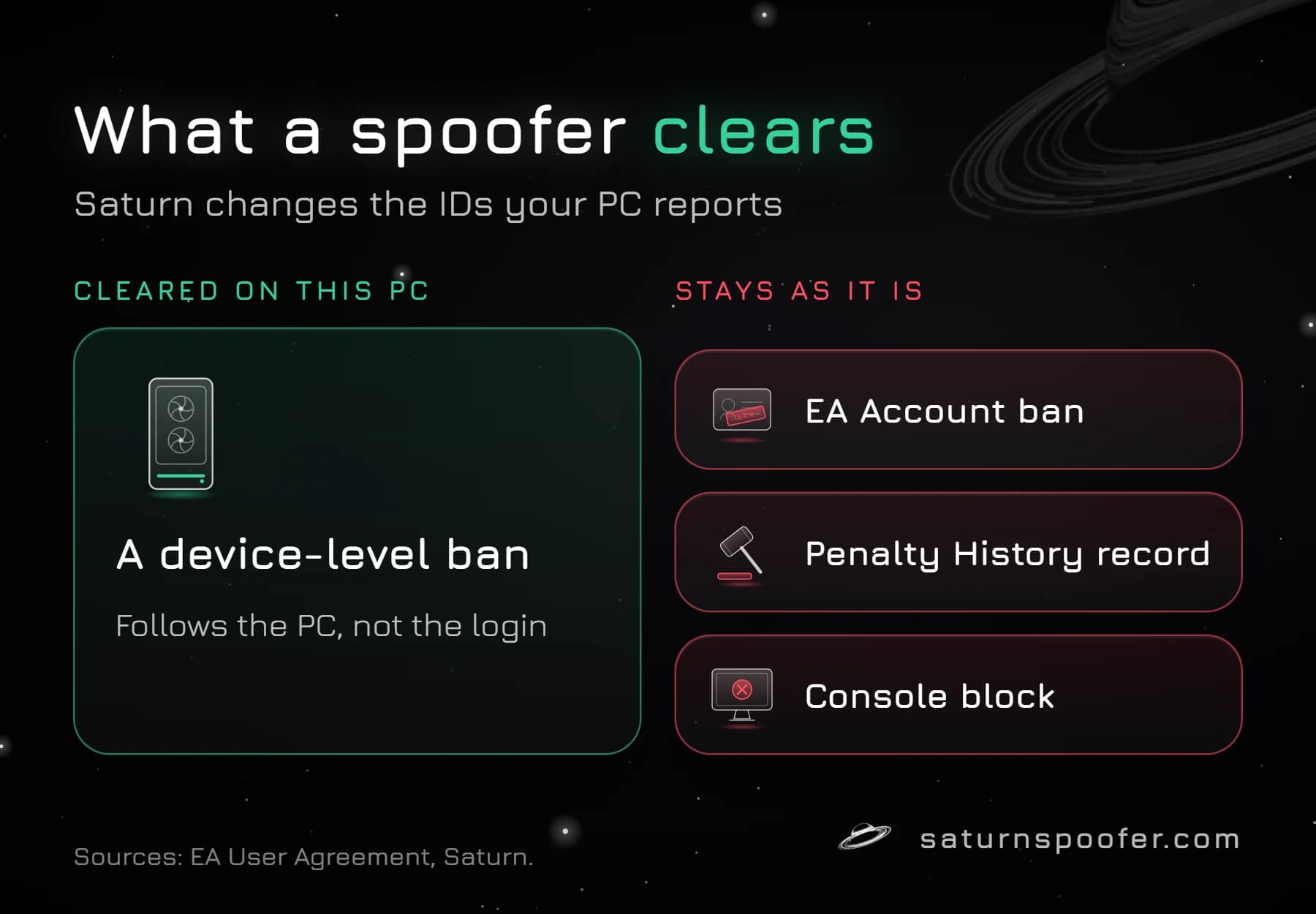
An HWID spoofer does nothing for the account side of a Battlefield 6 ban. It cannot edit Penalty History, shorten a suspension or reverse an EA Account ban, it is no use on PlayStation or Xbox, and a launch block or a fake screenshot was never a ban to begin with. Appeals are the route for all of those.
The device side is different. When EA bars the machine itself, which its User Agreement allows, the block follows that PC rather than your login, and it is one of those hardware bans that outlive an account. Saturn, which ships no cheat features, spoofs hardware IDs on Windows PCs. Saturn's Battlefield 6 HWID spoofer launches from the same loader as every Saturn license and rewrites what the PC reports for the motherboard (board and SMBIOS values), the processor and its TPM, every NVMe, SSD or HDD, memory serials, the graphics card, the network adapter's MAC address, the display's EDID, connected USB devices and UEFI firmware variables, and dozens more machine-unique IDs. Changing them clears a device-level ban on that PC; a banned EA Account keeps its penalty.
Saturn works in two modes, and the trade-off between temporary and permanent spoofing decides which fits:
- Temporary mode masks the original IDs only while Saturn stays open; once you quit, the banned values are back. This mode allows unlimited profiles.
- Permanent mode replaces the IDs for good under one hardware profile; should EA ban that profile later, buying a new profile is the fix.
EA's User Agreement also allows EA to terminate every EA Account a player holds for some violations, so the risk of starting over on another account sits with you. Trying Saturn for 24 hours is free: registration takes an email address, never a card.
Battlefield 6 Ban FAQ
Can a Battlefield 6 ban carry over to other EA games?
It depends on where EA placed it. A penalty on Battlefield 6 alone stays with Battlefield 6, while a ban on the EA Account reaches every EA game on that account, and EA's User Agreement allows it to close all of a player's EA Accounts for some violations. A device ban covers the specific EA services EA names.
Why doesn't my Battlefield 6 ban show in Penalty History?
EA's help center gives several reasons: there is no penalty, the wrong EA Account is signed in, the account was hacked, the penalty came from the EA Forums or a mobile game, or the tool has a fault. When none of those fits, EA's customer care webform is the route to a review.
Does a Battlefield 6 ban show up on Steam?
For confirmed cheaters, yes. Since its Season 3 anticheat update on June 1, 2026, EA applies a VAC ban on top of the Battlefield 6 penalty, and Valve says bans issued through Steam's system are visible on the player's public Steam profile.
Can I still play Battlefield 6 while suspended?
It depends on the suspension. EA's help center says a suspension from online play still leaves many EA games playable offline in single-player mode, while a ban removes access to the game or to the whole EA Account.
Will a new EA Account get around a Battlefield 6 ban?
Not when the penalty is on the device, because a device ban targets the machine rather than the login. EA's terms also let it close all of a player's EA Accounts for some violations, so a second account is no shelter from an account ban either.
Do Battlefield 6 bans work the same on PlayStation and Xbox?
Partly. EA's account penalties and Penalty History cover Battlefield 6 on every platform, but Javelin, the Secure Boot and TPM 2.0 rules and any PC device ban belong to Windows. EA's help center adds that a console block may come from PlayStation or Xbox rather than EA, and those go through the platform's own support.