Converting to UEFI
Learn how to convert your system from Legacy BIOS to UEFI
Important Note
- - Back up all important data before proceeding
- - Make sure your PC is plugged in if using a laptop
- - This process will require a system restart
Open Command Prompt
- Click the Start menu or press the Windows key
- Type "Command Prompt" in the search bar
- Right-click on Command Prompt
- Select "Run as administrator"
Validate the Drive
Type the following command and press Enter:
mbr2gpt /validate /allowFullOS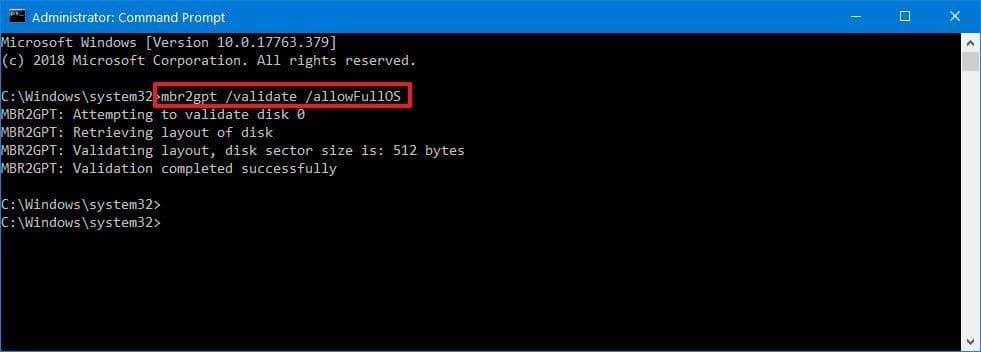
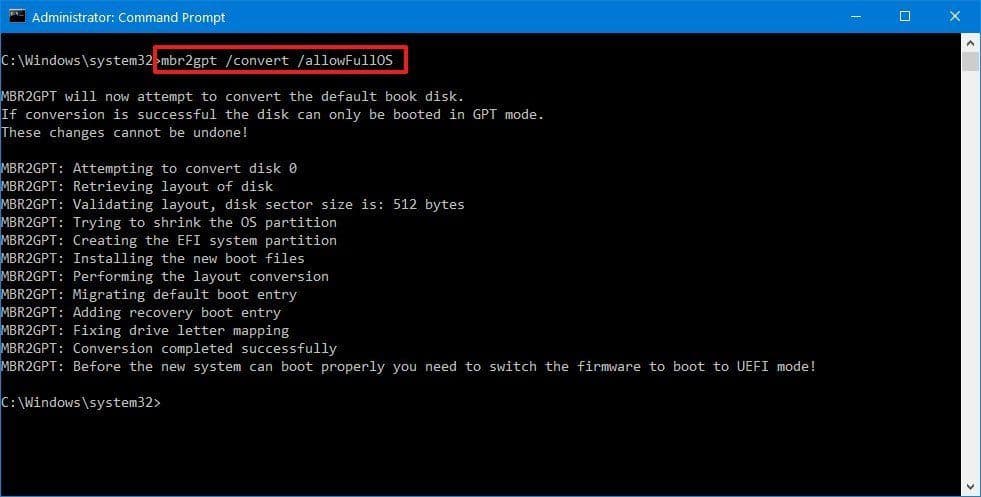
Convert to GPT
Type the following command and press Enter:
mbr2gpt /convert /allowFullOS